Alpha 710ML User’s Guide 22
Setting Alphanumeric Descriptions
To change the power saving time
ProgrammingMore OptionsConfigPower Saving
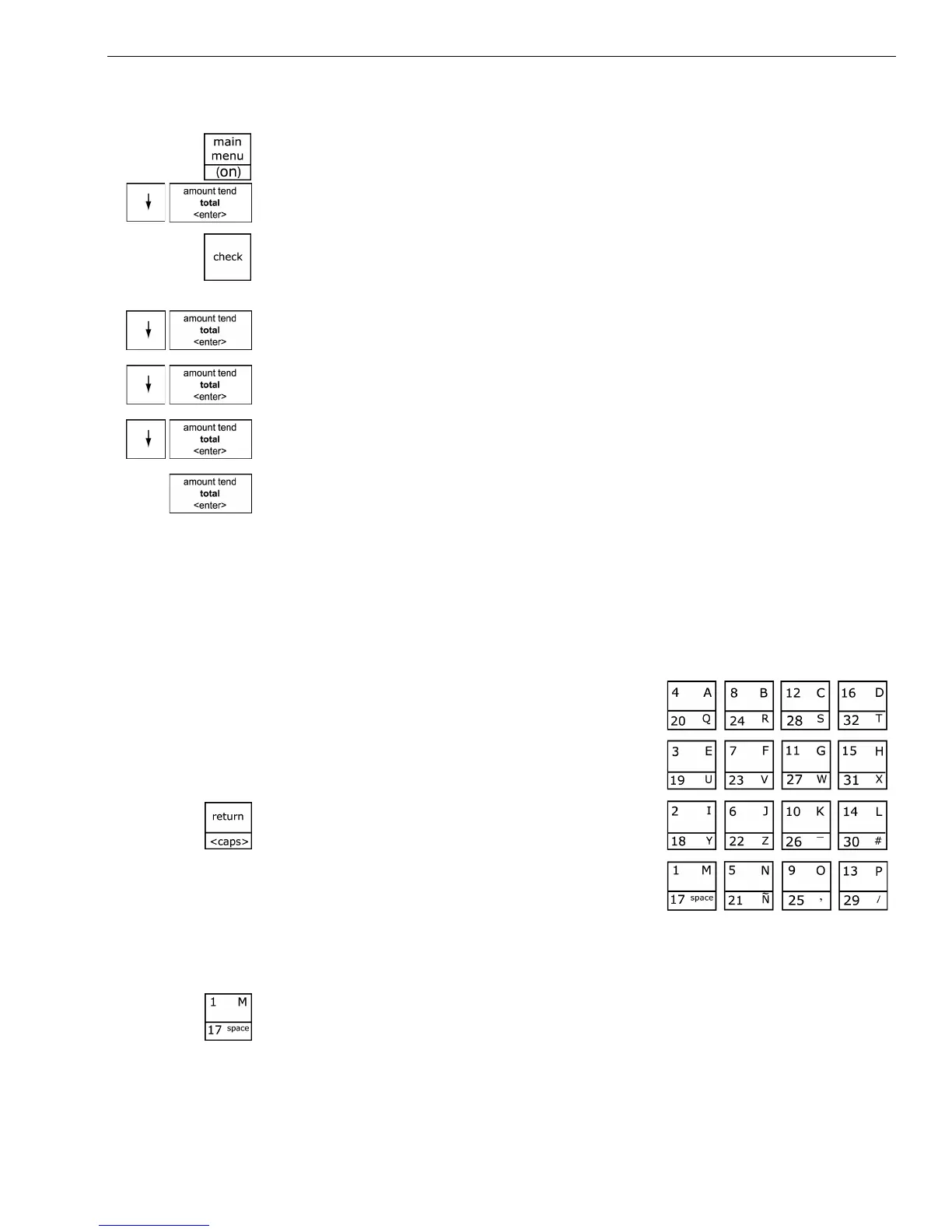
1 Press the Main menu (on) key.
2 Press the Arrow Down key to select Programming. Press the Amount
Tend Total <Enter> key.
3 If you are prompted for a Manager Passcode, type the passcode number
and then press the Check key. If you did not program a Manager
Passcode, go to the next step.
4 Press the Arrow Down key to select More Options. Press the Amount
Tend Total <Enter> key.
5 Press the Arrow Down key to select Config. Press the Amount Tend Total
<Enter> key.
6 Press the Arrow Down key to select Power Saving. Press the Amount
Tend Total <Enter> key.
7 Make your selection. When you are done, press the Amount Tend Total
<Enter> key.
Setting Alphanumeric Descriptions
You can program custom header and footer messages, clerk names,
departments, and item descriptions. These text messages and descriptions
appear on the receipt and on the customer display.
When you are programming the alpha
descriptions for Departments, PLUs, Clerks,
the Header and Footer messages, use the
Alpha Keyboard.
Note
Only capital letters of the alphabet are on the
Alpha Keyboard. To use lower case letters,
press the Return <caps> key.
The department keys are clearly labeled
with all the letters needed to program these
descriptions. When you are programming alpha descriptions, use the
department keys to spell out the words you want.
To use the letters in the white part of the Department keys, simply press
the Department key.



 To Next Page