Chapter 5 Setting Up Your Cash Register Parameters
59 Alpha 710ML User’s Guide
Grand Total Amount
You can program the starting Grand Total Sales Amount. If you were
using a different cash register before this one and want to carry the Grand
Total Sales amount over from all the sales rung on the previous cash
register and to continue adding to that amount with this register, set that
starting Grand Total Sales amount here. The Grand Total Sales Amount
appears at the bottom of the Z1 and Z2 Reports.
Config Options
Most of the parameter options under Config Options are the settings that
were programmed or set during the Initial Set-up of the register.
If you made an error during the Initial Set-up, come to the Config Options
to correct the entry or setting.
The Config Options menu includes the options listed in this section.
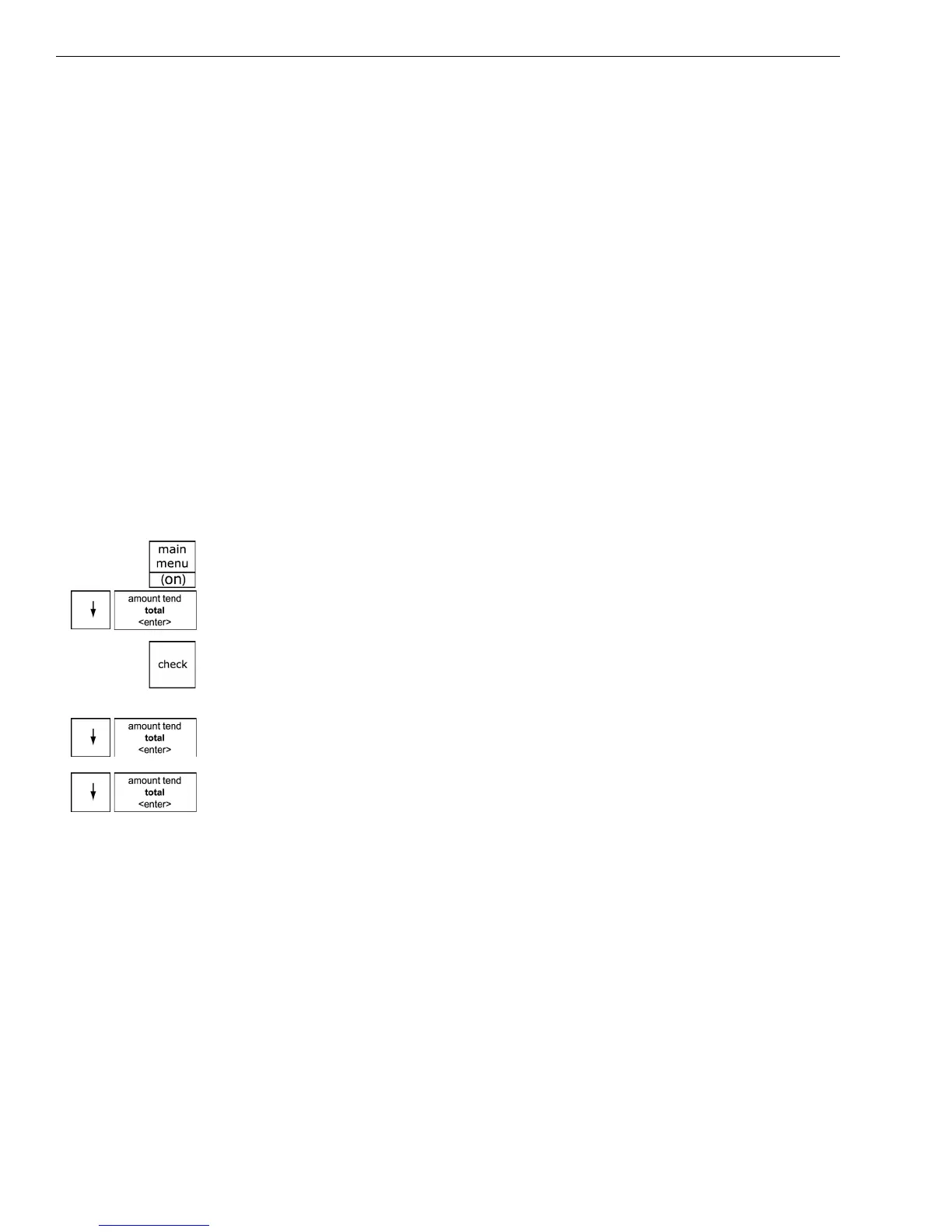
To open the Config Options menu
ProgrammingMore OptionsConfig
1 Press the Main menu (on) key.
2 Press the Arrow Down key to select Programming. Press the Amount
Tend Total <Enter> key.
3 If you are prompted for a Manager Passcode, type the passcode number
and then press the Check key. If you did not program a Manager
Passcode, go to the next step.
4 Press the Arrow Down key to select More Options. Press the Amount
Tend Total <Enter> key.
5 Press the Arrow Down key to select Config. Press the Amount Tend
Total <Enter> key.
The rest of this section explains each menu option.
Language
Specify the default language of the machine for all the prompts, messages,
on-screen instructions, and so on.
Date
Specify the date, including month, date, year.



 To Next Page