Alpha 710ML User’s Guide 78
Using VAT Tax Rates
Using VAT Tax Rates
The Value Added Tax is commonly used in Mexico and Europe but other
locations use it as well.
To set a VAT tax
ProgrammingTax Set Up
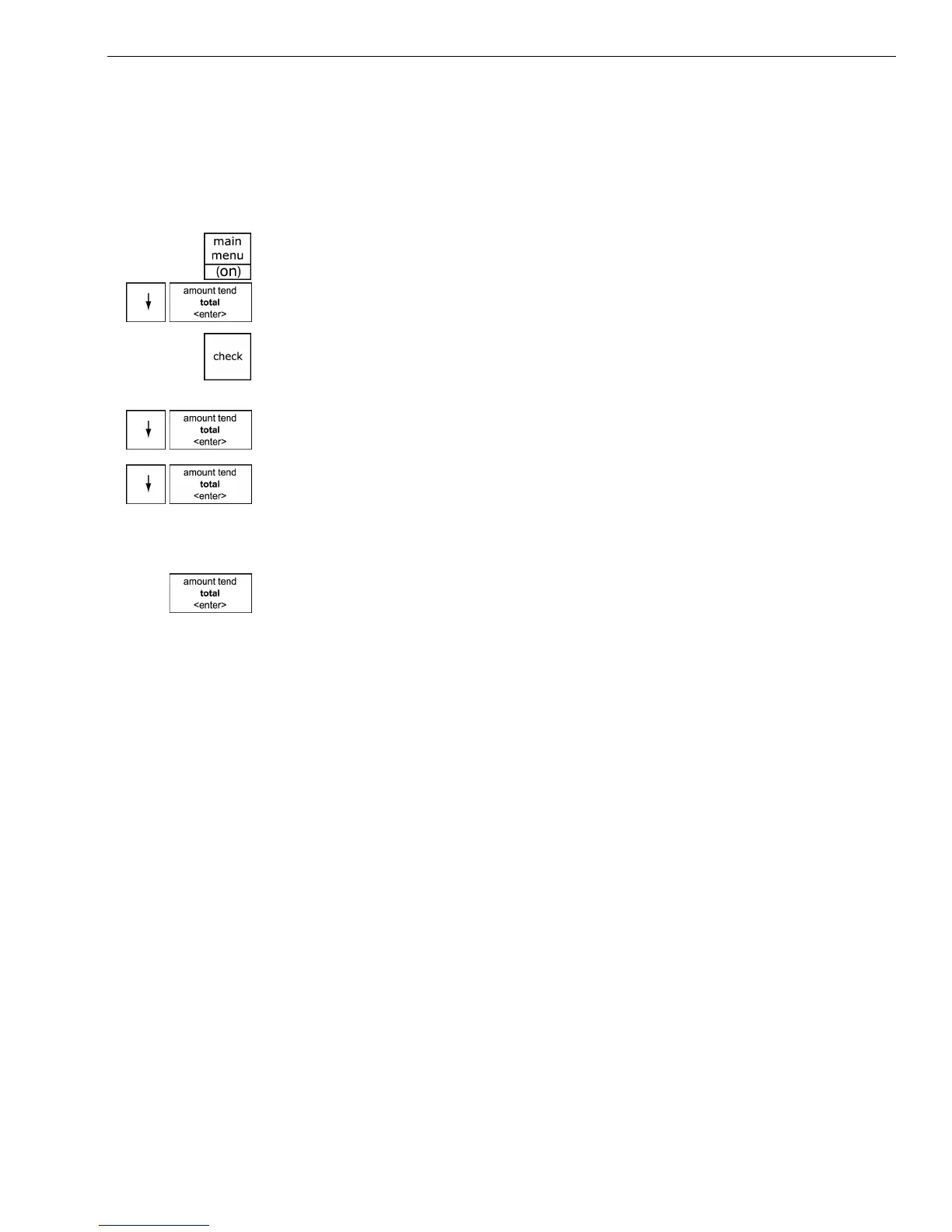
1 Press the Main menu (on) key.
2 Press the Arrow Down key to select Programming. Press the Amount
Tend Total <Enter> key.
3 If you are prompted for a Manager Passcode, type the passcode number
and then press the Check key. If you did not program a Manager
Passcode, go to the next step.
4 Press the Arrow Down key to select Tax Setup. Press the Amount Tend
Total <Enter> key.
5 Press the Arrow Down key to select the tax you want to change. Press the
Amount Tend Total <Enter> key.
6 Using the round Number keys area, enter the tax you want to add. You
must use a 5 digit number.
7 When you are done, press the Amount Tend Total <Enter> key.
8 Repeat for each tax you want to set.
Printing a Confirmation Report
To check your results, see Running the Options Dump Report on page 79.



 To Next Page