Alpha 710ML User’s Guide 40
Programming the Credit Keys
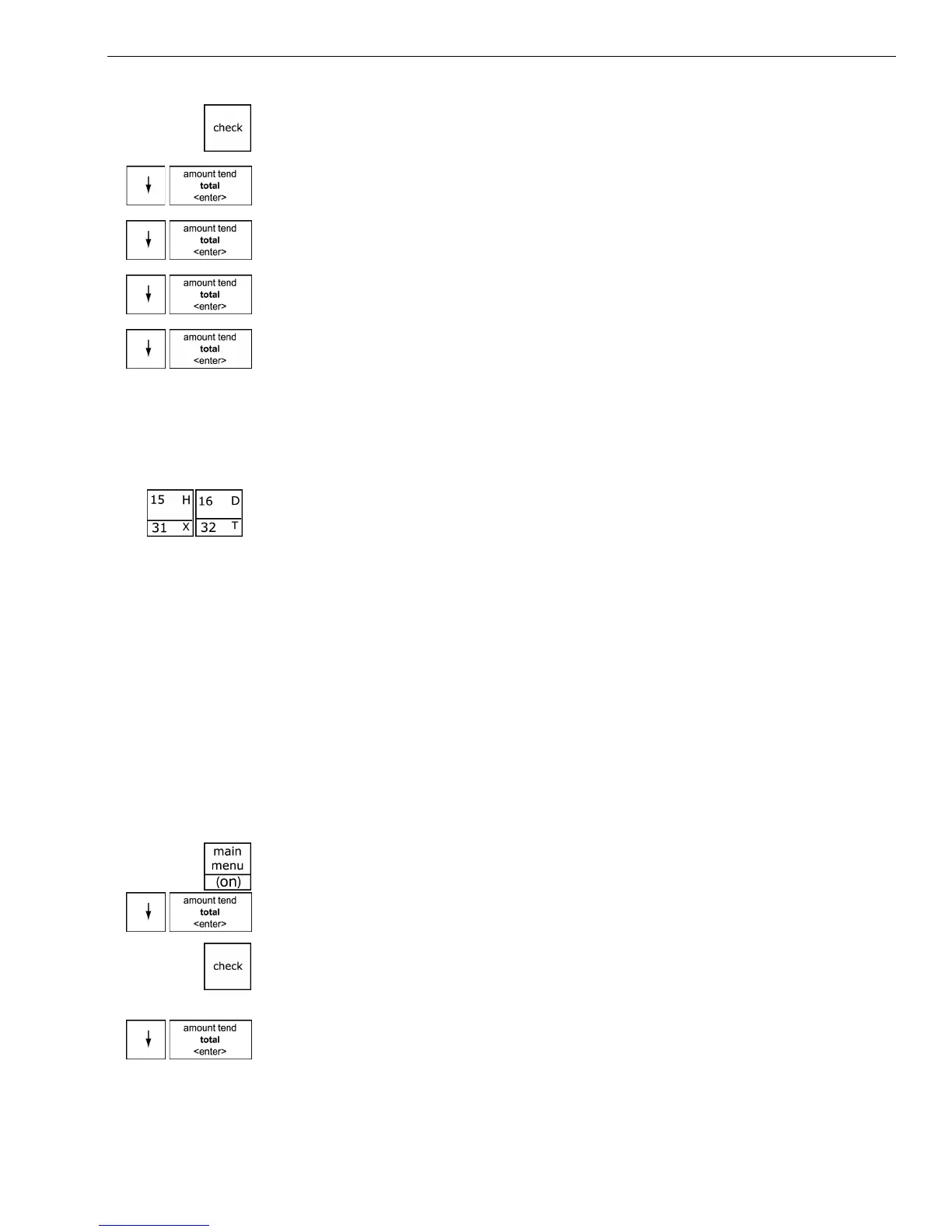
3 If you are prompted for a Manager Passcode, type the passcode number
and then press the Check key. If you did not program a Manager
Passcode, go to the next step.
4 Press the Arrow Down key to select More Options. Press the Amount
Tend Total <Enter> key.
5 Press the Arrow Down key to select System Options. Press the Amount
Tend Total <Enter> key.
6 Press the Arrow Down key to select 6. Scroll Speed. Press the Amount
Tend Total <Enter> key.
7 Press the Arrow Down key to select the speed option you want. Press the
Amount Tend Total <Enter> key.
Programming the Credit Keys
You can use 2 department keys as credit card-only keys, in addition to the
Charge <wide> key. You can use one or both keys if you want. For
example, you can customize the name of Department 15 to be a Visa®
card and Department 16 to be a MasterCard®. You can also program the
cash register to print the name of the credit card key on the receipt or
journal tape.
When you ring up a sale, you can use Department 15 and/or Department
16 to finalize the credit card sale, open the cash drawer, and print the
receipt or journal tape.
Note
If you want to use Departments 15 and/or 16 as credit card keys, they no
longer work as department keys until you reset the department keys to be
Normal Layout.
To program a credit key description
ProgrammingMore OptionsOthers Set Up
1 Press the Main menu (on) key.
2 Press the Arrow Down key to select Programming. Press the Amount
Tend Total <Enter> key.
3 If you are prompted for a Manager Passcode, type the passcode number
and then press the Check key. If you did not program a Manager
Passcode, go to the next step.
4 Press the Arrow Down key to select More Options. Press the Amount
Tend Total <Enter> key.



 To Next Page