Alpha 710ML User’s Guide 12
About the Menus on the Clerk Display
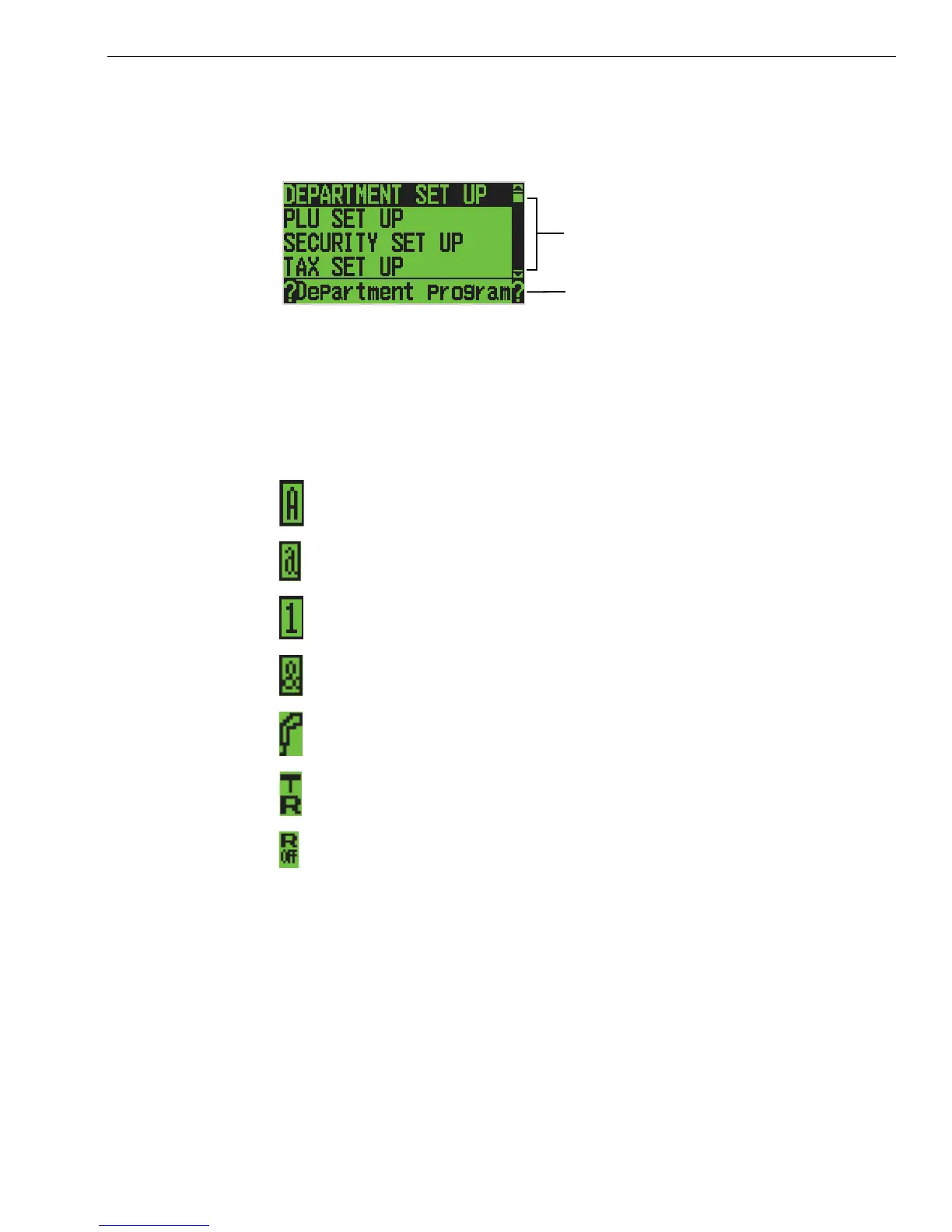
You may see a scroll bar on the right side of the screen. This means that
there are more options to see if you use the Arrow Up and Arrow Down
keys.
When you are programming, you also see text that moves across the
bottom of the screen. This text provides a brief explanation of the selected
option.
As you use the cash register, you notice symbols on the lower left of the
5th line. These symbols are:
Enter uppercase alphabetical letters using the Department key in
Caps On mode.
Enter lowercase alphabetical letters using the Department key in
Caps Off mode.
Enter numbers using the rounded number keys.
Enter symbols and international characters by pressing the #/ NS
<sym> key.
Scan a barcode using the optional barcode reader.
The cash register is in Training Mode.
Receipt printer is turned off in Sales Registration mode.
Scroll bar
Help text



 To Next Page