Settings 206
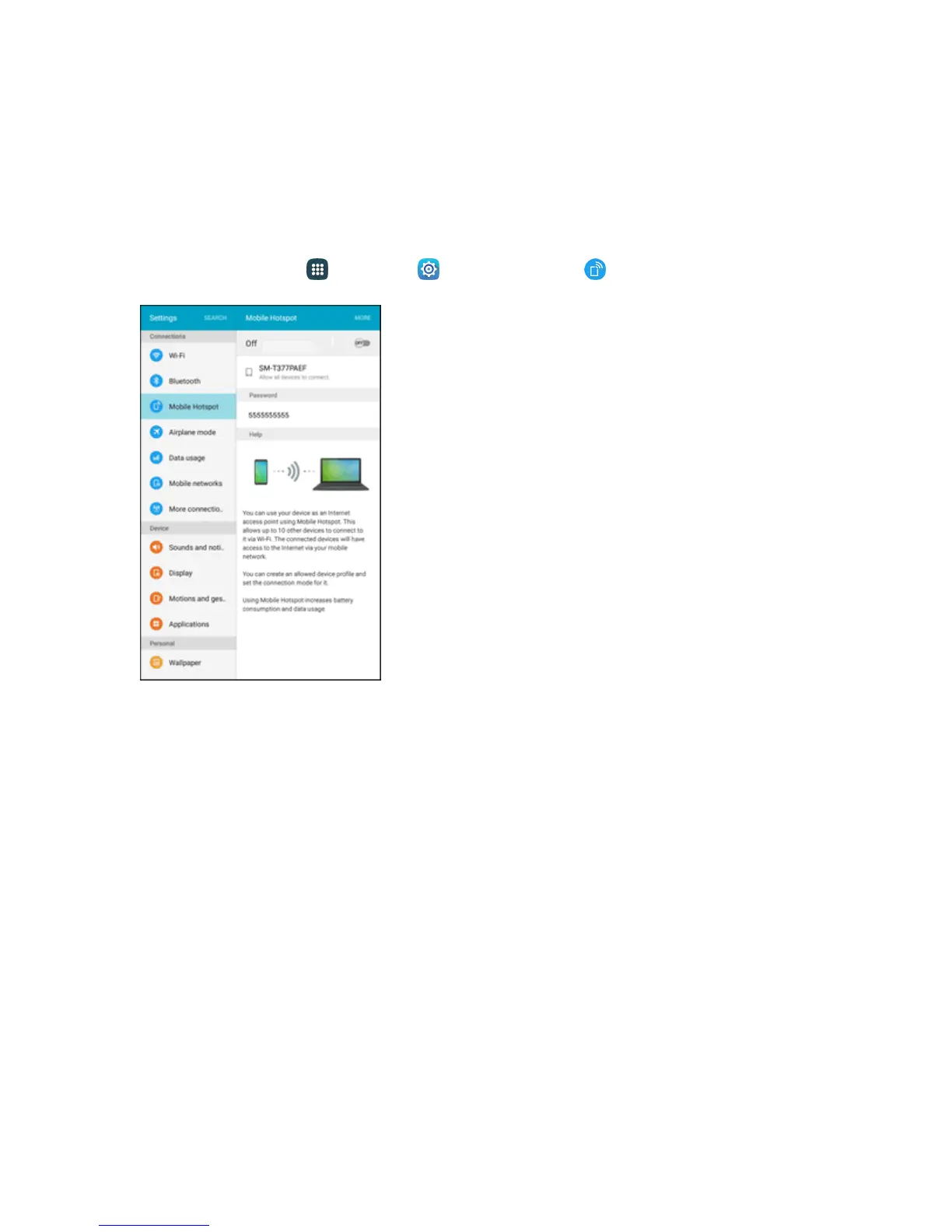
2. TapON/OFFtoturnHotspotonoroff.
Note:TurningonHotspotwillturnoffWi-Fi.
Configure Hotspot
SetupHotspottoyourpreferences.
1.
Fromhome,tapApps >Settings >Mobile Hotspot .
2. TapMoretosettheseoptions:
l Configure Hotspot:
o
Network name:Viewandchangethenameofyourmobilehotspot.
o
Hide my device:Whenenabled,yourmobilehotspotisnotvisibletootherWi-Fidevices
duringascan.Otherdevicescanstillconnecttoyourmobilehotspot,butwillhavetoset
uptheconnectionmanuallywithyourNetworkSSIDandPassword.
o
Security:ChoosethesecuritylevelforyourMobileHotspot.
o
Password:Ifyouchooseasecuritylevelthatusesapassword,setapassword.
o
Show password:Whenenabled,thecontentsofthePasswordfieldarevisible.
o
Show advanced options:Whenenabled,youcanaccessadvancedoptions,including
Broadcastchannel,tospecifythechannelyourdeviceusesforHotspot,andyoucanset
themaximumnumberofconnectionstoyourHotspot.
l Timeout settings:Chooseatimeperiod,afterwhichHotspotwillautomaticallyturnoffif
thereisnoactivity.











 To Next Page