18 VERSA SATEL
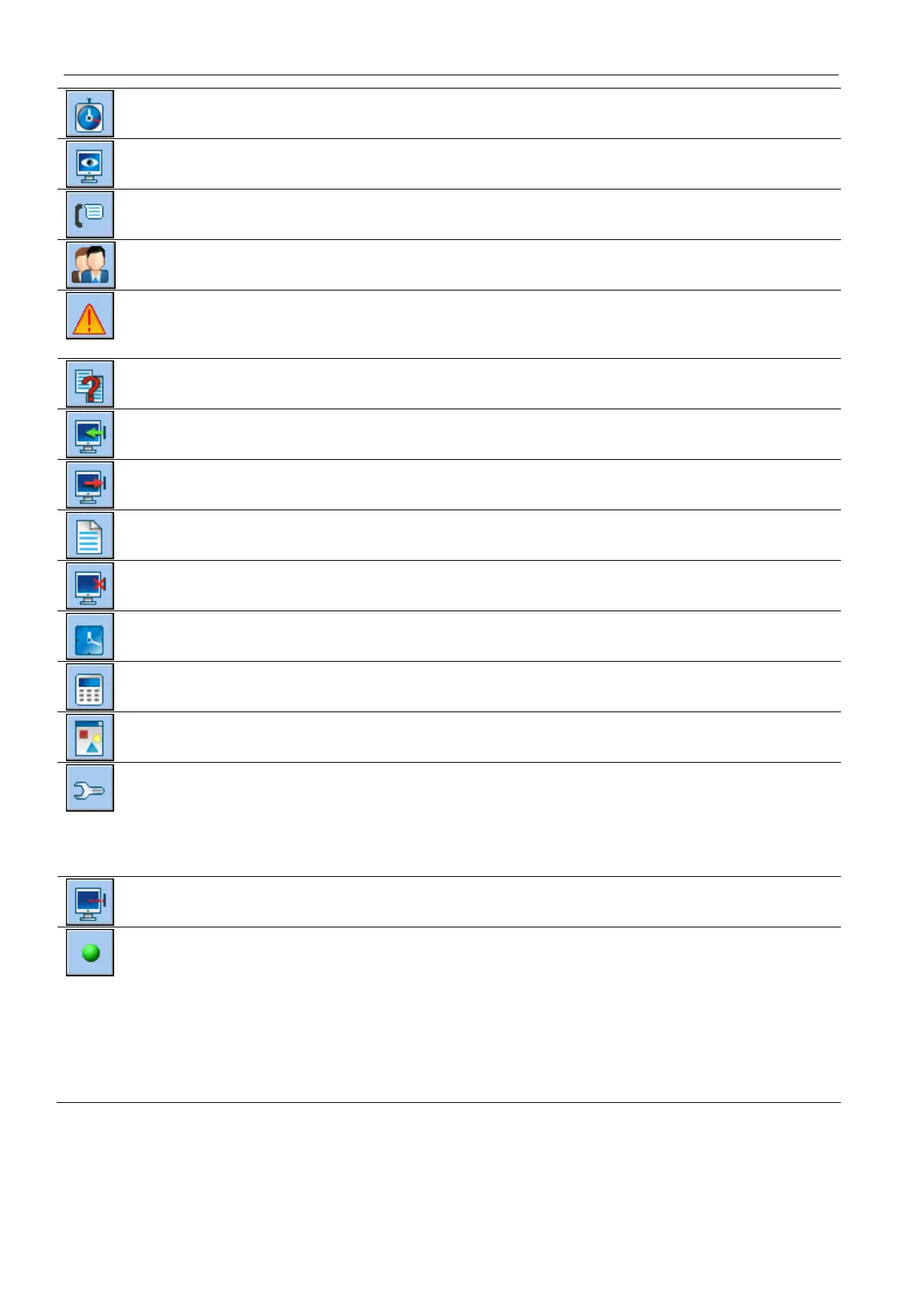
click to open the “VERSA – Timers” window.
click to open the “VERSA – Reporting” window.
click to open the “VERSA – Tel. messaging” window.
click to open the “VERSA – Users” window.
click to open the window with information on errors made when configuring the alarm
system (e.g. nonconformity with requirements of EN 50131 for Grade 2, when
GRADE 2 option is enabled).
click to open the “Data comparison” window.
click to read data from the control panel.
click to write data to the control panel.
click to open the event log window.
click to terminate data reading/writing.
click to write computer clock time to the control panel.
click to display virtual keypad.
click to display the drop-down menu shown in Fig. 4.
click to open the “Configuration” window.
The “Configuration” window will not open, when the DLOADX program is connected
to the control panel via modem or Ethernet. Instead, a window with the connection
information will open. Opening the “Configuration” window will only be possible after
the connection is ended.
click to display the drop-down menu, where you can select the way of
communication with the alarm control panel.
click to:
enable/disable the COM port,
open the connection information window (remote programming).
Color of the button icon has the following meanings:
green – connection OK,
alternating green and yellow – data transfer going on,
gray – no connection.















 To Next Page