SATEL VERSA 65
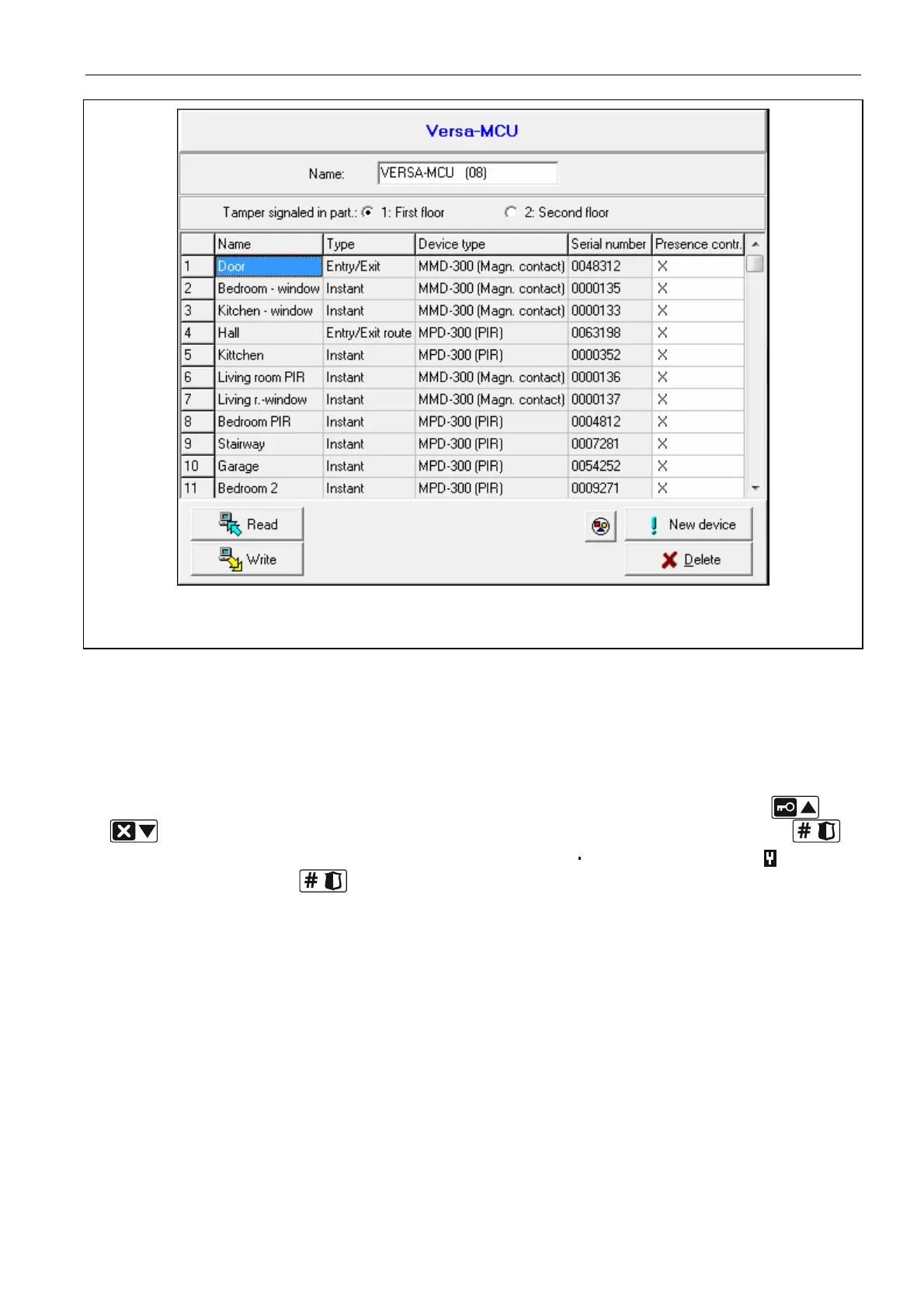
Fig. 18. DLOADX program: configuring the 433 MHz wireless system controller and 433 MHz
wireless detectors.
LCD keypad
You can enable/disable the presence control option:
immediately after adding a detector to the system (for the procedure of adding 433 MHz
wireless detectors, refer to the INSTALLER MANUAL),
using the C
ONFIG.DEVICE function (SERVICE MODE 2. HARDWARE 1. KPDS & EXPS
3. W
IRELESS DEV. 2. CONFIG.DEVICE). Having started the function, use the and
keys to select the zone to which the wireless detector is assigned and press .
To enable/disable the option, press any numeric key (
– option disabled, – option
enabled), and then press .
8.5.3 433 MHz wireless detectors and zone programming
When programming the zones to which 433 MHz wireless detectors are assigned, take into
consideration the specific character of the operation of such detectors. The wireless
detectors send information on violations, tampers and low battery status. The information on
violations and tampers is sent to the zone to which the detectors are assigned. These zones
can be programmed as:
NC, NO or EOL – the zone will inform about detector violation,
2EOL/NC or 2EOL/NO – the zone will inform about detector violation and tamper.
The information on tamper and tamper restore is sent by the detector in real time.
How information about violation is sent depends on the detector operating mode:
normal – the detector sends information on violation and violation restore in real time (the
zone status corresponds to the detector status),















 To Next Page