SATEL VERSA 17
To exit the service mode, do the following:
LCD keypad: keep pressing until you return to the main menu, and then press in turn
,
LED keypad: press and then press in turn .
3. Configuring the control panel with DLOADX program
Required program version: 1.17.005 (or newer).
Access to the program is protected by a code. The factory default code: 1234 (you need not
enter the factory code, just click on the “OK” button).
The factory code should be changed.
Entering an incorrect code three times will terminate the program.
Communication between the program and the control panel is coded. The alarm control
panel may be programmed locally or remotely.
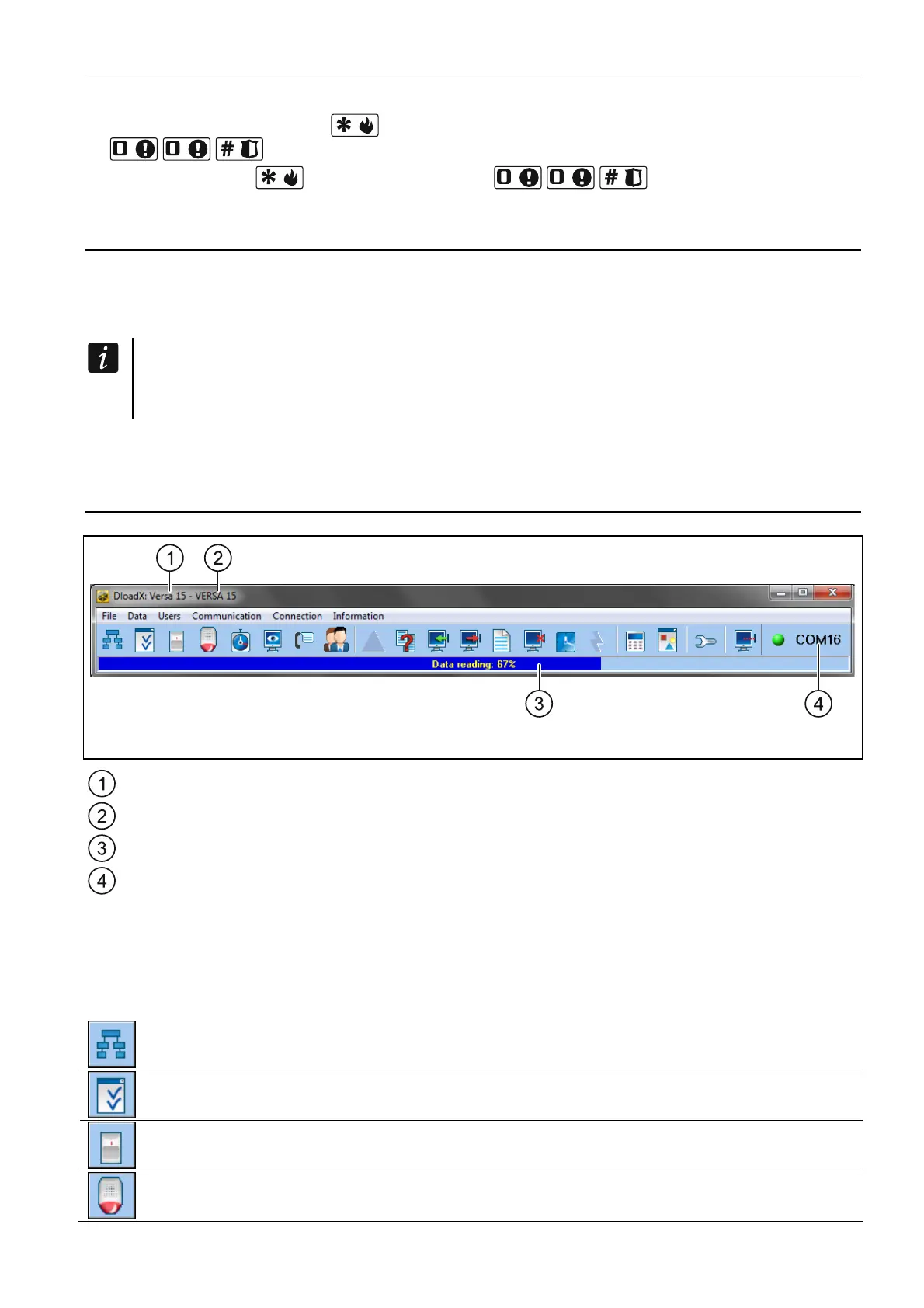
3.1 Main menu of the DLOADX program
Fig. 3. Main menu of DLOADX program.
type of alarm control panel.
name of alarm system / data file.
information on data writing/reading progress.
information on the way of communication with the alarm control panel:
COMn [n – number of computer COM port] – via the RS-232 (TTL) port,
Modem – via the modem,
TCP/IP – via the Ethernet.
3.1.1 Buttons
click to open the “VERSA – Structure” window.
click to open the “Global parameters” window.
click to open the “VERSA – Zones” window.
click to open the “VERSA – Outputs” window.















 To Next Page