SATEL VERSA 77
Part. – define the partitions, about the events from which the given e-mail address is to be
notified.
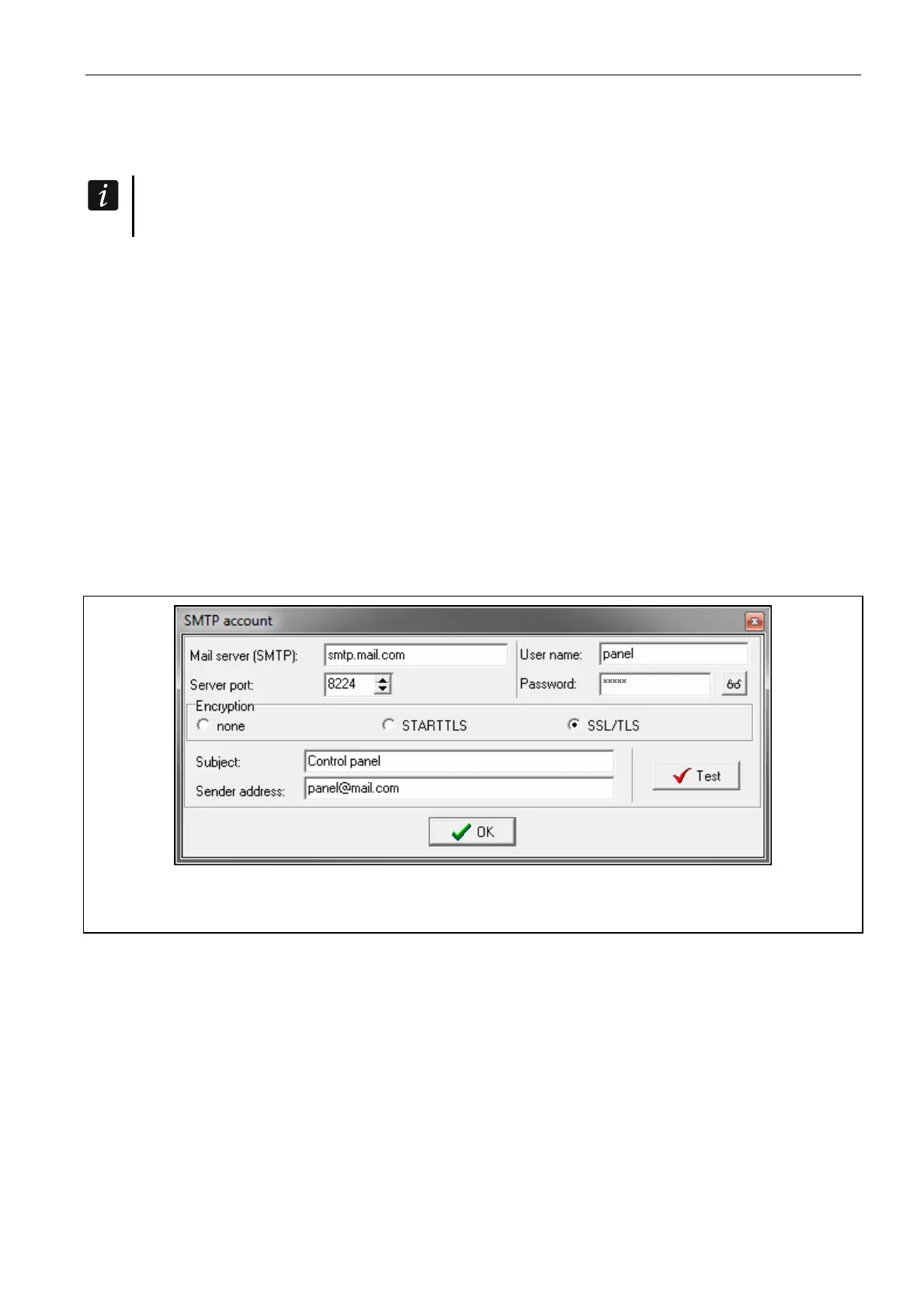
SMTP account
It is required to have an e-mail account so as to enter its parameters in the DLOADX
program for the purpose of e-mail messaging.
Mail server (SMTP) – address of outgoing mail server.
Server port – number of outgoing mail port.
User name – name of the e-mail account used for authorization by the SMTP server (login to
e-mail account).
Password – the password used for authorization by the SMTP server.
Encryption – you can define if and how the outgoing mail is encrypted:
none – outgoing mail is not encrypted.
STARTTLS – outgoing mail will be encrypted using the STARTTLS protocol.
SSL/TLS – outgoing mail will be encrypted using the SSL/TLS protocol.
Subject – subject of the e-mail message. It will be inserted in each e-mail message to be
sent.
Sender address – e-mail address which will be inserted in the outgoing e-mail message as
the sender address. If this field is blank, the name of e-mail account will be treated as the
sender address.
Fig. 25. DLOADX program: entering the data of e-mail account that will be used for e-mail
messaging. The presented settings are just an example.
11.2.3 Starting the e-mail messaging
1. Enable the LAN option.
2. Enter the e-mail addresses to be notified, and enable the ON option for those addresses.
3. Define the events of which the control panel is to notify.
4. Configure the parameters of e-mail account which is to be used for sending e-mail
messages (MAIL SERVER (SMTP), SERVER PORT, USER NAME, PASSWORD, ENCRYPTION,
SENDER ADDRESS).
5. Enter the subject for e-mail messages.
6. Configure the Ethernet module network settings.















 To Next Page