SATEL VERSA 11
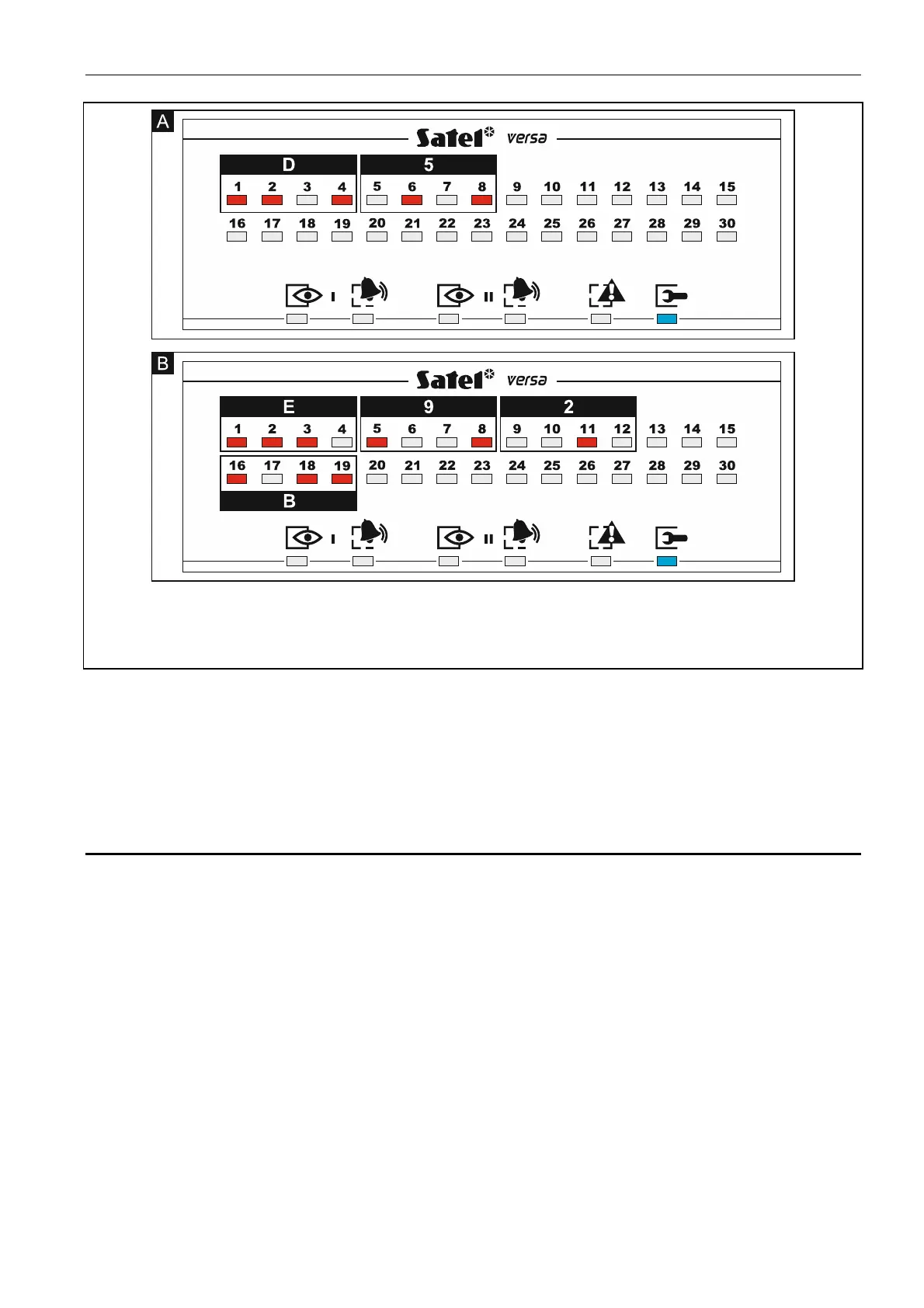
Fig. 2. Examples of presenting hexadecimal values by means of LEDs in the LED keypad.
Two-character value D5 is programmed in Example A, and four-character value E92B in
Example B.
Programming telephone numbers
The telephone numbers are entered in much the same way as in the LCD keypad, however
the LEDs can only present the first 6 characters (only digits and characters B, C, D, E and F
– see: Table 4). The arrow keys are not used. The value entered can only be corrected after
restarting the function.
2.6 Service mode menu
Shown in square brackets are sequences which enable calling up a particular submenu or
starting a particular function from the main menu level.
0. SrvMod config
[00#] 0. Serv.Mode end
[01#] 1. VERSA id.
[02#] 2. DLOADX id.
[04#] 4. DLOADX tel.
[06#] 6. SrvMod opt.
[07#] 7. Restore all
[08#] 8. Default usr.
A. Hide SM now
1. Partitions
[11#] 1. Part. 1 zones
[12#] 2. Part. 2 zones















 To Next Page