SATEL VERSA 31
2. HARDWARE 1. KPDS & EXPS. 4. OPTIONS ARM EXDLY W.TRBL. The option is
available, when the PREVENT ARMING IF NOT READY or GRADE 2 option is enabled.
4.5 Other global parameters
Rings before answer – number of rings after which the control panel will answer the
incoming call. In the keypad, you can program this parameter: SERVICE MODE
7. ANSWERING 1. RINGS TO ANS.
User code min. lenght – the minimum number of characters required for the control panel to
accept a new code or a changed code. This parameter will be included when creating and
editing the codes (it is irrelevant to the codes already existing in the system).
5. Partitions
The partition is a separated area within the premises protected by the security alarm system.
The subdivision into partitions enables arming/disarming the system only in part of the
protected area, as well as limiting access to some portion of the premises to selected users.
You can create 2 partitions.
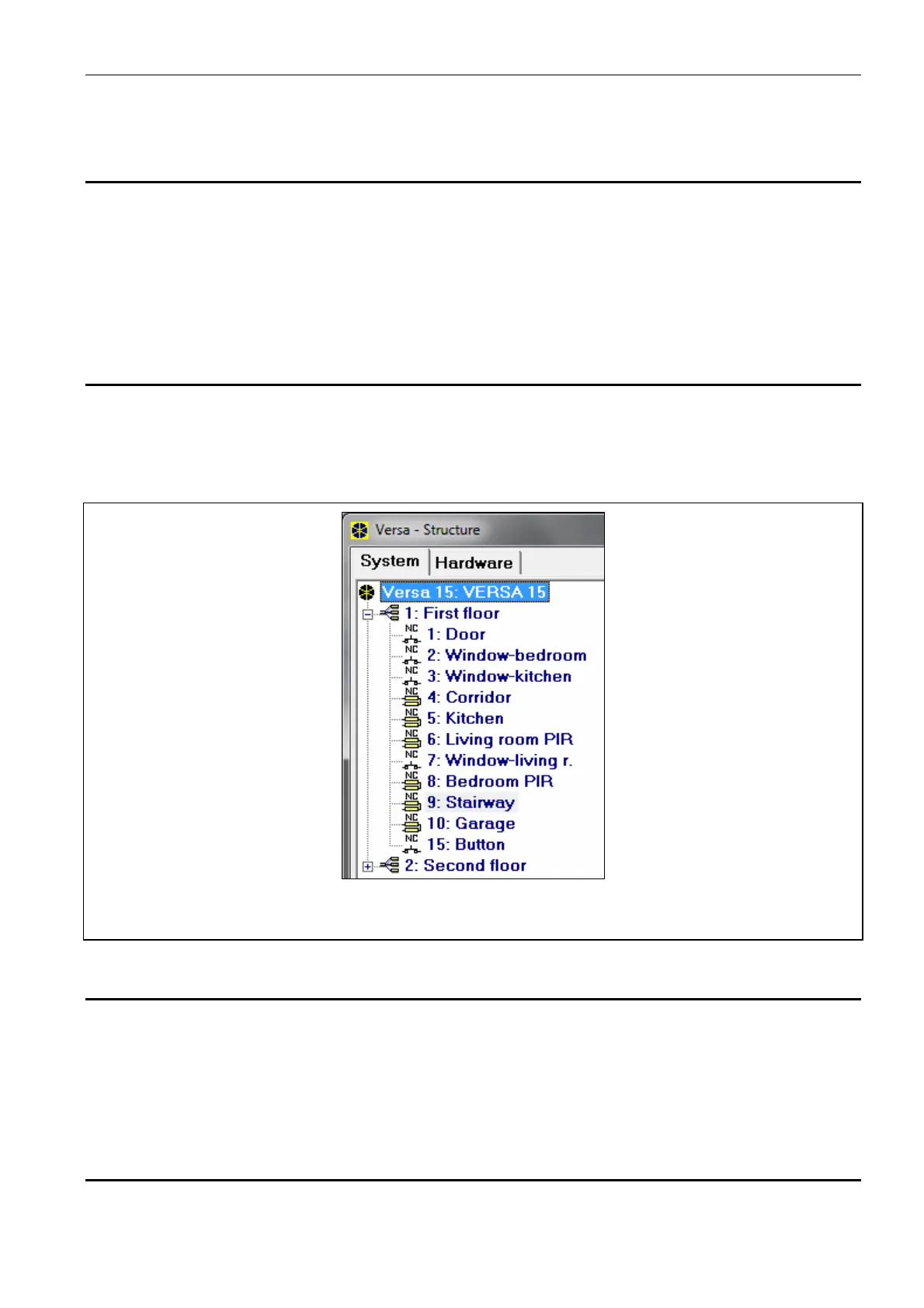
Fig. 6. DLOADX program: list of partitions and zones in a tree-like form in the “System” tab,
“VERSA – Structure” window.
5.1 Configuring the partitions
You can configure the partitions as follows:
DLOADX program: “VERSA – Structure” window “System” tab. Partitions and zones are
presented in the form of tree structure on the left side of the window (Fig. 6). Click on the
partition you want to configure.
keypad: functions available in the P
ARTITIONS submenu (SERVICE MODE 1. PARTITIONS).
5.2 Partition parameters
Name – individual name of the partition (up to 16 characters).















 To Next Page