46 VERSA SATEL
LED
Name displayed on
LCD keypad
Output
Options
function
Clearing from part. 1 1-10
Partition 1 12, 15, 17, 21 Part.1 clears
1
Reset in partition 1
11, 14
Clearing from part. 2
1-10
Partition 2 12, 15, 17, 21
Part.2 clears
2
Reset in partition 2 11, 14
3-10, 13-15,
17-19, 22
Pulsation Pulse
3
Polarization + Polarity +12V all
4
Fire alarms signaling 1, 2
Timer 1 15
Fire alarm
5
One partition sign.
18, 20
Arm/Disarm/Clear sign. 1, 2
Arm/dArm/Cl.chrp
6
Timer 2
15
Alarm signaling – part. 1
1-10
Part.1 alarms
7
Timer 3 15
Alarm signaling – part. 2 1-10
Part.2 alarms
8
Timer 4
15
Mainboard TMP input
31.TMP zone 1, 2, 10
9
Table 7. The way of presenting output options in keypads. The options in the graphic mode in
the LCD keypad are numbered in the same way as in the LED keypad.
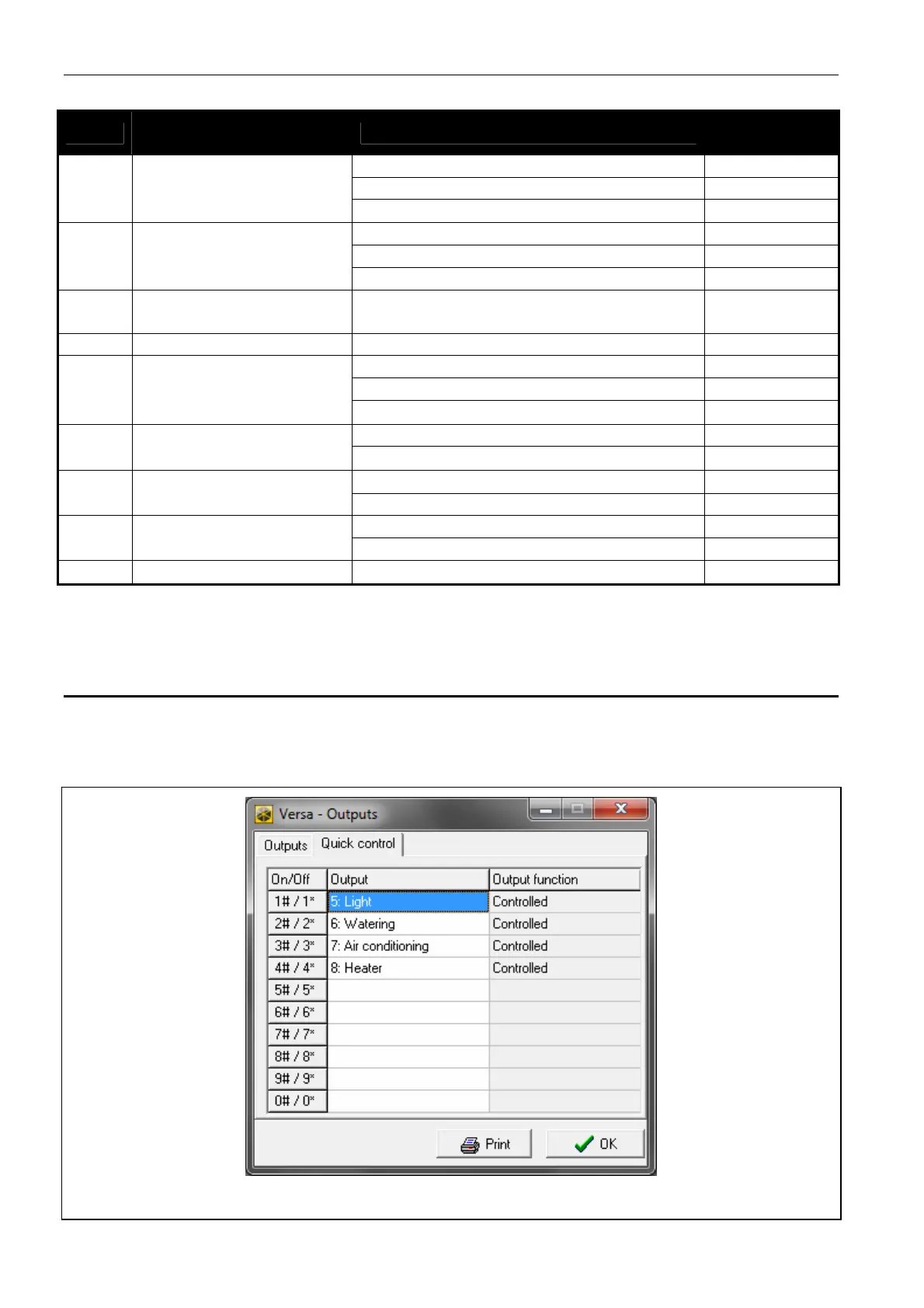
7.5 Quick control of outputs
If the quick control of the outputs 15. CONTROLLED is to be available in keypads, the outputs
of this type must be assigned to the corresponding keypad keys. One output can be assigned
to each of the keys designated with numerals.
Fig. 11. DLOADX program: assigning the outputs to keypad keys.















 To Next Page