SATEL VERSA 43
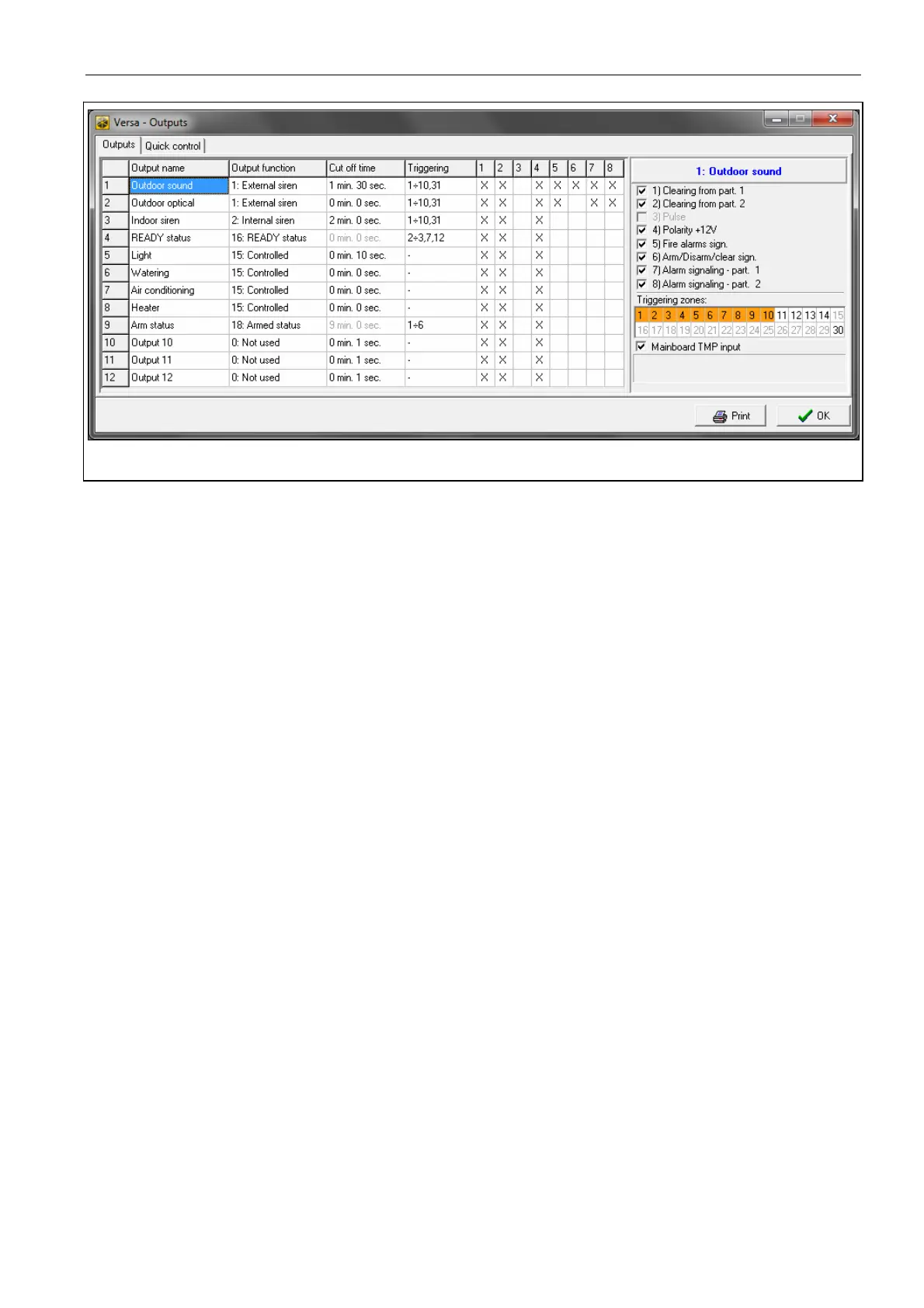
Fig. 10. DLOADX program: “VERSA – Outputs” window.
Activation: zones – the zones whose status has effect on the output status.
Activation: partition armed mode – the armed modes whose activation in the partition will
activate the 18. A
RMED STATUS or 20. ALARM/ARM STATUS output (the number corresponds
to the LED number in the LED keypad and to the item number in graphic mode in the LCD
keypad):
1. Partition 1 – full armed mode
2. Partition 1 – night armed mode
3. Partition 1 – day armed mode
4. Partition 2 – full armed mode
5. Partition 2 – night armed mode
6. Partition 2 – day armed mode
In case of the 20. ALARM/ARM STATUS function output, selecting any armed mode in
a partition means that the output will signal alarms from that partition.
Activation: troubles – the troubles the occurrence of which will activate the output. For the
19. T
ROUBLE STATUS output function, these can be the following troubles (the number
corresponds to the LED number in the LED keypad and to the item number in graphic
mode in the LCD keypad):
1. AC loss – control panel mainboard
2. Battery trouble – control panel mainboard
3. Telephone line – no voltage
4. Telephone line – no dial tone
5. OUT1 output trouble
6. OUT2 output trouble
7. KPD output trouble
8. AUX output trouble
9. Reporting trouble – monitoring station 1
10. Reporting trouble – monitoring station 2
11. Wireless system jamming
12. Communication bus short circuit
13. Clock loss















 To Next Page