Page 75 of 86 SCHÄFER IT-Systems
Industriestraße 41 D-57518 Betzdorf
Phone: +49 (0) 2741/283-770 sales@schaefer-it-systems.de www.schaefer-it-systems.de As
amended on 16/8/2019 (subject to technical changes)
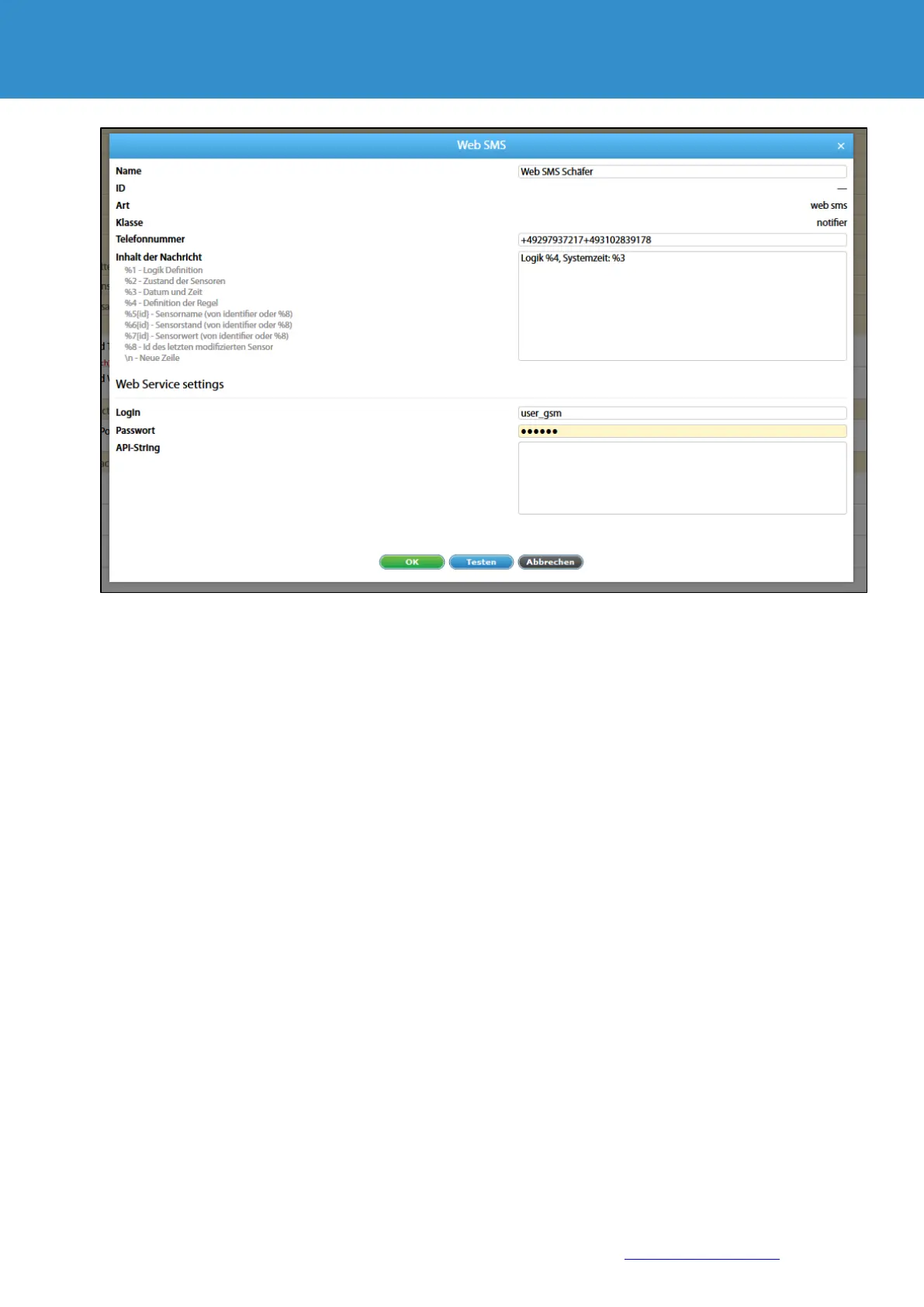
The following macros can be used on the command line:
$ LOGIN $ - User login (Login field)
$PASSWORD$ - user password in plain text (field password)
$PASSWORD_MD5 $ - User password in hash MD5
$PASSWORD_SHA1 $ - User password in hash SHA-1
$PHONES$ - recipient phone numbers (field number)
$MESSAGE$ - Message text (Message text field)
When the command is formed, these macros are replaced by the corresponding values in the form fields and are
correctly coded to send the http request.
Parameters that are specified directly in the command must be presented in coded form (Urlencode).
Macros in the notification text
The text of the message can contain macros. Macros have the following form:
% {Macro number}
When creating the notification, the system replaces the macros variables with actual values.


 To Next Page