EasyManua.ls Logo

SciCan Bravo - Page 27

SciCan Bravo
96 pages
Print Icon
To Next Page IconTo Next Page
To Previous Page IconTo Previous Page
Loading...
6. CONFIGURATION
21.
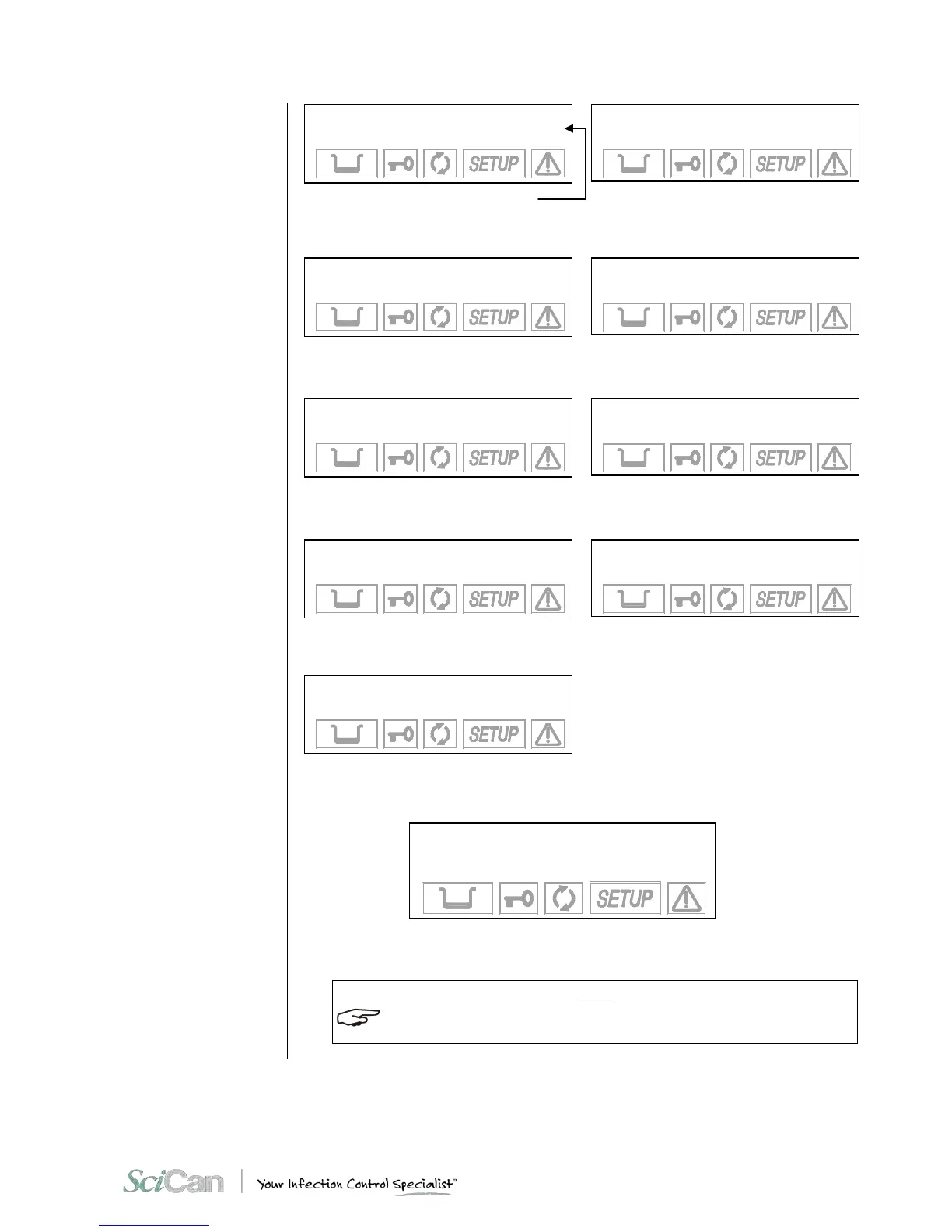
Firmware version
Use the keys + / - to scroll through the menu.
EXIT
DATA REVIEW
to continue
Press to confirm
NOTE
TO LEARN MORE ABOUT ANY O F THE TERMS A B OV E, SEE CH AP TE R 6 - CONFIGURATION
- CONFIGURATION OPTIONS.
3rd PRESET
134 SOLID/WRAPPED
EXTRA DRYING +05
4th PRESET
134 EMERGENCY
FAST DRYING
1st PRESET
134 POROUS/WRAPPED
STANDARD DRYING
2nd PRESET
134 HOLLOW/UNWRAP.
FAST DRYING
Stand- by option
HIGH
120 min
Print option
OFF
1 COPY(ies)
Filling option
AUTOMATIC
Drain option
INTERNAL
BRAVO17
R. Exxxx/BMyyyyyy
LANGUAGE
ENGLISH
DATE
dd/mm/yyyy
TIME
hh:mm:ss

Table of Contents

Other manuals for SciCan Bravo

Related product manuals