EasyManua.ls Logo

SICK FLOWSIC600-XT - User Manual

SICK FLOWSIC600-XT
164 pages
Print Icon
To Next Page IconTo Next Page
Loading...
O P E R A T I N G I N S T R U C T I O N S
Installation
Operation
Maintenance
Title Page
FLOWSIC600-XT
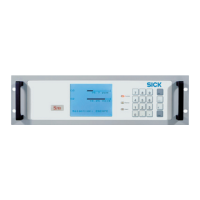
Ultrasonic Gas Flow Meter

Table of Contents

Other manuals for SICK FLOWSIC600-XT

Questions and Answers

  • K
    Kimberly SmithAug 29, 2025
    How to fix SICK FLOWSIC600-XT Measuring Instruments 'Trend limit exceeded' error?
    • M
      Melissa BrooksAug 29, 2025
      To fix the 'Trend limit exceeded' error on your SICK Measuring Instruments, adjust the trend settings to comply with specified limits.
  • C
    Cheryl Smith MDAug 28, 2025
    What to do if the SICK FLOWSIC600-XT display 'Temperature sensor failed'?
    • J
      Jacqueline VaughanAug 28, 2025
      If the SICK Measuring Instruments display 'Temperature sensor failed', inspect the temperature sensor for faults and replace it if necessary.
  • W
    William MartinezAug 27, 2025
    What to do if the SICK FLOWSIC600-XT display 'Pressure sensor failed'?
    • M
      Melissa ZavalaAug 27, 2025
      If the SICK Measuring Instruments display 'Pressure sensor failed', inspect the pressure sensor for faults and replace it if necessary.
  • A
    Austin MooreAug 27, 2025
    What to do if SICK FLOWSIC600-XT Measuring Instruments display 'Time invalid'?
    • B
      Benjamin MitchellAug 27, 2025
      If your SICK Measuring Instruments display 'Time invalid', set the correct time in the system settings.
  • M
    Maureen ReyesAug 25, 2025
    What to do if SICK FLOWSIC600-XT display 'Parameter invalid'?
    • J
      Joshua PierceAug 26, 2025
      If your SICK Measuring Instruments indicate 'Parameter invalid', check and re-enter valid parameters in the system settings.
  • C
    charles98Aug 25, 2025
    How to fix 'Firmware checksum error' on SICK FLOWSIC600-XT Measuring Instruments?
    • J
      Justin HillAug 25, 2025
      To resolve a 'Firmware checksum error' on your SICK Measuring Instruments, reinstall or update the firmware.

Summary

FLOWSIC600-XT Operating Instructions

Installation Guide

Provides comprehensive guidance for installing the FLOWSIC600-XT device.

Operation Procedures

Details how to operate the FLOWSIC600-XT safely and effectively.

1 Important Information

Safety Information and Intended Use

Covers hazards, intended use, and user responsibilities for safe operation.

2 Product Description

Software and Configuration

Details the FLOWgate software, operating modes, and interfaces.

3 Installation

Mechanical Installation Details

Details pipeline fitting, flange requirements, and configurations.

4 Commissioning and Operation

FLOWgateTM Commissioning and Checks

Guides software commissioning and post-installation functional checks.

5 Maintenance

7 Troubleshooting

Starting a Diagnostic Session

Guides on how to initiate and save diagnostic sessions for troubleshooting.

8 Specifications

SICK FLOWSIC600-XT Specifications

General IconGeneral
Measurement PrincipleUltrasonic transit time difference
Power Supply24 V DC
Enclosure RatingIP66/IP67
Measured VariableFlow velocity
Accuracy±0.5% of reading
Operating Temperature-40°C to +60°C
Process Temperature-40°C to +200°C
Gas TypesNatural gas
Output Signal4-20 mA, pulse, status
Communication InterfaceModbus, PROFIBUS
CertificationsATEX, IECEx, CSA

Related product manuals