Commissioning
8.3 Establishing a connection to the reader and starting the user interface
SIMATIC MV420 / SIMATIC MV440
136 Operating Instructions, 04/2013, A5E02371045-06
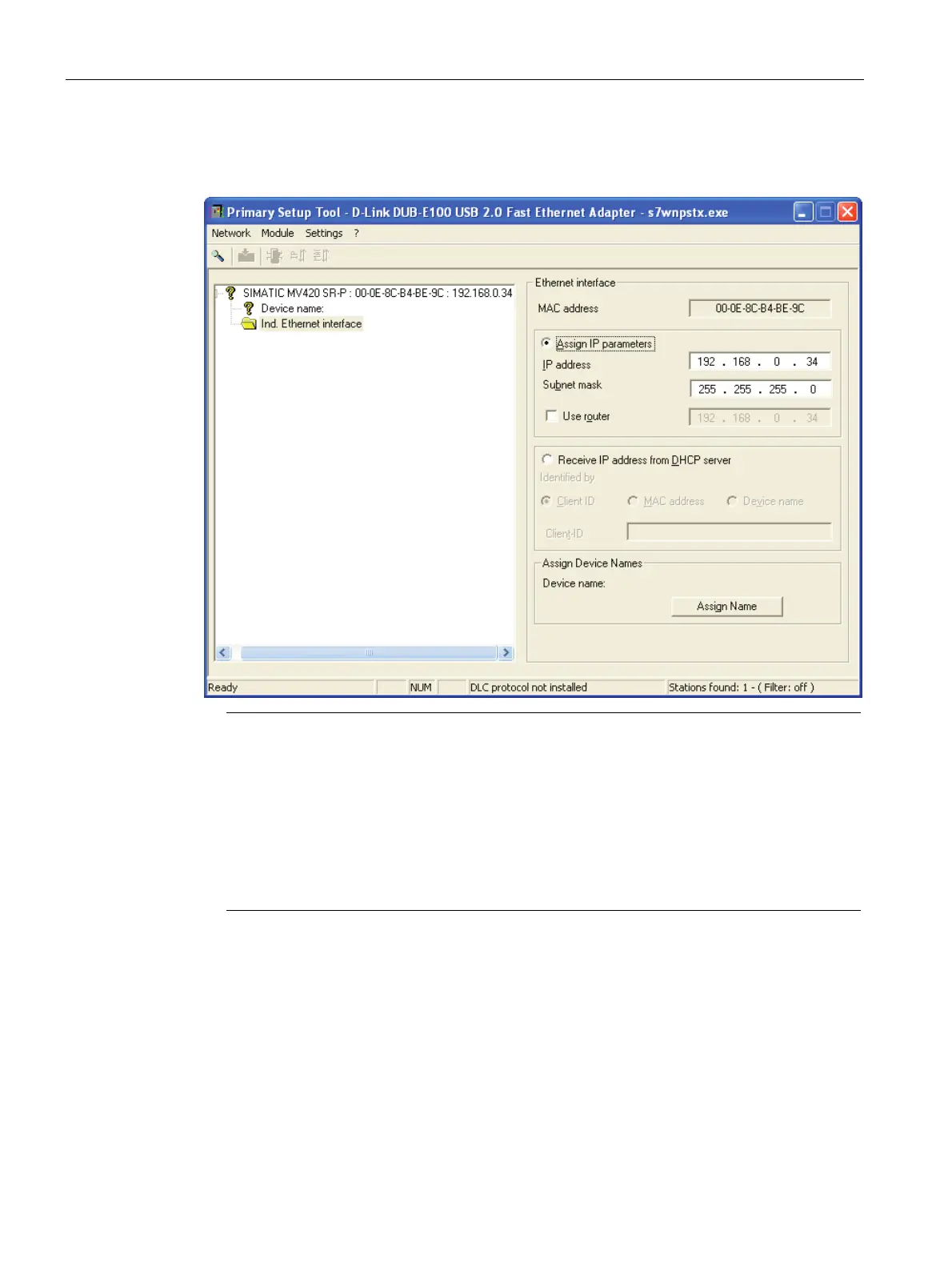
5. Select "Assign IP parameters" and enter the values for the IP address and subnet mask
as shown below.
Note
IP address 192.168.100.100
• Using the IP address 192.168.100.100 simultaneously configures the reader as a
DHCP server, which means that a connected PC can obtain an IP address from the
reader. You may use addresses that differ from this IP address and that are not
0.0.0.1 to assign a static IP address to the reader. PCs operating in a network are
usually configured as DHCP clients and obtain their IP addresses from a server.
• If your PC network is configured differently or you do not know how your PC is
configured, check with your system administrator.












 To Next Page