Commissioning
8.3 Establishing a connection to the reader and starting the user interface
SIMATIC MV420 / SIMATIC MV440
Operating Instructions, 04/2013, A5E02371045-06
137
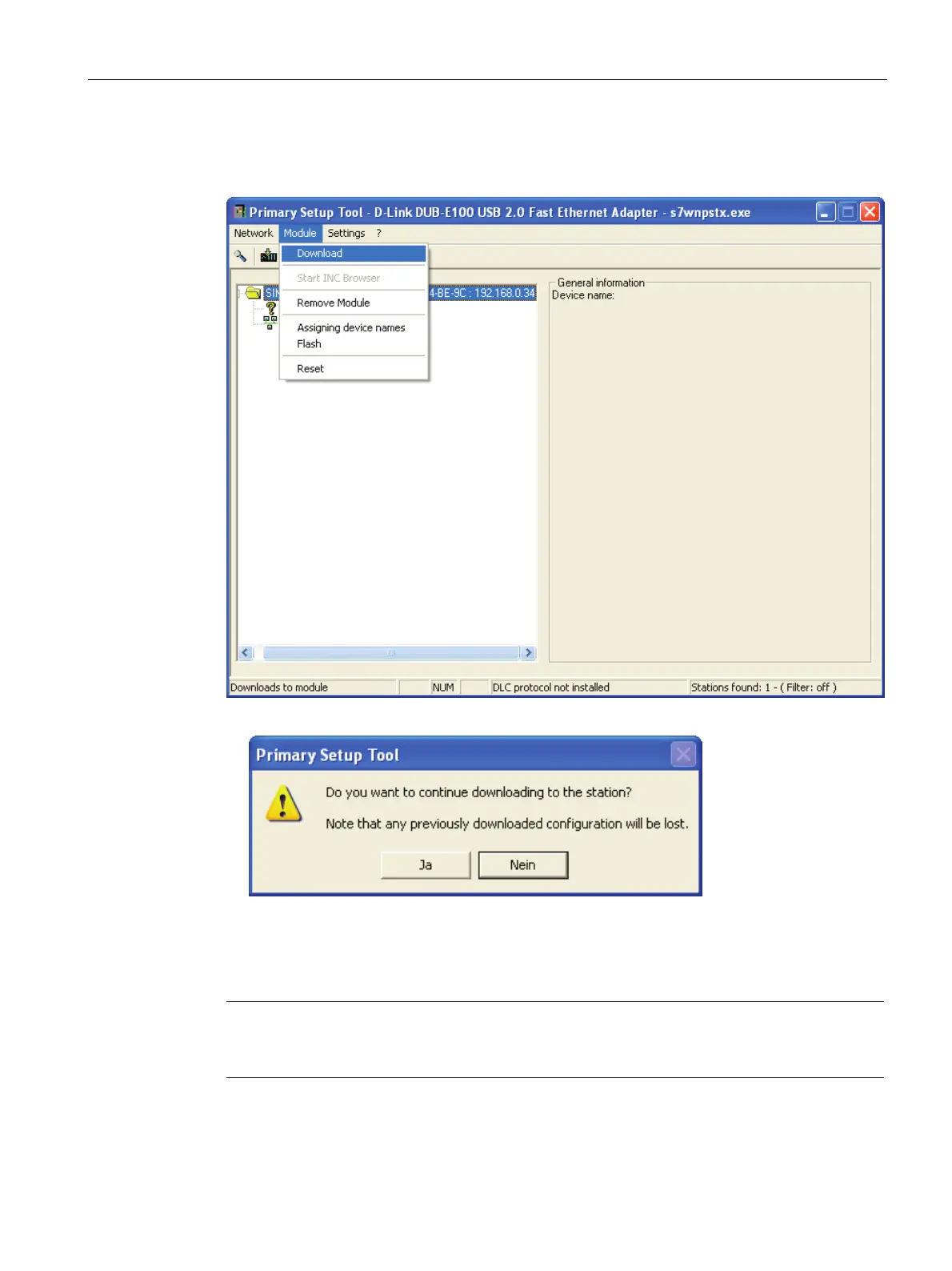
6. Now select the MV440 or MV420 module again and then load the configuration on the
reader by clicking the "Download" menu command in the "Module" menu
7. Confirm the following message by clicking the "Yes" button.
Result
The reader now has the manually assigned IP address 192.168.0.34 and can be accessed
at this address by your PC.
Note
Depending on the mode being used, you may need to restart the reader by turning the power
off and on again.












 To Next Page