Operator control and monitoring
9.2 Working with the user interface
SIMATIC MV420 / SIMATIC MV440
200 Operating Instructions, 04/2013, A5E02371045-06
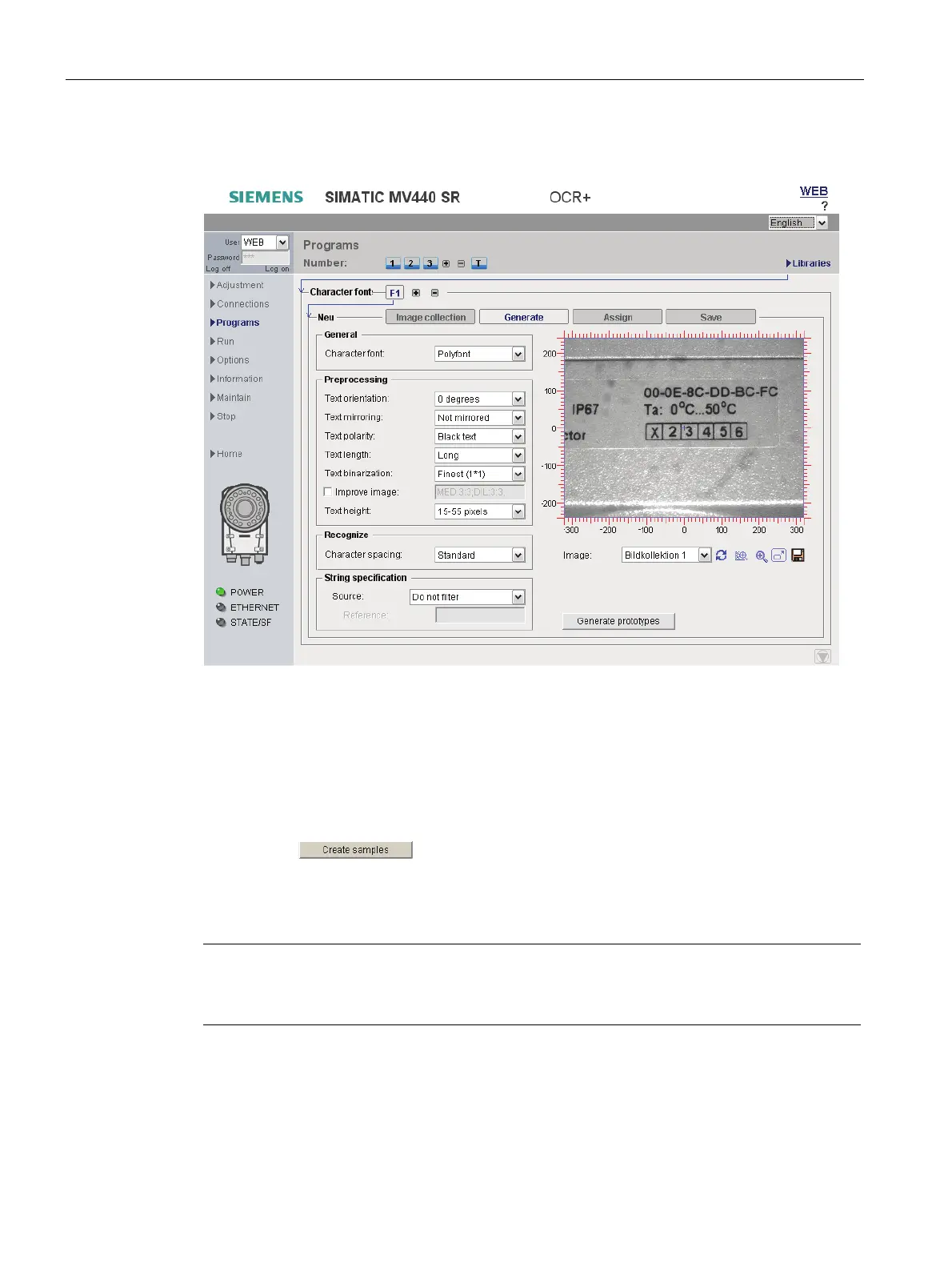
"Generate" tab
Figure 9-29 Character font library - "Generate" tab
In this tab, you define the image specifications for selecting the prototypes of the custom
character font. Character prototypes show the representation, form and typeface of the
characters in the character set.
The "Update display" button lets you preview the prototype search on the displayed image.
If the result matches your expectations:
● Press the
button.
This extracts the prototypes for the user-defined character font.
The prototypes are extracted from all acquired images selected in the "Image collection" tab
with their current settings.
Note
Detailed description of parameters in the online help
For a detailed description of the parameters and possible values, refer to the online help.












 To Next Page