Diagnostics and troubleshooting
12
12.1 Output of system messages in the display
12.1.1 System messages during operation
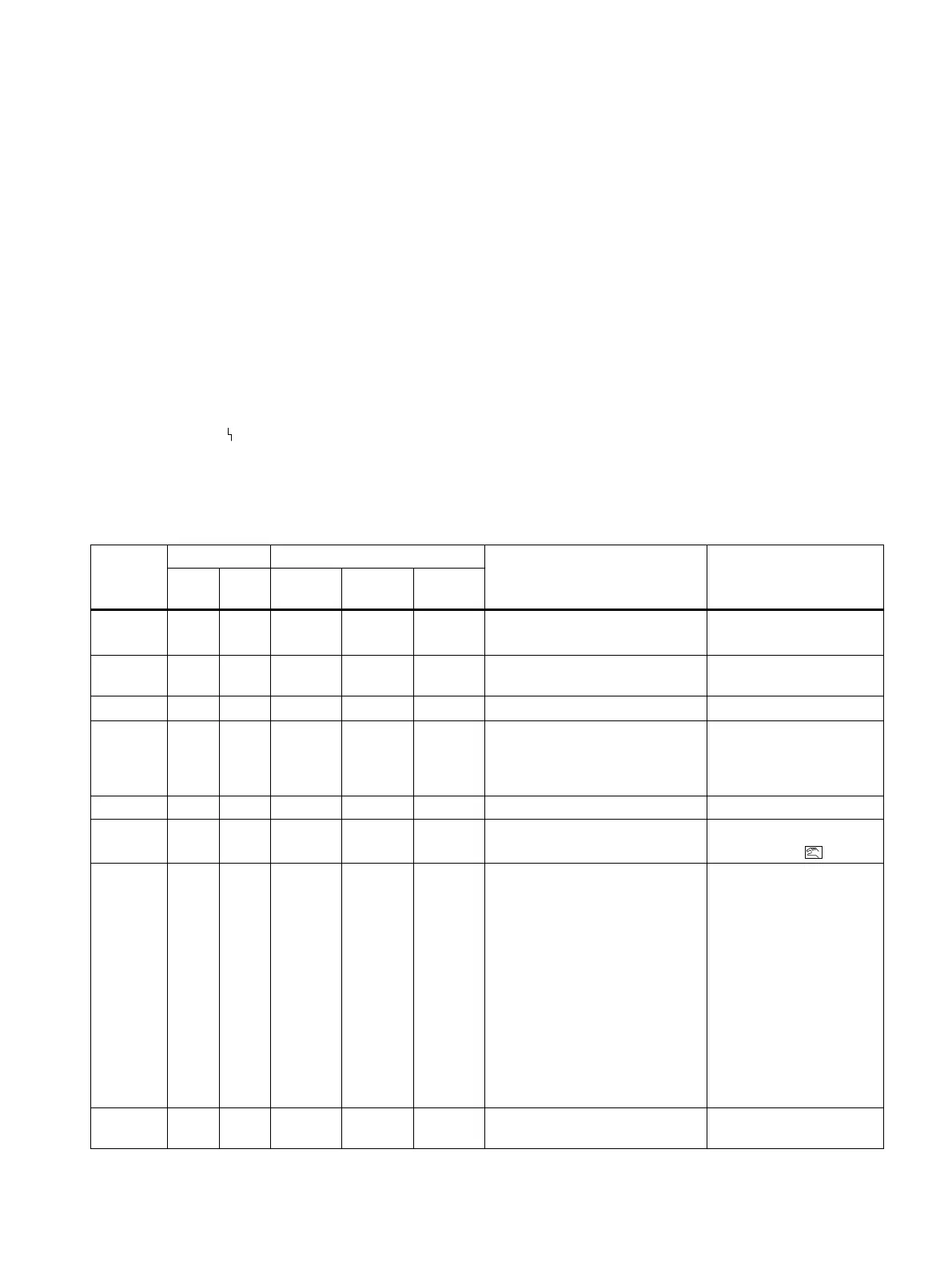
Remarks about the tables:
nn Stands for variable numeric values
Error symbol
/ (slash): the texts on the left and right of the slash flash alternately
Messages during operation
Message Line Operating mode Meaning / cause Measure
Up Down Automat‐
ic
Manual
mode
P man‐
ual mode
CPU
START
X
X
Message after application of elec‐
trical auxiliary power.
● Wait.
HW /
ERROR
X Fault in the hardware.
● Replace electronics.
NOINI X X Positioner is not initialized.
● Start initialization.
nnn.n X X X Actual position [in %] for initial‐
ized positioner. Flashing decimal
point shows communication with
a class 2 master.
AUTnn X X Automatic mode (nn = setpoint)
MANnn X X Manual mode
(nn = setpoint)
● Switch to automatic
mode with .
oFL /
127.9
X X X Display range exceeded.
Possible causes:
● Friction clutch or
● Transmission ratio selector
was moved or
● Positioner was installed on a
different actuator without
being re-initialized.
● Offset friction clutch
so that, when the
actuator moves, the
actual value display
stays between 0.0 and
100.0, or
● Switch the
transmission ratio
selector or
● Perform factory
settings (Preset) and
initialization.
EXSTP X X Actuator was stopped by the bi‐
nary input.
SIPART PS2 with PROFIBUS PA
Operating Instructions, 05/2019, A5E00127926-AC 249


 To Next Page
 Loading...