Operating mode Representation in the display Pos. Legend
Manual mode (MAN)
① Position [%]
② Setpoint [%]
③ Fault message
Automatic (AUT)
① Position [%]
② Setpoint [%]
③ Fault message
Diagnostics
① Diagnostics value
② Diagnostics name
③ Diagnostics number
See also
System messages before initialization (Page 250)
Changing the operating mode (Page 101)
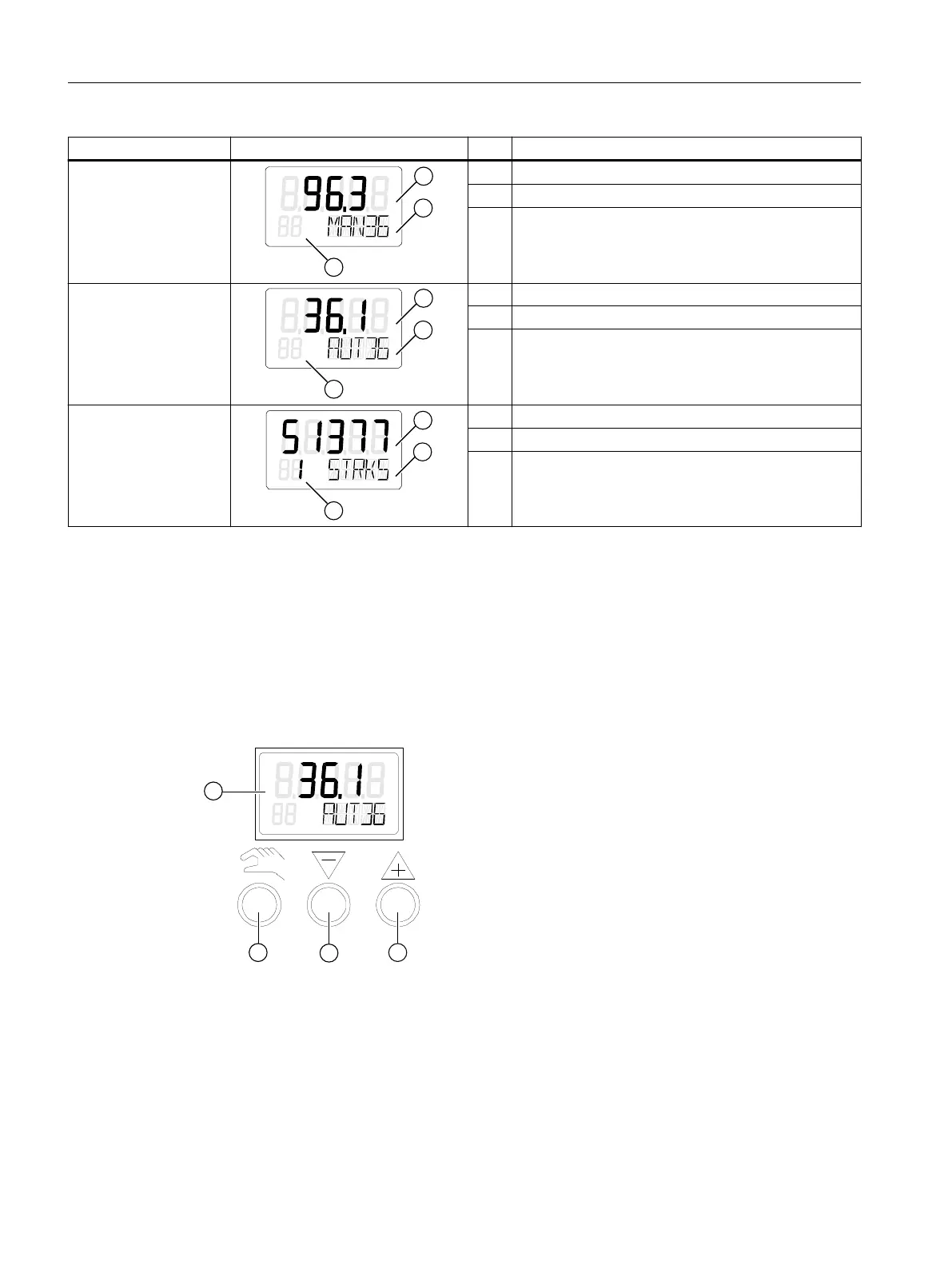
6.1.2 Buttons
① Display
② Operating mode button
③ Decrement button
④ Increment button
Figure 6-1 Display and buttons of the positioner
Operation
6.1 Operating elements
SIPART PS2 with PROFIBUS PA
98 Operating Instructions, 05/2019, A5E00127926-AC


 To Next Page
 Loading...