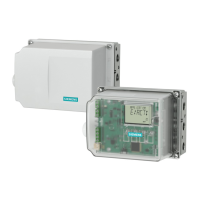
Device features
① Actuating disk bearings ④ Upper actuating disk for limit L1, terminals
51/52
② Special screw ⑤ Lower actuating disk for limit L2, terminals
41/42
③ Pin
Figure 4-18 Limit contact module, schematic diagram
The mechanical limit switch module consists of:
● One binary output to display a collective fault message. Compare with the device features
of the alarm module.
● Two switches to report two mechanically adjustable limits. Both these switches are
electrically independent from the remaining electronic unit.
Requirement
● You are familiar with the procedure described in the section "General information about the
installation of option modules (Page 53)".
Procedure for installing the mechanical limit switch module
1. Open the positioner as described in section "Opening the standard and and intrinsically safe
version (Page 53)".
2. Remove the ribbon cable from the basic electronics.
3. Tighten the two fixing screws of the basic electronics. Remove the basic electronics.
4. Insert the mechanical limit switch module from the top up to the upper printed circuit board
guide of the rack.
5. Slide the module in the printed circuit board of the rack approx. 3 mm to the right.
Installing/mounting
4.5 Installing the optional modules
SIPART PS2 with PROFIBUS PA
Operating Instructions, 05/2019, A5E00127926-AC 67


 To Next Page
 Loading...