Commissioning
7.5 5 minute quick start with the operator panel and the Ready-for-Use software
SIWAREX WP231
Manual, 07/2014, A5E31238908A-02
45
5 minute quick start with the operator panel and the Ready-for-Use
software
7.5.1
The 5 minute quick start is carried out in this example using a TP700 Comfort Panel directly
connected to the WP231. The Panel communicates directly by means of Modbus TCP/IP or
via the SIMATIC S7-1200 CPU.
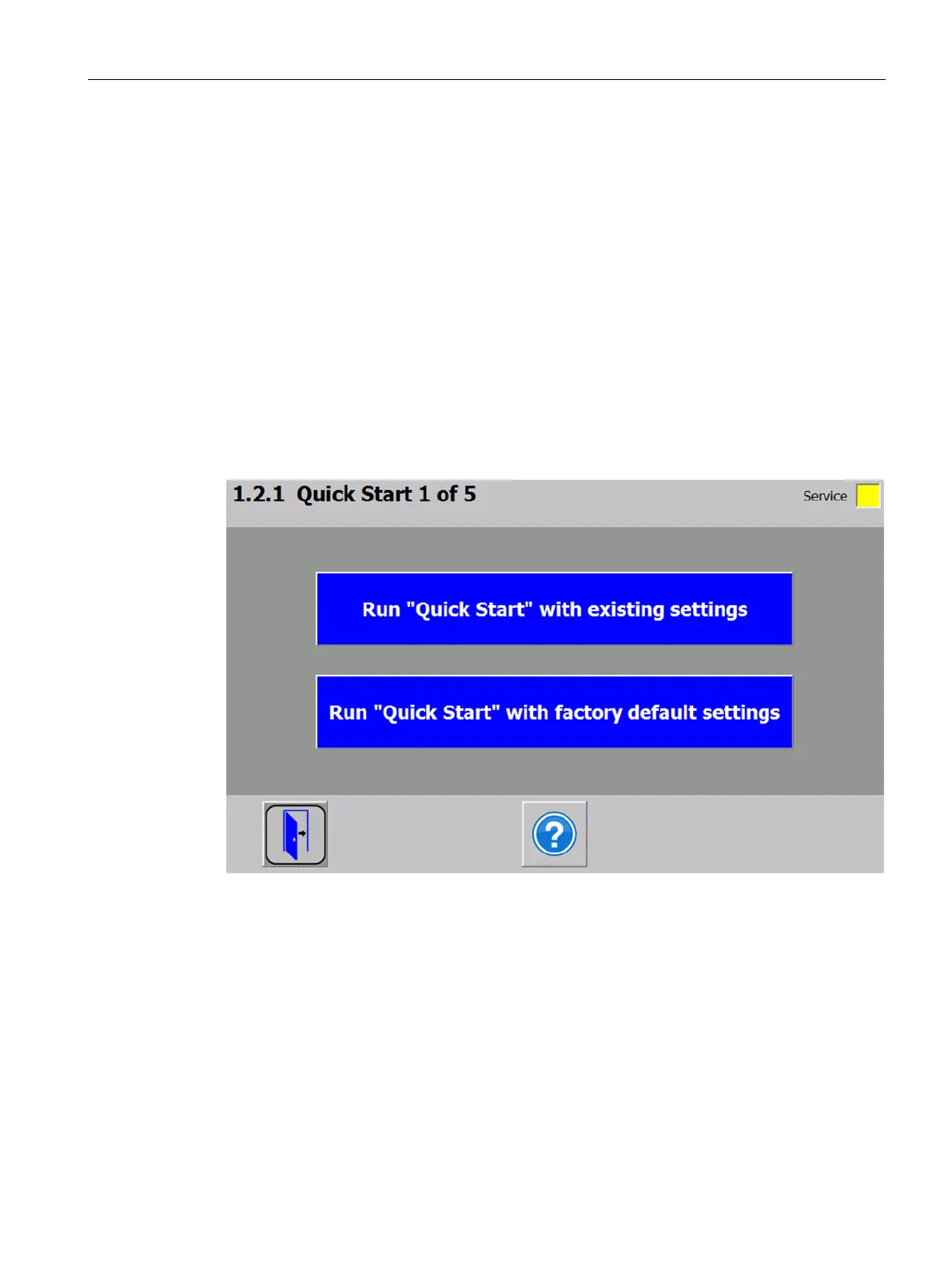
To carry out the quick start, select the "1.0 Setup" function in the main menu and then "1.2
Quick Start". You will be guided through the individual tasks for setting the most important
parameters.
The remaining parameters are factory-set in such a way that they can be used in most cases
without any changes.
Figure 7-1 Quick start step 1


 To Next Page