Commissioning
7.7 Service with the SIWATOOL program
SIWAREX WP231
Manual, 07/2014, A5E31238908A-02
59
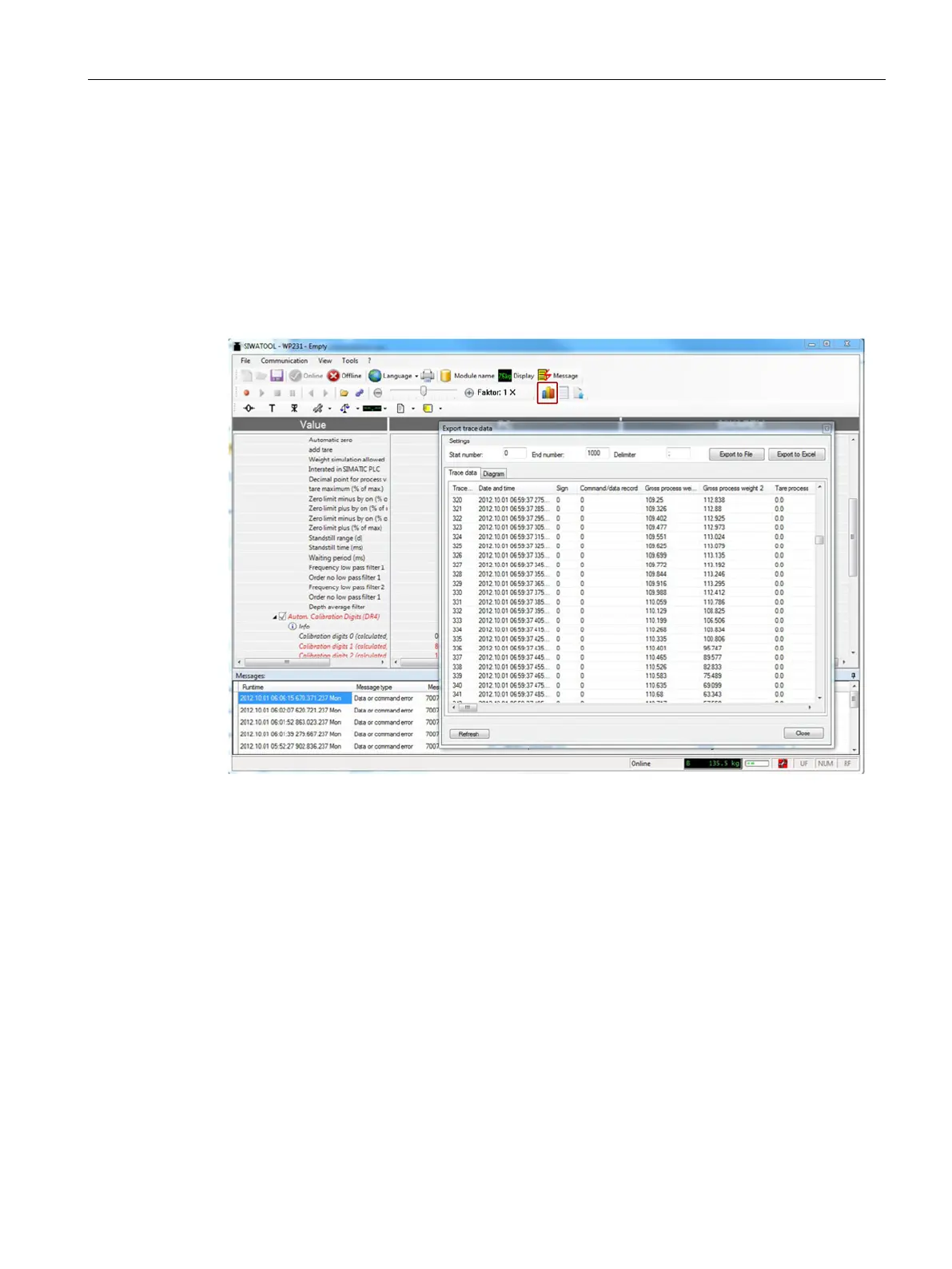
Scale traces can be recorded and exported using SIWATOOL. The recording is started and
stopped using commands, and recorded traces can also be deleted. The trace recording
cycle is set in data record DR7. A dialog window is called with the "Export trace data" button.
The trace is displayed in this window as a table or graphic, and the data can be exported to
csv or Excel and then processed further. The commands for starting and stopping are
present in the "Trace commands" group (yellow memory card icon) in SIWATOOL.
All important measured values, messages and changes in status are recorded.
Figure 7-12 Trace export


 To Next Page