Commissioning
7.5 5 minute quick start with the operator panel and the Ready-for-Use software
SIWAREX WP231
46 Manual, 07/2014, A5E31238908A-02
Standard parameter settings
The quick setup is based on the standard parameter settings. The previously set parameters
must therefore be reset prior to the quick setup (except the Ethernet address and Modbus
parameters). Service mode must be switched on first. Resetting to the standard parameters
can then be carried out.
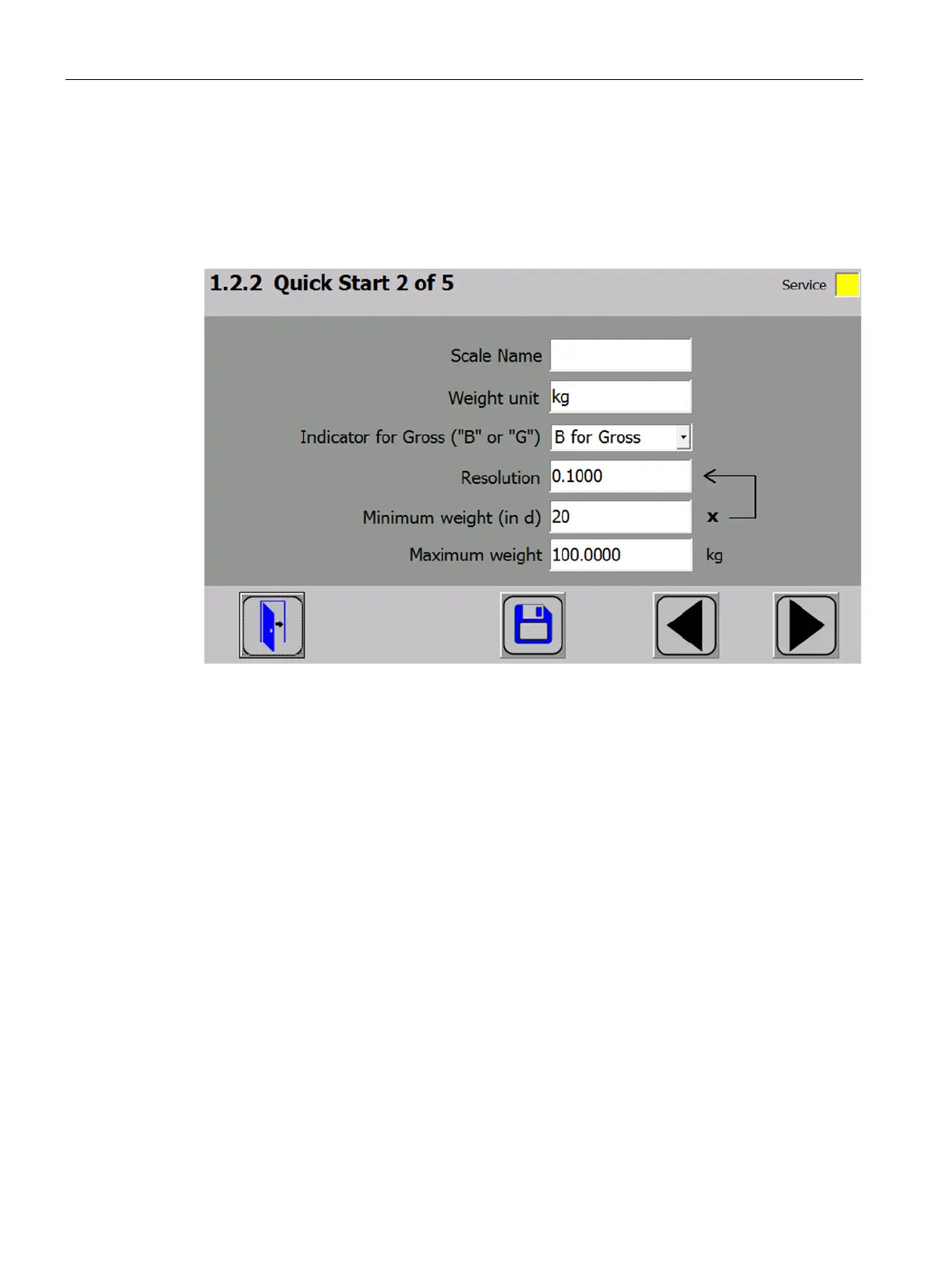
Figure 7-2 Quick start step 2


 To Next Page