Page 116 (Model J)
h) Repeat steps f and g until pressure sensor and calibration analyser agree
Acceptable tolerance: ± 1 mbar
i) Re-connect the block and leak Y piece assembly to the fresh gas port and
monitor generated pressure with the calibration analyser.
Verify the setting by setting the following pressures via the restrictor.
17.6 Controller Blender Pressure Sensor zeroing and Input pressure regulator trim
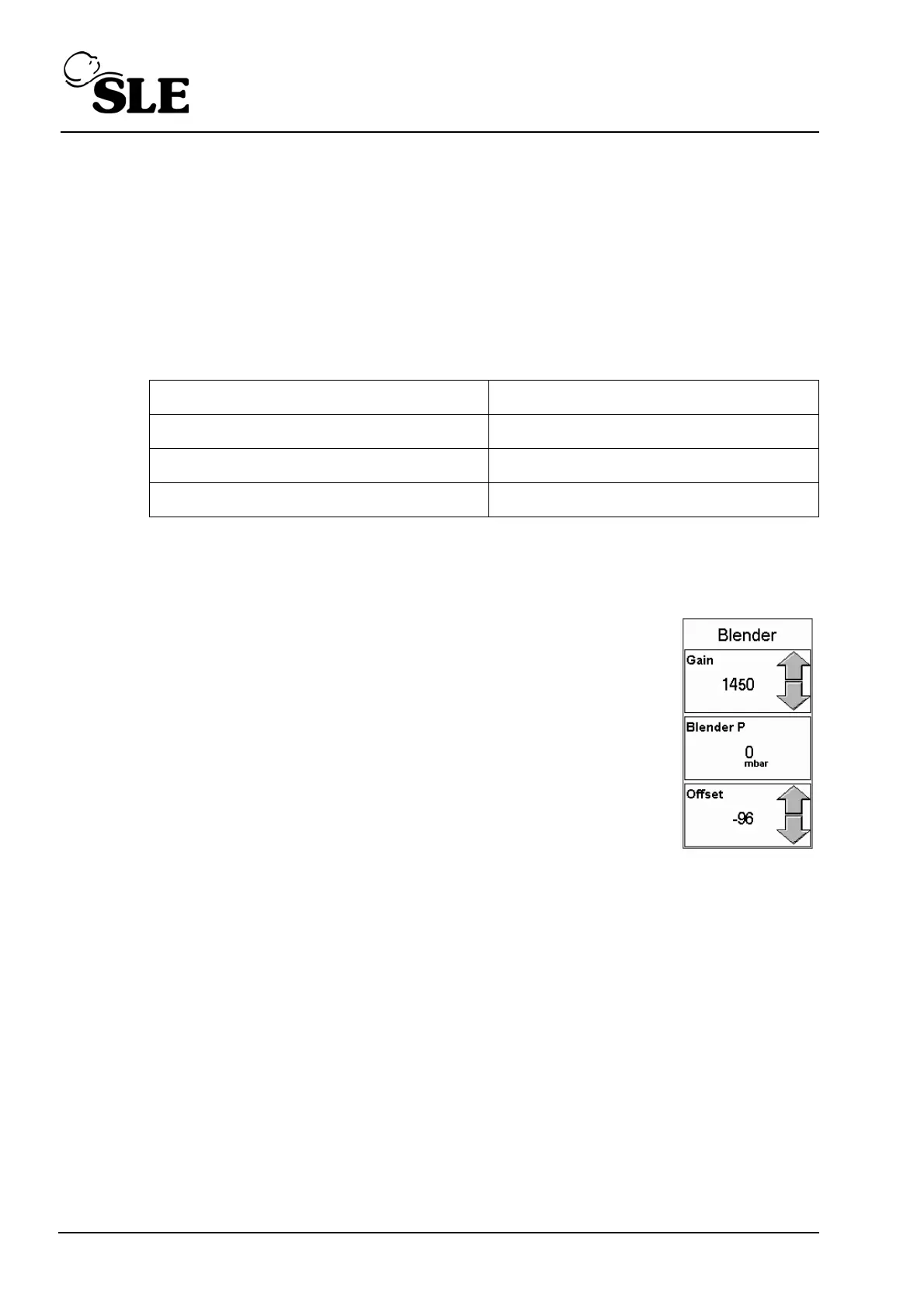
a) Enter Sensor Calibration screen and set the blender
pressure transducer gain to 1450 and the offset to –96.
b) Remove the gas supplies to the ventilator and ensure that
the Blender pressure transducer reads 0 ± 2 mbar (allow the
sensor reading time to settle). Fine tune with the offset
control if necessary.
c) Reconnect the gas and after the pressure sensor has
settled check the pressure sensor reads 0.
Acceptable tolerances: ± 7 mbar
d) Tighten the locking nut on the PR1 pressure regulator (AIR). If the sensor
reading is outside the tolerance 0 ± 7 mbar then adjust the PR1 pressure
regulator and then tighten the locking nut.
Set Pressure Tolerance
0 ± 1 mbar
30 ± 1 mbar
140 ± 1 mbar



 To Next Page