(Model J) Page 341
37.8 Activation of VueLink
VueLink is activated by entering the activation code into the SLE4000/SLE5000
ventilator.
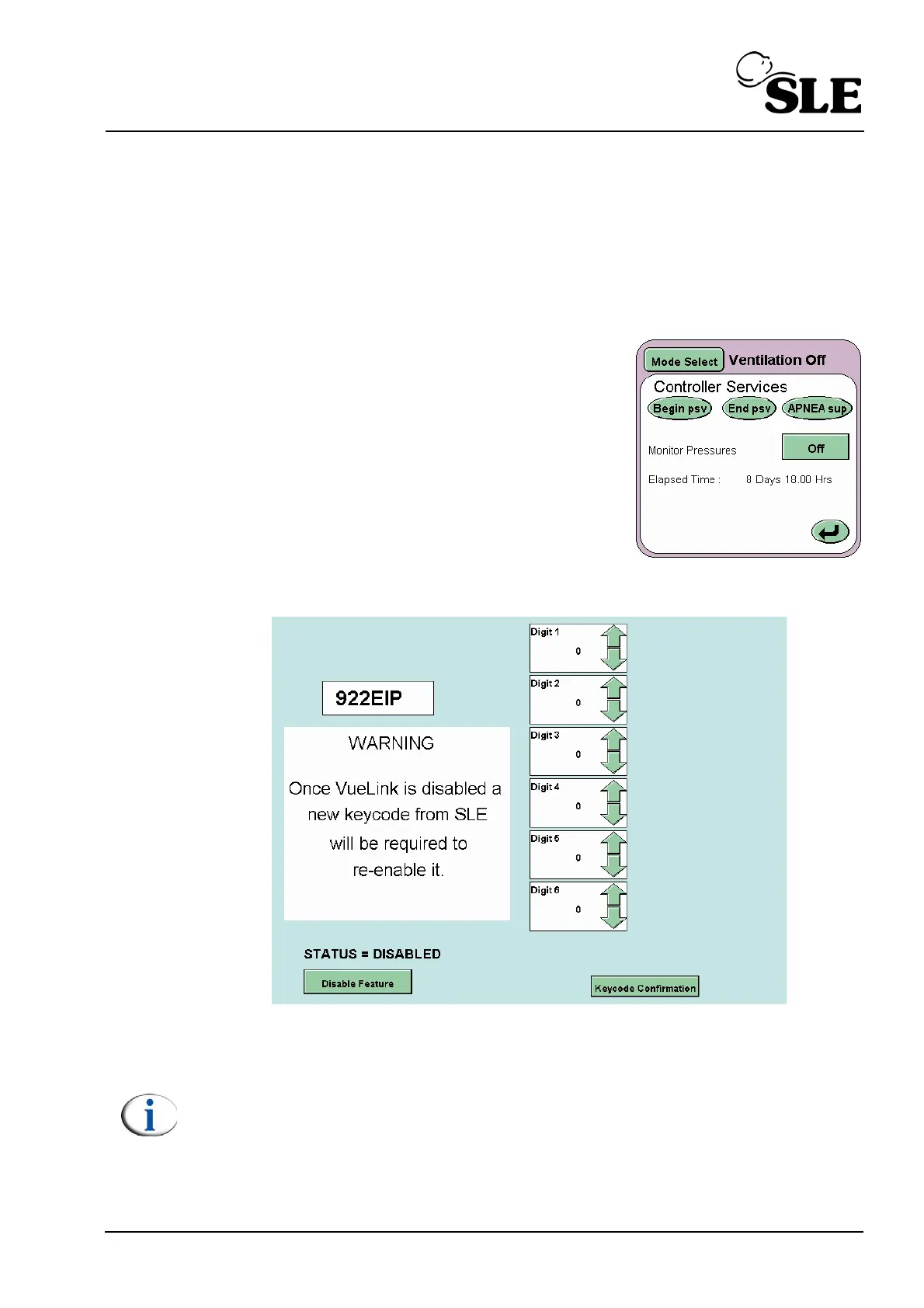
To access the VueLink activation screen, goto the controller services panel within
the user interface.
Enter the code provided by SLE into the ventilator
via the controller services panel to display the
activation screen.
Begin psv is the A button.
End psv is the B button.
Apnea sup is the C button.
Record your code here____________________
The user will now see the VueLink activation screen.
The six digit ventilator code is required when activating VueLink. This code will be
used to generate the activation code for VueLink.
Note: The six digit ventilator code is not reset when the activation screen is
exited. The user can enter the activation screen any number of times, the
code will only change when the VueLink option is disabled.



 To Next Page