(Model J) Page 155
18.1.19 Functional Test of SIMV Mode
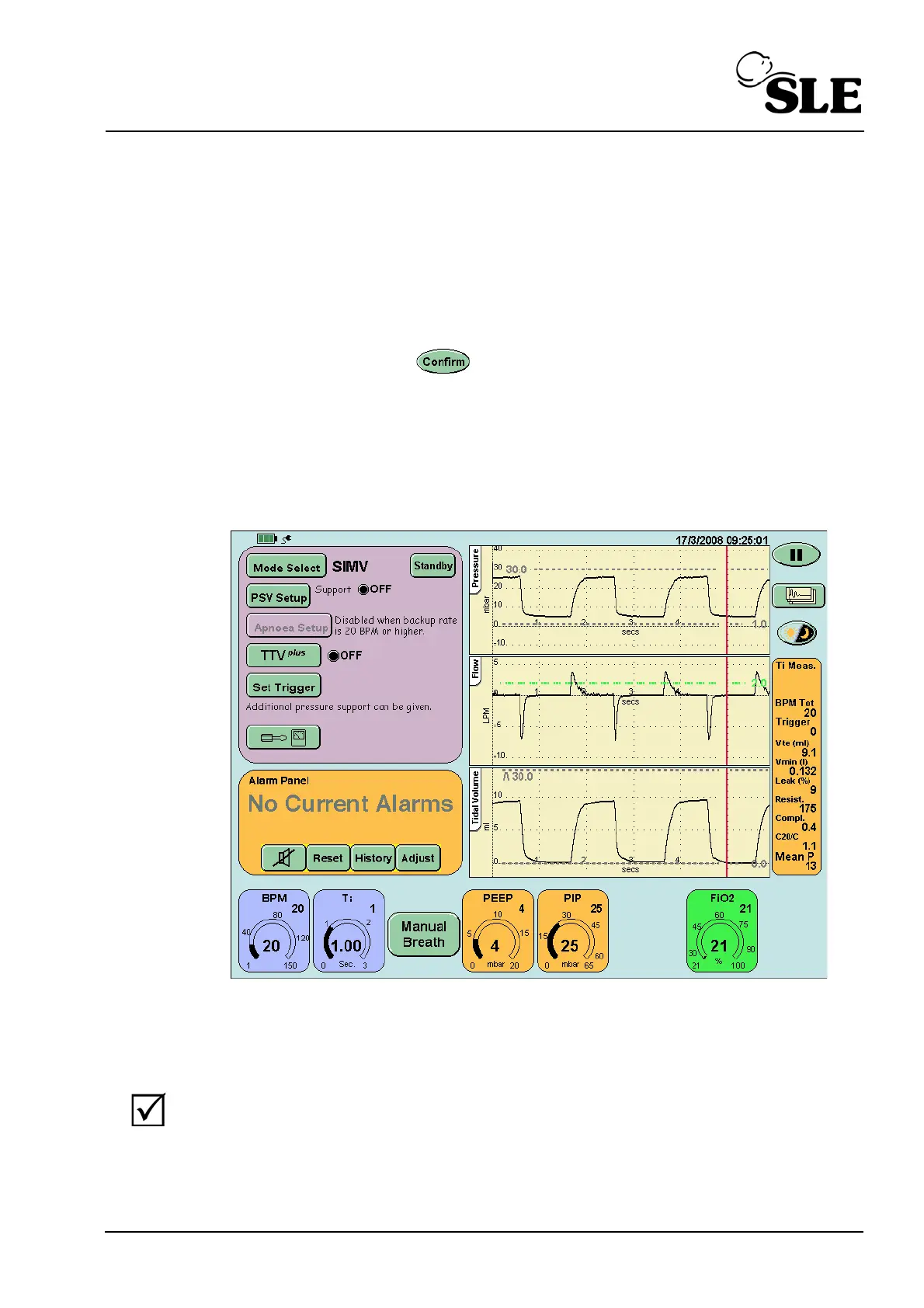
Step 61 For the functional test set the following parameters in the SIMV preview mode:
BPM..................... 20
Ti..........................1 sec.
PEEP...................4mbar
PIP.......................25 mbar
FiO
2
.....................21%
After pressing the confirm button the user will be presented with the SIMV
screen.
Check that:
PSV setup...........is set to OFF
TTV
plus
.................is set to OFF (This button will not appear
when functional testing with no flow sensor fitted).
Step 62 Verify that:
the ventilator cycles,
the cycle waveform appears in the waveform windows,
after 1 minute the BPM Tot should read 30 BPM in the breath
parameter window.



 To Next Page