snom technology AG • 11
[ SNOM 360 USER MANUAL V1.00 ]
1
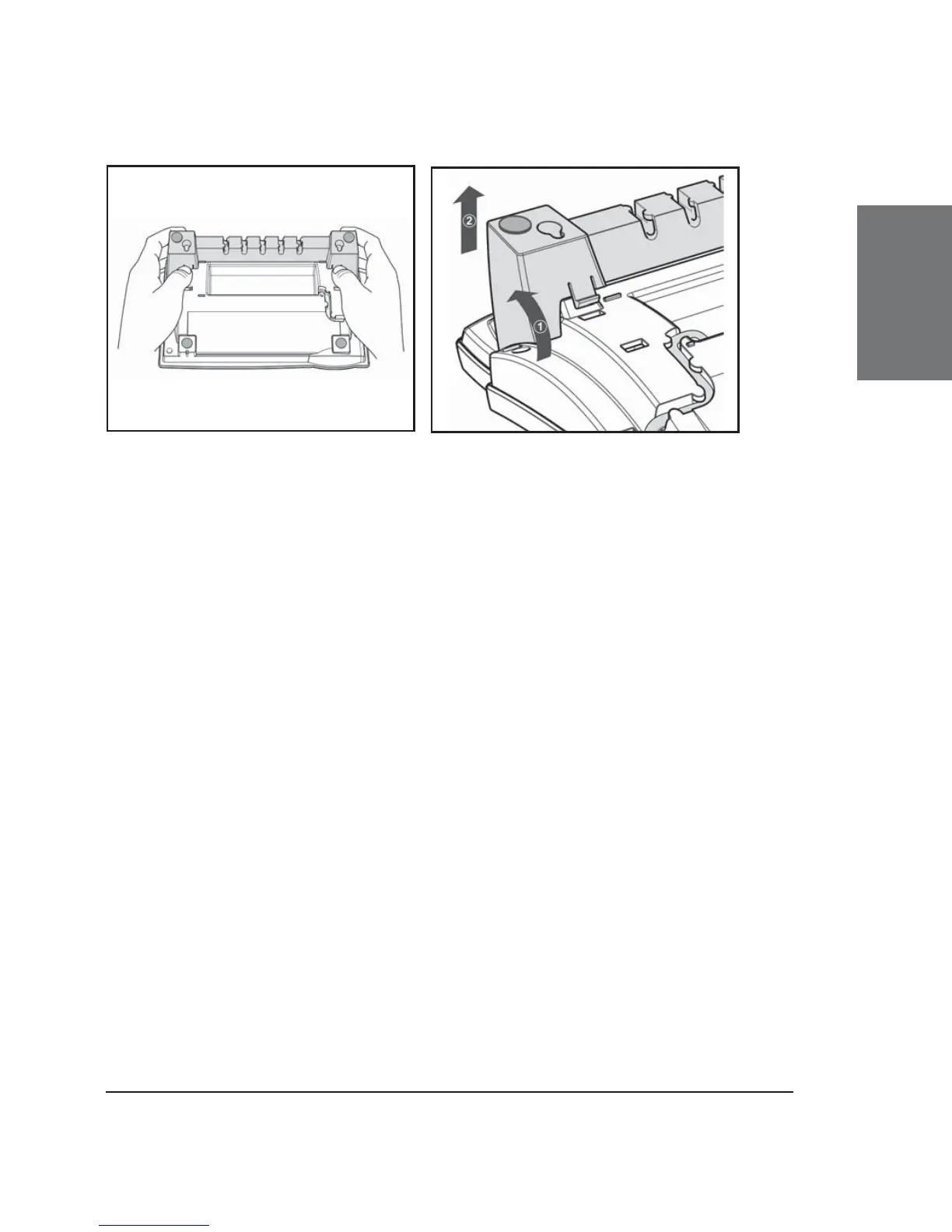
Fig. 3 Fig. 4
(2) Lightly press the snap-fi ts of the footstand inwards (Fig. 3)
and, at the same time, tilt the footstand backward and lift it from its
anchorage in the mounting holes (Fig. 4).
(3) Rotate the footstand 180° around its vertical axis.
(4) Make sure that the handset cord has been clipped correctly
into the groove on the bottom shell of the phone, as shown in Figs. 4 and
6. Failure to clip the cord into the groove will result in damage to the cord
when the footstand is attached in the position for wall mounting.
(5) Insert the outside, rear snap-fi ts into the mounting holes on
the bottom shell (Fig 5, arrow no. 1). Tilt the footstand forward and
downward until the snap-fi ts snap into place in the mounting holes.
Please make sure that the four snap-fi ts have securely snapped
into the holes before mounting the phone on the wall.





 To Next Page