snom technology AG • 63
[ SNOM 360 USER MANUAL V1.00 ]
If you want to set your phone back to factory defaults, type in the
default Admin password ‘0000’ (four zeros). It is highly recommended
that you reboot your phone after a reset!
Conducting a Software Update
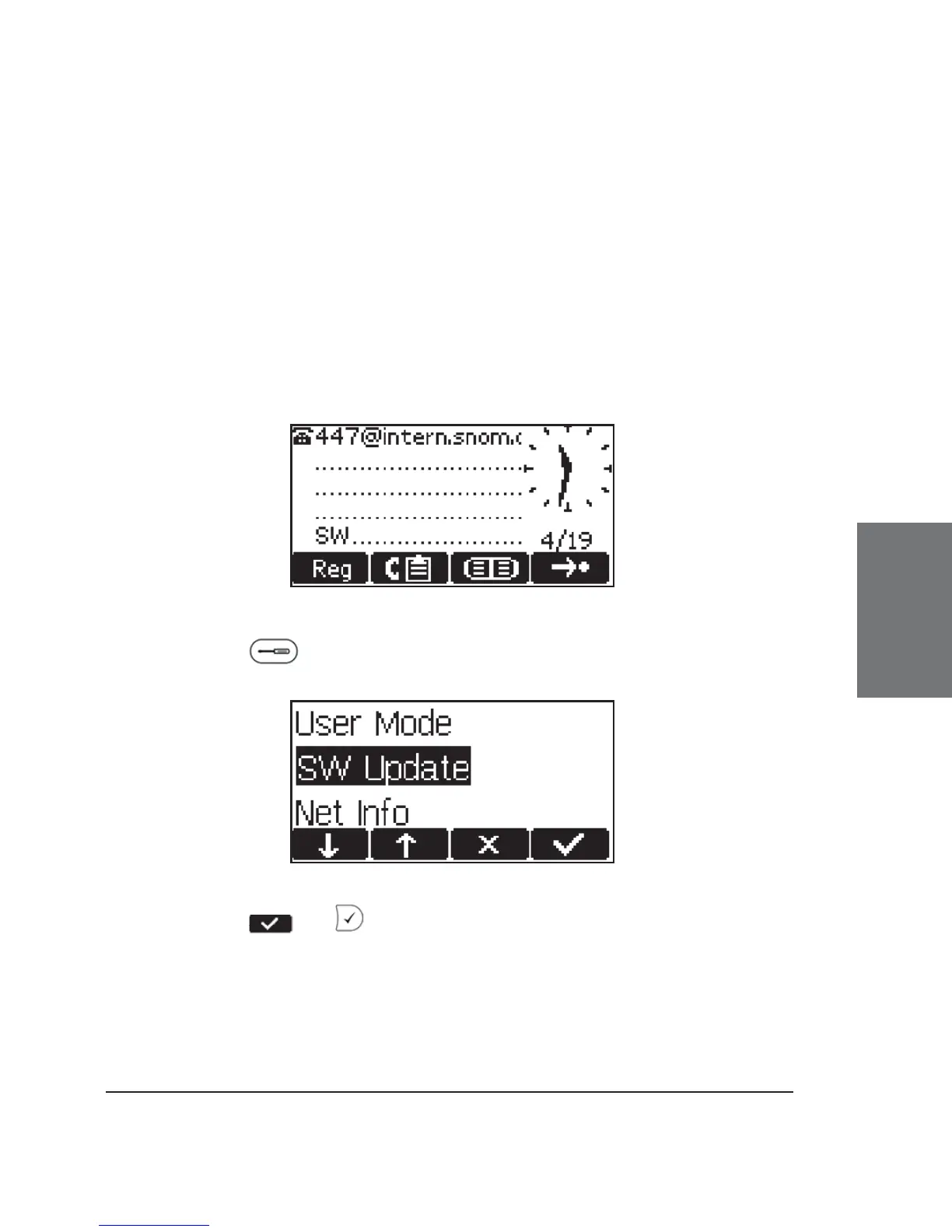
When a fi rmware update is available, the letters ‘SW’ are shown
in the lower left corner of the display just above the “soft key” line of the
idle screen:
In this case, an additional entry “SW Update” can be found in the
settings menu .
Press or to start your phone rebooting after a few
seconds. During boot-up, the phone asks you whether or not it should
proceed with the boot loader and/or fi rmware update. If the phone does
not reboot by itself, please reboot the phone manually.
4





 To Next Page