78 • Settings
[ SNOM 360 USER MANUAL V1.00 ]
Use the keys
/ and / to scroll within each menu. If submenus
are available, press
to select one of them. The items in the selected
submenu are displayed. Use
/ and / to scroll within the list.
After pressing , the value of the individual setting can be viewed or modifi ed.
Some entries cannot be set to any variable value. Instead, they offer a list of
allowed values from which one has to be selected. Use the navigation key to
scroll within the list to select the desired value. Press to set the value. Press
if you decide not to change the value.
Other settings require the editing of numbers or strings. This can be done with
the keypad of the phone. Digits are entered directly via the keys, and letters
can be called up by pressing a key repeatedly. You can toggle between lower
case letters („a“) and upper case letters („A“) with the * key.
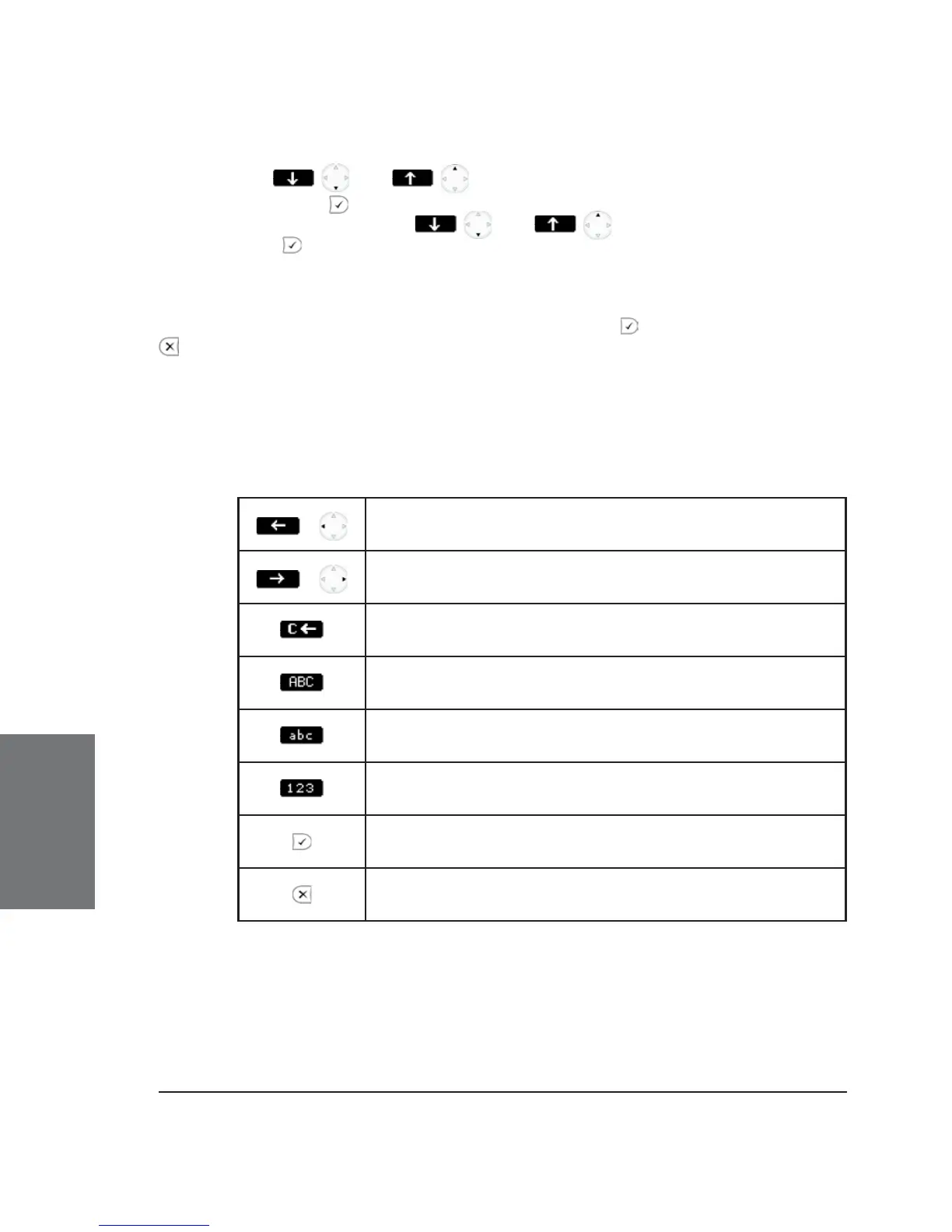
Key mapping:
/
Move cursor to the left
/
Move cursor to the right
Delete the character to the left of the cursor
Change input mode to capital letters
Change input mode to small letters
Change input mode to numbers
Accept the entry
Abort the changes
Settings via Web Browser
It is usually more convenient to use the web browser to confi gure
the settings. The snom 360 has an integrated web page for this purpose.
If the phone is connected to a network that provides DHCP, it can be
6





 To Next Page