snom technology AG • 35
[ SNOM 360 USER MANUAL V1.00 ]
3
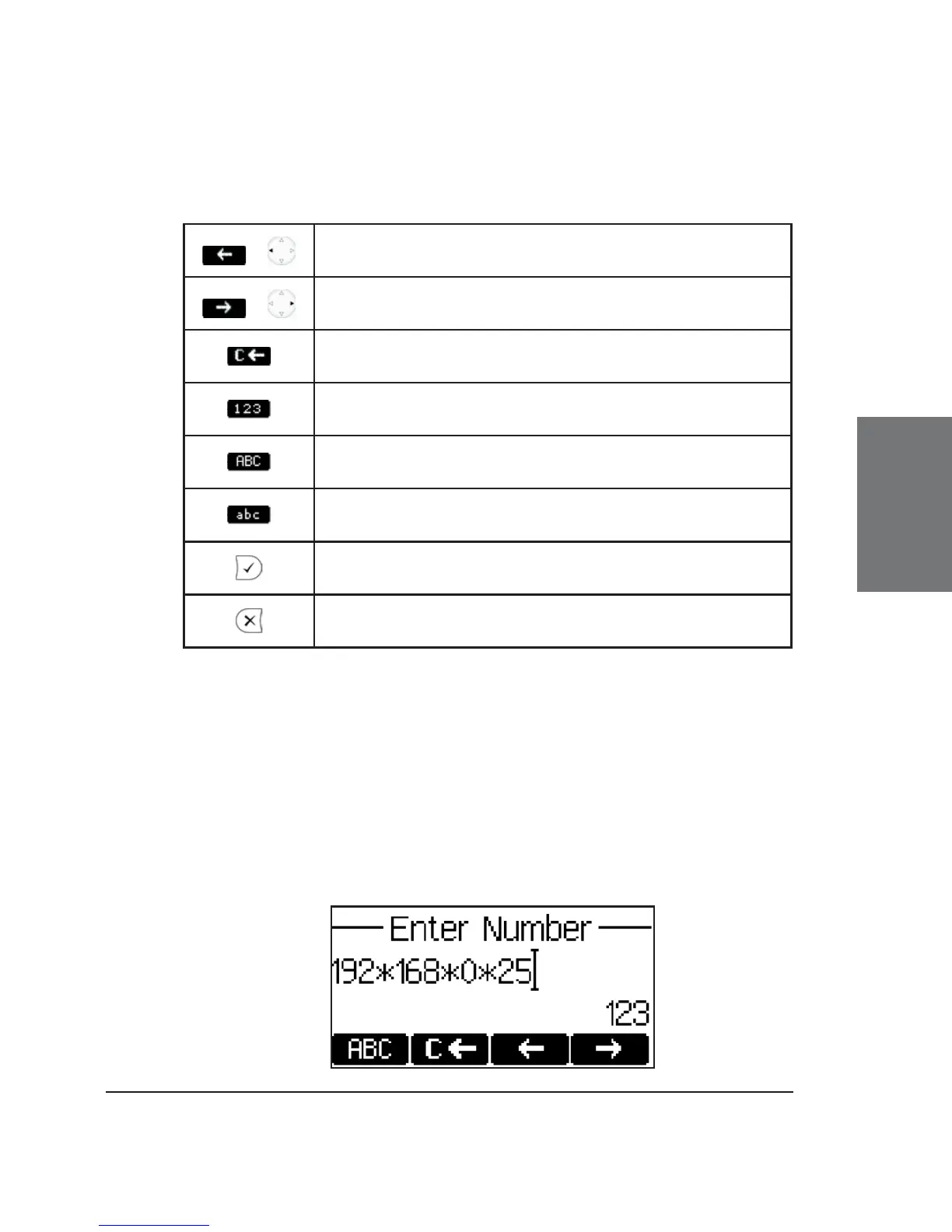
Key mapping:
/
Moves the cursor to the left
/
Moves the cursor to the right
Deletes the character to the left of the cursor
Changes input mode to numbers
Changes input mode to capital letters
Changes input mode to small letters
Dials the SIP address if entered correctly
Aborts the dialing
Dialing an IP address
Enter the IP address via the numeric block. Use the “*” key
instead of the dot (“.”) or press the hash “#” key a little longer and the
hash character will change to a dot!
If the IP address dialing leads only to an error message, make
sure both of the phones involved are using locally port 5060 for SIP
signaling (see option “network identity port”)!





 To Next Page