68 • Call Register
[ SNOM 360 USER MANUAL V1.00 ]
Export
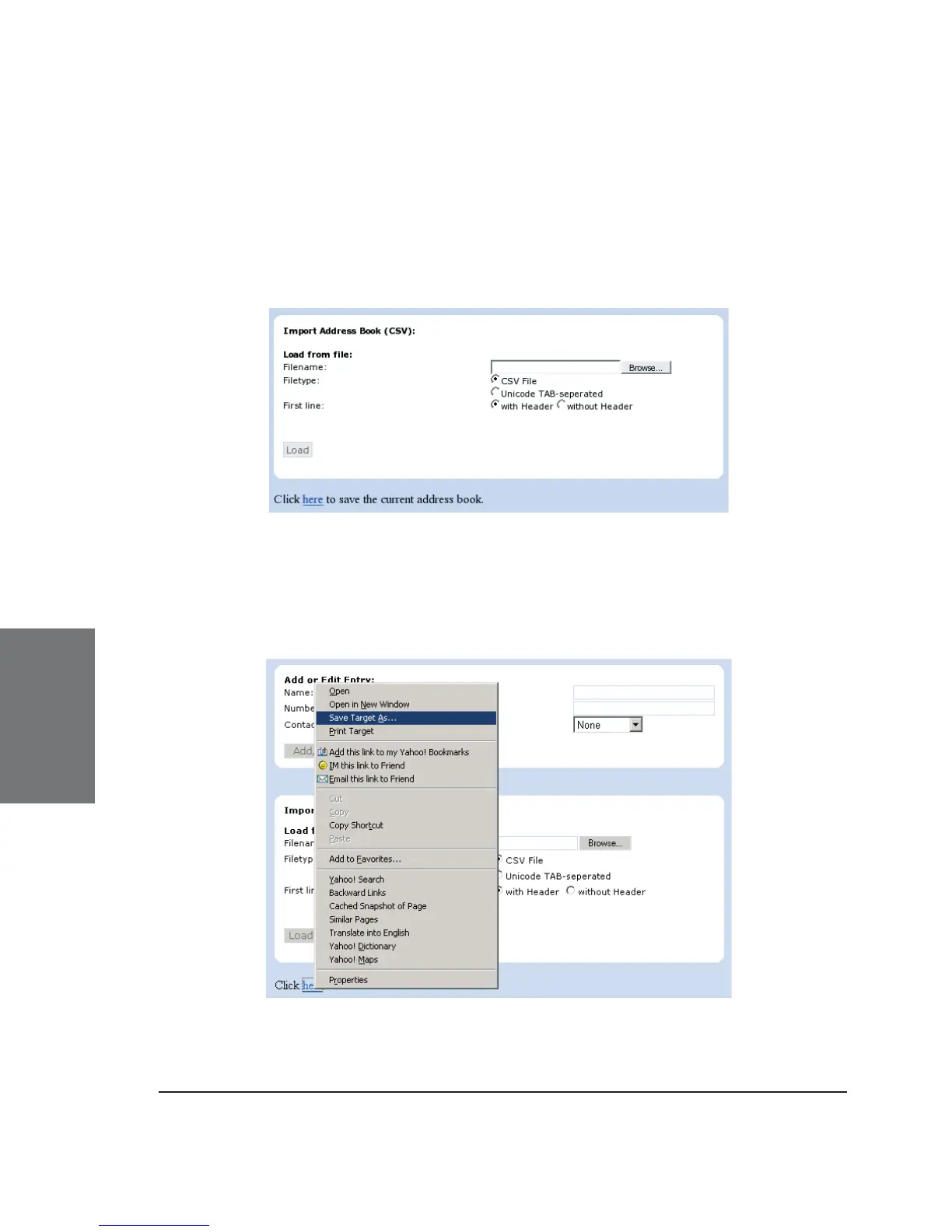
To save the content from a fi lled phonebook, right-click onto the
the “Click here” link at the bottom of the “Addressbook” page on your
built-in web interface “Click here to save the current address book.”
With “Save Target As…” you can save the phone book content in
a comma-separated fi le containing the current address book entries (CSV
= Comma-Separated Values).
5





 To Next Page