snom technology AG • 13
[ SNOM 360 USER MANUAL V1.00 ]
1
handset must be placed on this rounded end to ensure that it will not fall
off.
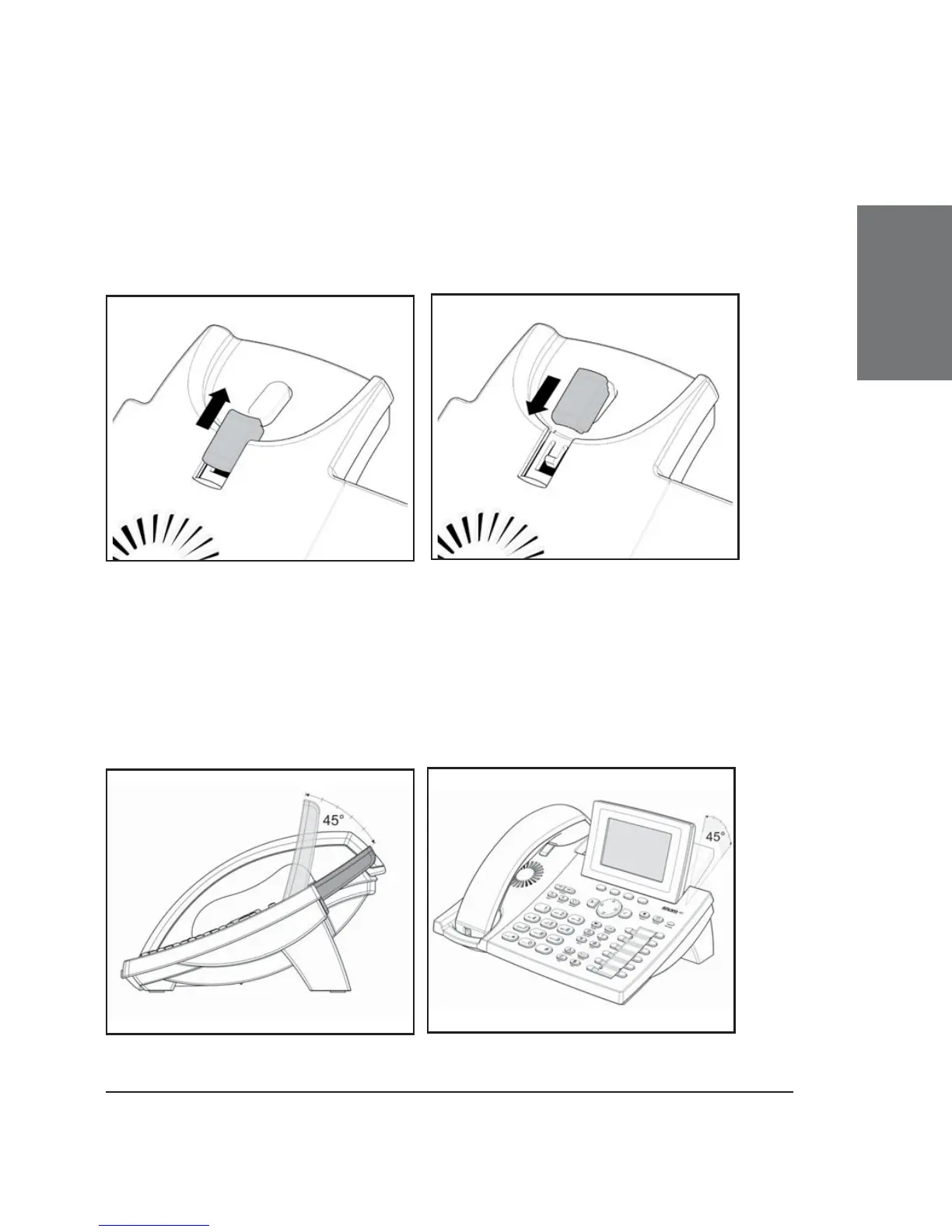
Slide the tab out of the slot, as shown in Fig. 7, rotate it 180°,
and slide it back into the slot, as shown in Fig. 8.
Fig. 7 Fig. 8
Adjusting the Position of the Display
The position of the snom 360’s display is adjustable up to an angle of 45° (Figs.
9 and 10).
Hold down the phone with one hand and adjust the display with your other
hand. Do not use too much force and do not pull, wrench, or twist the display
as this might damage or break the hinges.
Fig. 9 Fig. 10





 To Next Page