snom technology AG • 15
[ SNOM 360 USER MANUAL V1.00 ]
1
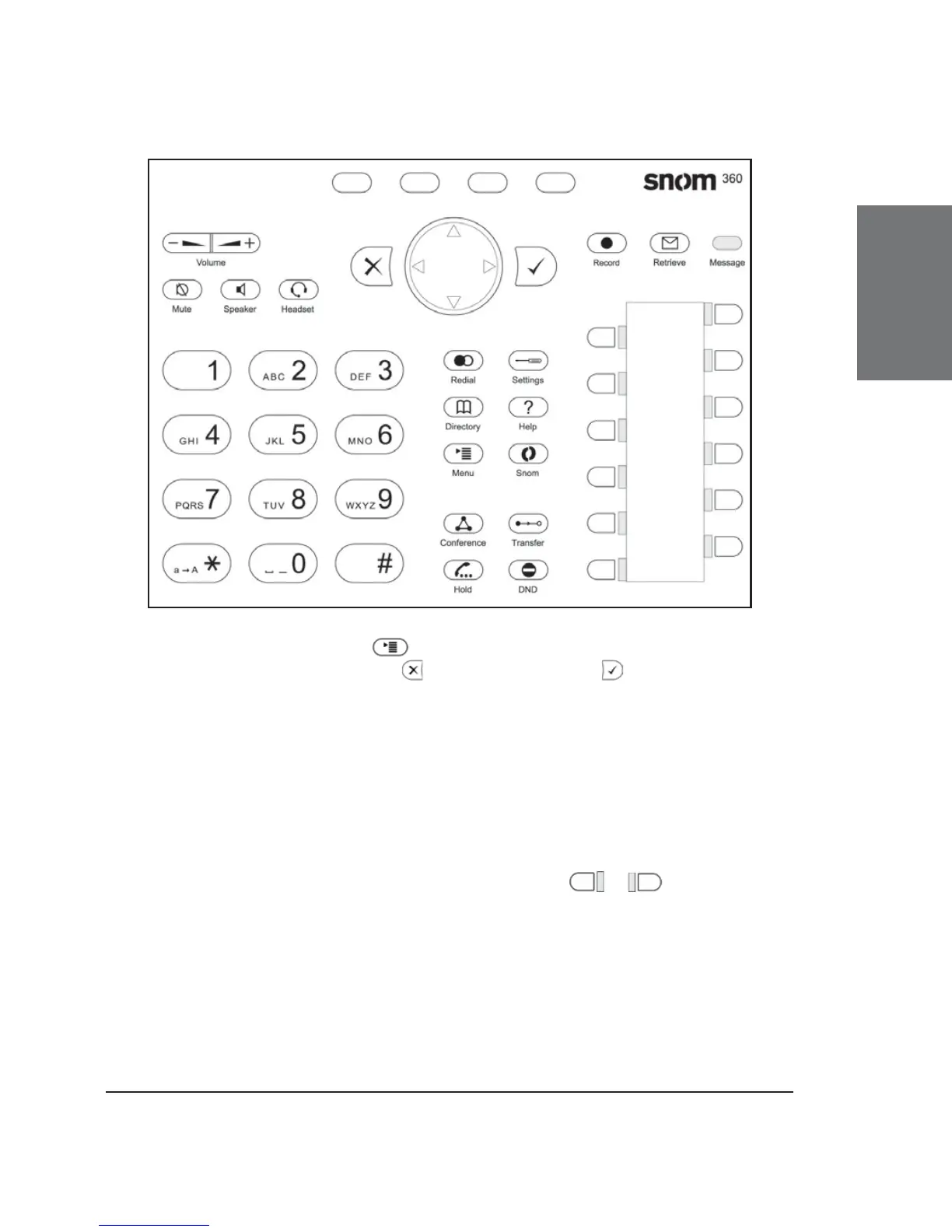
Use the MENU key to call up the menu. To cancel actions
or input, use the CANCEL key . The ENTER key confi rms actions,
selections and inputs. For navigation, use the large round navigation key
in the middle.
Depending on the operating mode, the keys can have context-
specifi c meanings, which are described in the manual.
The four keys located below the display are context-sensitive
function keys. Their current mapping is depicted with symbols in the
bottom line on the display.
The twelve keys on the right with LEDs / next to them
are the programmable function keys onto which different functionalities
can be mapped.





 To Next Page