snom technology AG • 17
[ SNOM 360 USER MANUAL V1.00 ]
1
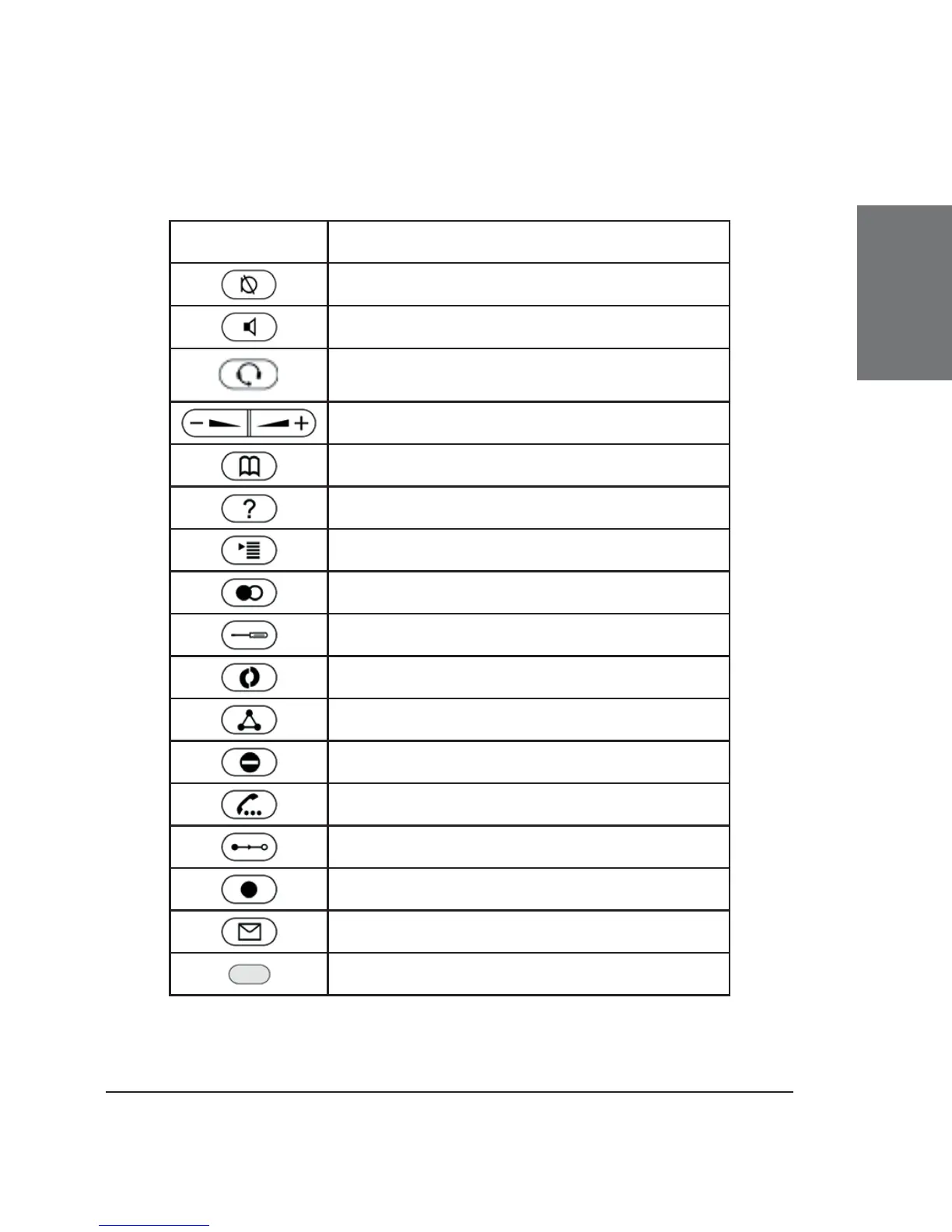
Additionally, the following keys are available:
Key Description
Mute microphone on/off
Casing speaker on/off
Headset on/off
Adjust volume (lower/higher)
Open phone book
Help
Menu
Redial
Settings menu
XML Add-on (planned)
Establish 3-party conference
Do not disturb mode on/off
Call hold/unhold
Call transfer
Record a call (with server support only!)
Connect to Mailbox
LED for MWI (Message waiting indication)





 To Next Page