98 • Settings
[ SNOM 360 USER MANUAL V1.00 ]
Broadsoft Call Control Features: Support for Broadsoft call control
can be enabled here. Broadsoft invented its own SIP standard and, if the
phone is to behave as a Broadsoft-compatible VoIP phone, this option
should be enabled.
CMC (Client Matter Code): When this setting is turned on, the
user is offered a soft key “CMC” during a call; its use sends a code to the
server using the INFO message in SIP. This code can later be used for
billing or bookkeeping along with the call ID of that call.
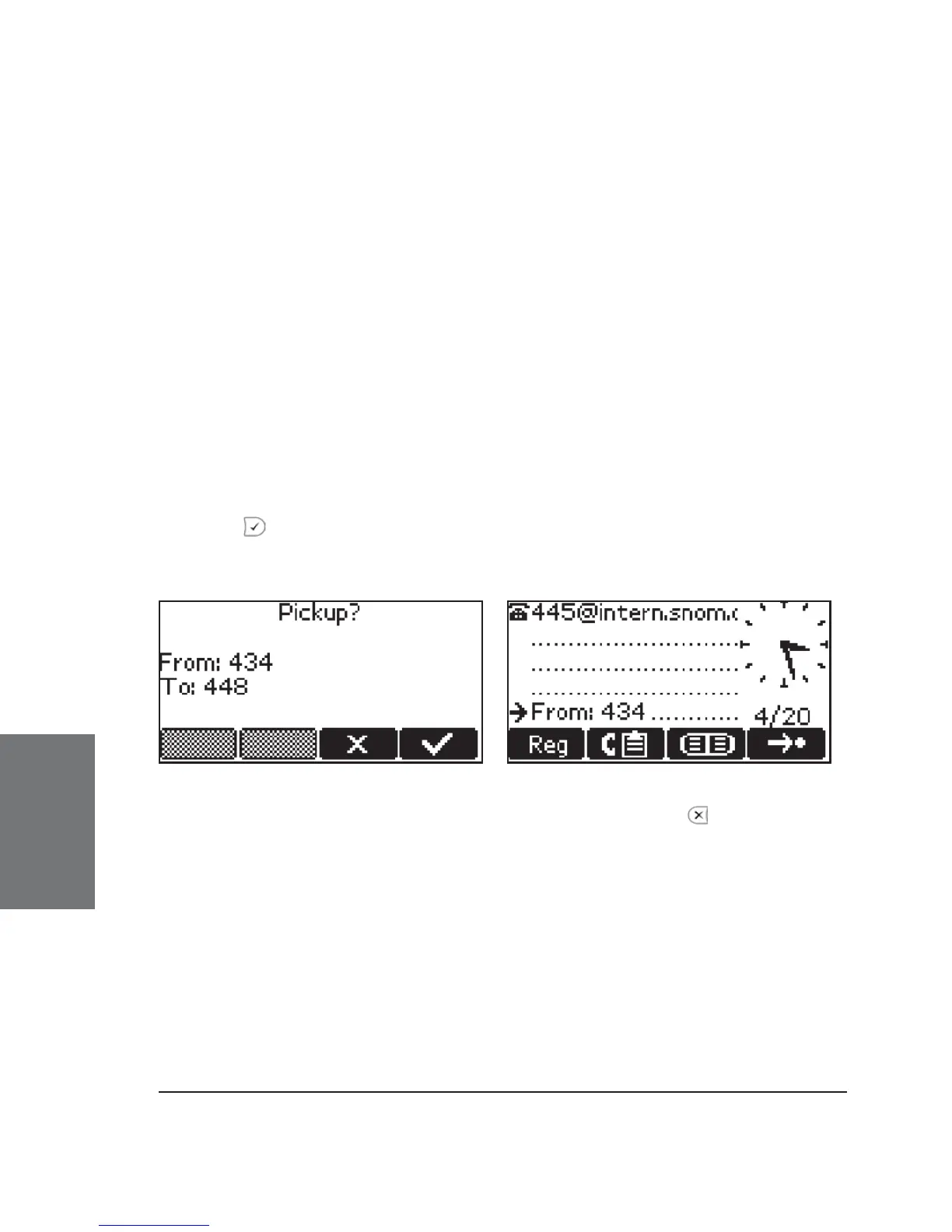
Dialog-Info Call Pickup: snom phones subscribe to the status
information of SIP URLs mapped as “Destination” on the programmable
keys. By turning this setting on, the user will be offered a pickup window
when a mapped destination gets a call and is in the ringing state. The
display will change from the idle state to show the source and destination
of that call (see left picture, below) and the user can pick up the call by
pressing
or the blinking programmable key indicating that this party is
calling someone.
The pickup offer is available as long as the destination is ringing; it will
disappear when the user of the phone offering pickup presses , when the call
is connected, when the call is cancelled by the caller, or when a third party picks
up the call.
When the feature is set to “off”, the display will show a small message
indicating an incoming call to a mapped destination (see right picture, above).
The pickup, however, will also work in this case.
Call Waiting Indication: The three available options are “on”,
“visual only”, and “off”. If you select “on”, the second incoming call is
displayed in the lower left corner of the display:
6





 To Next Page