5-19
1-3. CAMERA SYSTEM ADJUSTMENTS
Before perform the camera system adjustments, Check that the
specified value of “28MHz Origin Oscillation Adjustment”, “Y OUT
level Adjustment” and “C OUT level Adjustment” of “VIDEO
SYSTEM ADJUSTMENT” are satisfied.
1. HALL Adjustment
For detecting the position of the lens iris, adjust the hall AMP gain
and offset.
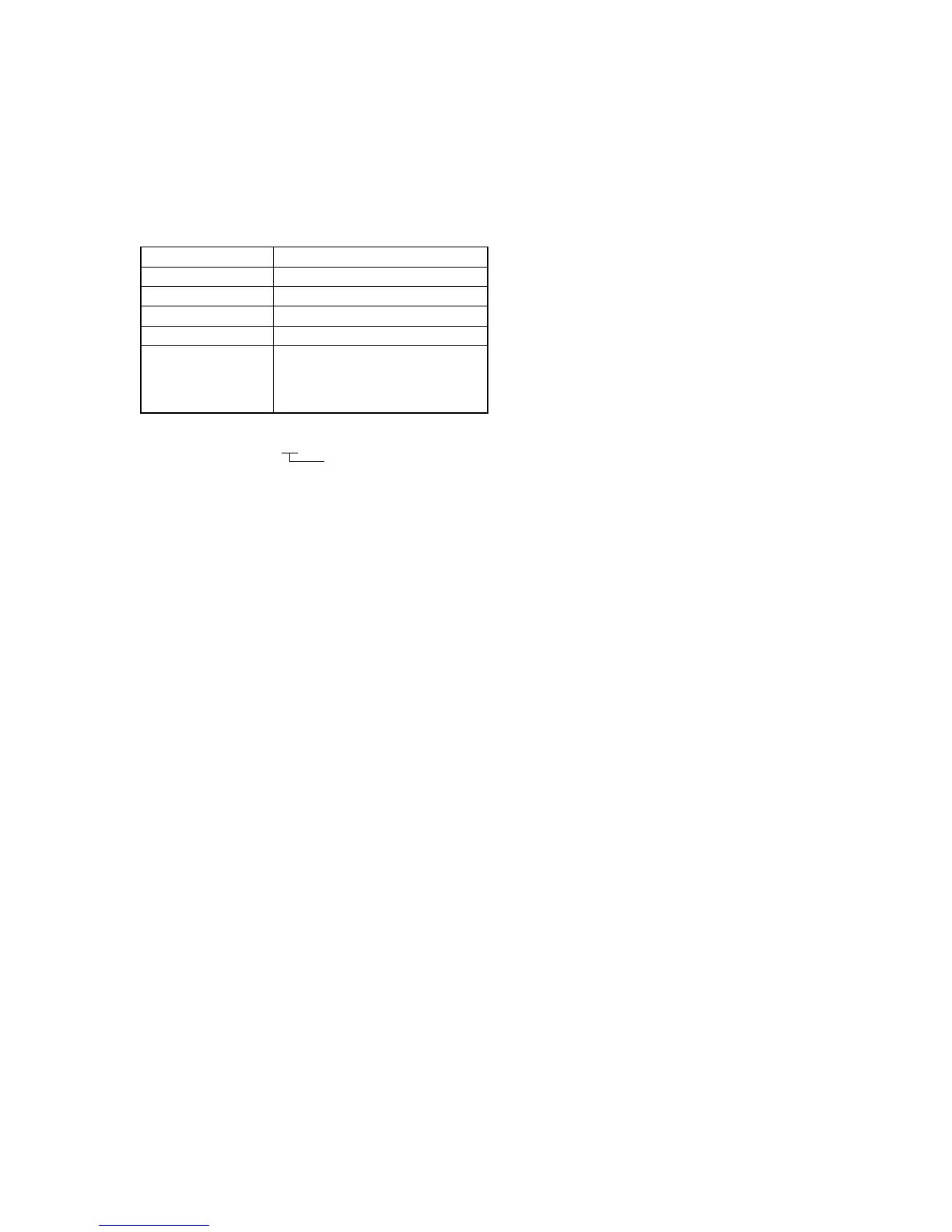
Subject Not required
Measurement Point Display data of page 1
Measuring Instrument Adjustment remote commander
Adjustment Page F
Adjustment Address 38, 39, 3A
Specified Value When the data of page: 6, address: 01
is “01”: 86 to 8A (Note2)
When the data of page: 6, address: 01
is “03”: 15 to 19 (Note2)
Note1: Displayed data of page 1 of the adjustment remote commander.
1 : 00 : XX
Display data
Note2: The PAUSE button of the Adjustment remote commander must be
pressed.
Adjusting method:
1) Select page: 0, address: 01, and set data: 01.
2) Select page: 6, address: 94, and set data: 88.
3) Select page: 6, address: 95, and set data: 17.
4) Select page: 6, address: 01, set data: 6D, and press the PAUSE
button of the adjustment remote commander. (The HALL
adjustment is performed and the adjustment data is stored in
page: F, address: 38 to 3A.)
5) Select page: 6, address: 02, and check that the data is “01”.
6) Select page: 6, address: 01, set data: 00, and press the PAUSE
button.
Checking method:
1) Select page: 0, address: 03, and set data: 03.
2) Select page: 6, address: 01, set data: 01, and press the PAUSE
button.
3) Select page: 1, and check that the display data (Note1) satisfies
the specified value.
4) Select page: 6, address: 01, set data: 03, and press the PAUSE
button.
5) Select page: 1, and check that the display data (Note1) satisfies
the specified value.
Processing after Completing Adjustments
1) Select page: 6, address: 01, set data: 00, and press the PAUSE
button.
2) Select page: 6, address: 94, and set data: 00.
3) Select page: 6, address: 95, and set data: 00.
4) Select page: 0, address: 01, and set data: 00.
5) Select page: 0, address: 03, and set data: 00.










 To Next Page