5-23
6. Color Reproduction Adjustment
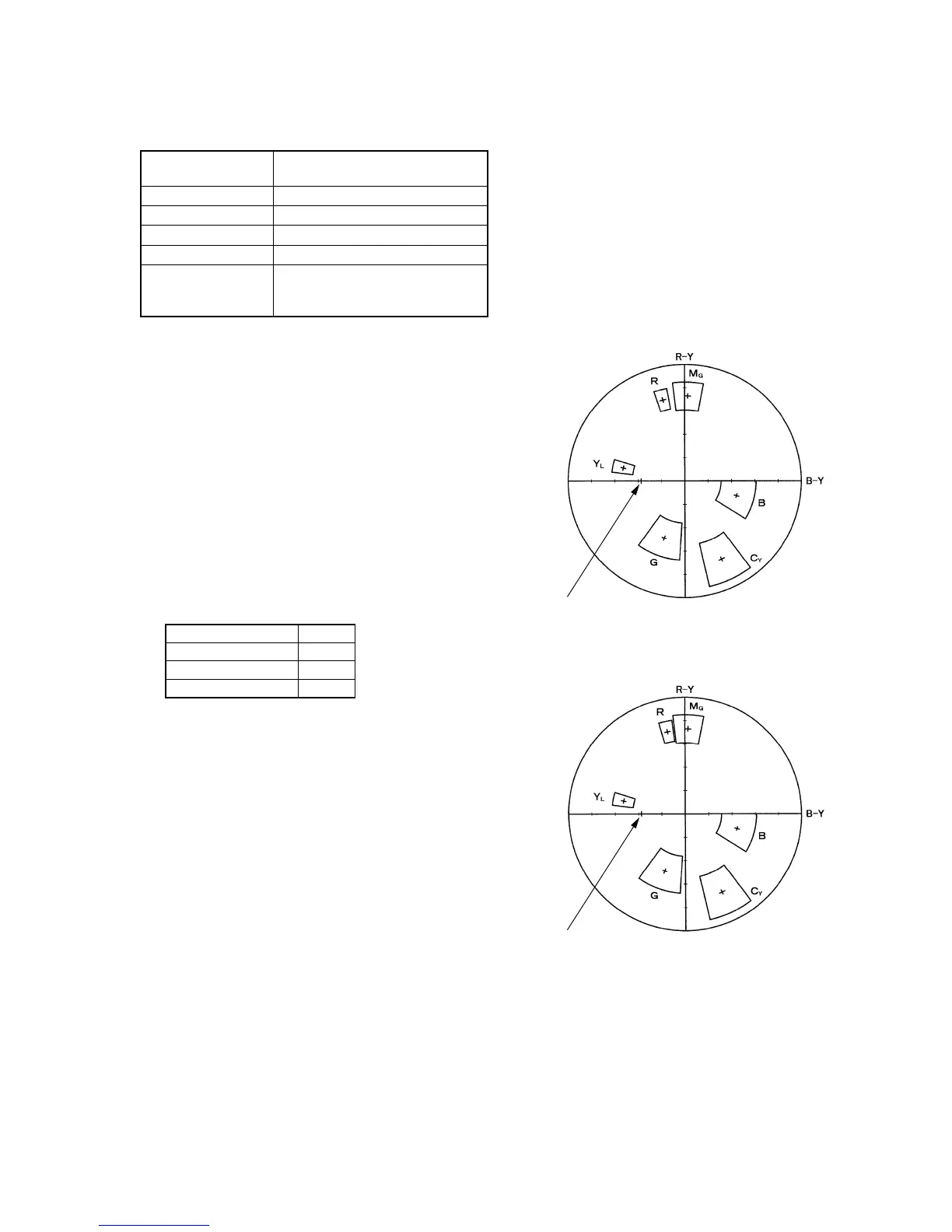
Adjust the color Separation matrix coefficient so that proper color
reproduction is produced.
Subject Color bar chart
(Color reproduction adjustment frame)
Measurement Point Video output terminal
Measuring Instrument Vectorscope
Adjustment Page F
Adjustment Address 47, 49, D7, D8
Specified Value All color luminance points should
settle within each color reproduction
frame.
Note: 760H model:
CCD-TRV87/TRV87P
510H TYPE P model:
CCD-TRV57/TRV57P/TRV67
510H TYPE S model:
CCD-TR317/TR517/TRV17/TRV37/TRV47
Switch setting:
1) NIGHT SHOT ..................................................................OFF
2) DIGITAL ZOOM (Menu display) ...................................OFF
3) STEADY SHOT (Menu display) .....................................OFF
4) VIDEO LIGHT ................................................................OFF
Adjusting method:
1) Select page: 0, address: 01, and set data: 01.
2) Select page: F, address: 2B, set data: 17, and press the PAUSE
button.
3) Select page: F, address: 8B, and note down the data.
4) Input the following data to page: F, address: 8B.
Note: Press the PAUSE button of the adjustment remote commander
each time to set the data.
5) Select page: 6, address: 01, set data: 3D, and press the PAUSE
button.
6) Adjust the GAIN and PHASE of the vectorscope, and adjust
the burst luminance point to the burst position of the color
reproduction frame.
7) Select page: F, address: D9, set data: 0F, and press the PAUSE
button.
8) Select page: F, address: DA, set data: 31, and press the PAUSE
button.
9) Change the data of page: F, address: 47, 49, D7 and D8, and
settle each color luminance point in each color reproduction
frame.
Note: Be sure to press the PAUSE button of the adjustment remote
commander before changing the addresses. If not, the new data
will not be written to the memory.
10) Select page: F, address: 8B, input the data noted down at step
3), and press the PAUSE button.
Processing after Completing Adjustments
1) Select page: 6, address: 01, set data: 00, and press the PAUSE
button of the adjustment remote commander.
2) Select page: 0, address: 01, and set data: 00.
760H model
510H TYPE P model
510H TYPE S model
Data
26
29
29
Fig. 5-1-11.
Burst position
For 760H model and 510H TYPE S model
Burst position
For 510H TYPE P model








 To Next Page