4-22
DNW-A75/A75P
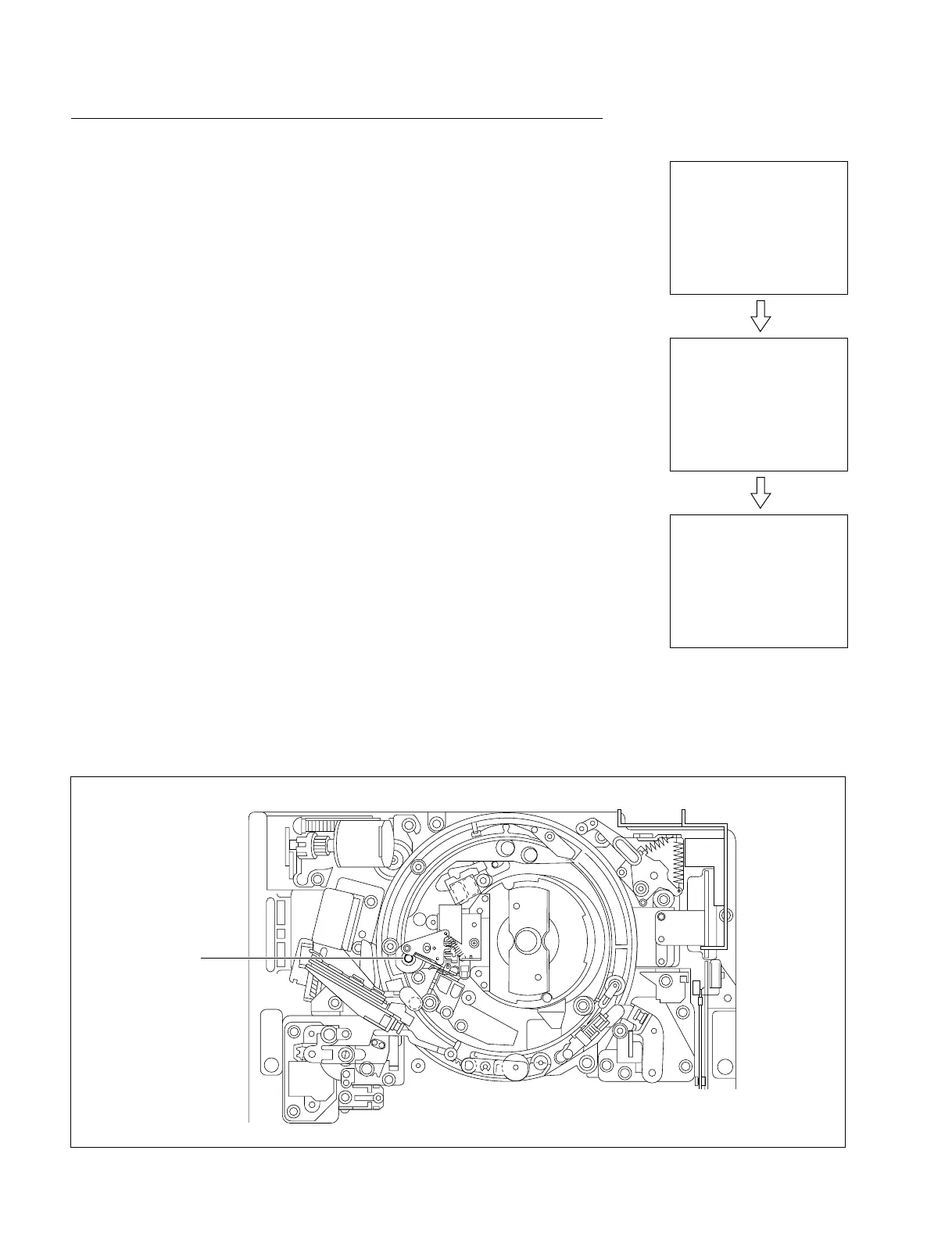
Capstan shaft
(Unthreading end state)
SERVO CHECK
MOTOR CHECK
C014:CAPSTAN MOTOR
SERVO CHECK
MOTOR CHECK
C014:CAPSTAN MOTOR
FORWARD....
SERVO CHECK
MOTOR CHECK
C014:CAPSTAN MOTOR
FORWARD....OK
[SET]
After about 10 sec.
C014 : CAPSTAN MOTOR
This submenu checks the function of a capstan motor.
Checking
(1) Press the SET button.
. Check to see that a capstan shaft rotates in the forward (3) direction.
. Check to see that the capstan shaft stops after displaying a message
“FORWARD....OK” on the superimposed display.
(2) Press the SET button again.
. Check to see that the capstan shaft rotates in the reverse (3) direction.
. Check to see that the capstan shaft stops after displaying a message
“REVERSE....OK” on the superimposed display.
(3) To finish the check, press the MENU button once.
In case of NG
. Check the mechanical abnormality.
. Check the capstan motor driver circuit on the DR-315 board.
. Check the FG output from the capstan motor.
. Check the capstan FG shaping circuit on the MS-58 board.
. Check each circuit that processes the capstan FG on the SS-83 board.
. Check the capstan motor.
Location of Capstan Shaft
4-2. TAPE Maintenance Mode (M0)
4-2-2. SERVO CHECK Mode (C00-03)



 To Next Page