2-5
DNW-A75/A75P
Knob
Knob
Installation
Removal
Plate MD assembly
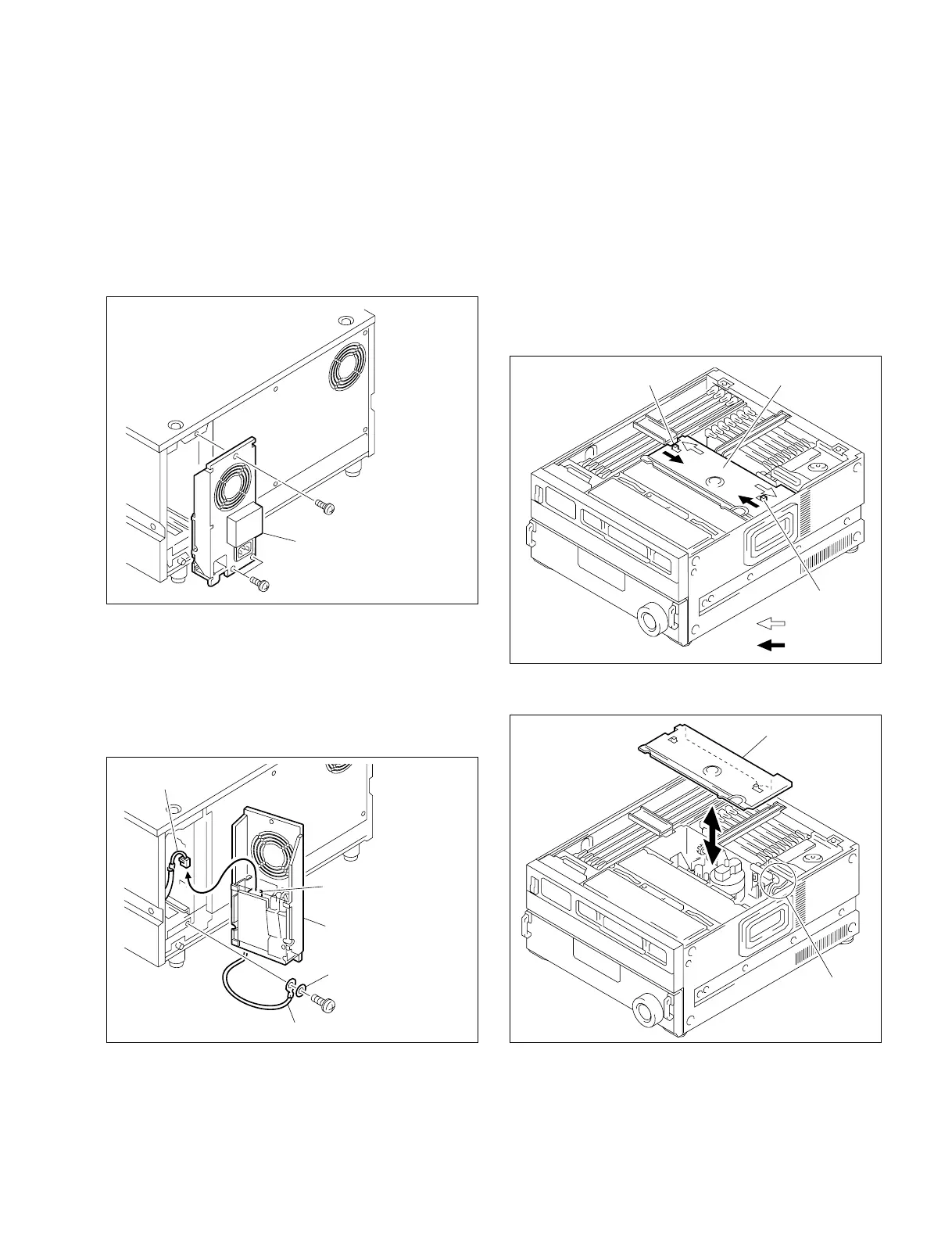
2-4. Removing/Reattaching Plate MD
Assembly
n
Turn off the power and unplug the power cord before
removing/reattaching.
1. Remove the upper lid. (Refer to Section 2-3-1.)
2. Slide the knobs on the plate MD assembly each in the
inside. (Move the knobs to the outside to fix the plate
MD assembly.)
3. Remove the plate MD assembly.
When reattaching, install in the reverse order of removal.
n
Be careful not to pinch the harnesses under the plate MD
assembly in reattaching.
2-3. Removing/Reattaching Cabinet
2-4. Removing/Reattaching Plate MD Assembly
2-3-4. Power Supply Panel Assembly
c
For your safety, turn off the power and unplug the power
cord before removing/reattaching.
1. Remove the three screws, then pull the power supply
panel assembly out.
2. Disconnect the harness from the connector (CN002)
on the AC-169 board.
3. Remove the one screw fixing the ground wire to the
chassis, then remove the power supply panel assembly.
n
Be sure to remove the washer.
When reattaching, install in the reverse order of removal.
n
To fix the ground wire, put the washer between the
terminal of ground wire and screw.
PS3 x 6
PS3 x 6
Power supply panel assembly
PS4 x 8
CN002
Harness
Washer ø4
Ground wire
Power supply panel
assembly
Plate MD assembly
Harnesses



 To Next Page