1-53
DSR-70/70P
Chapter 7 Setup Menu
104
Chapter 7 Setup Menu
Basic Menu
Basic Menu Operations
This section describes the basic menu displays and
how to change the settings.
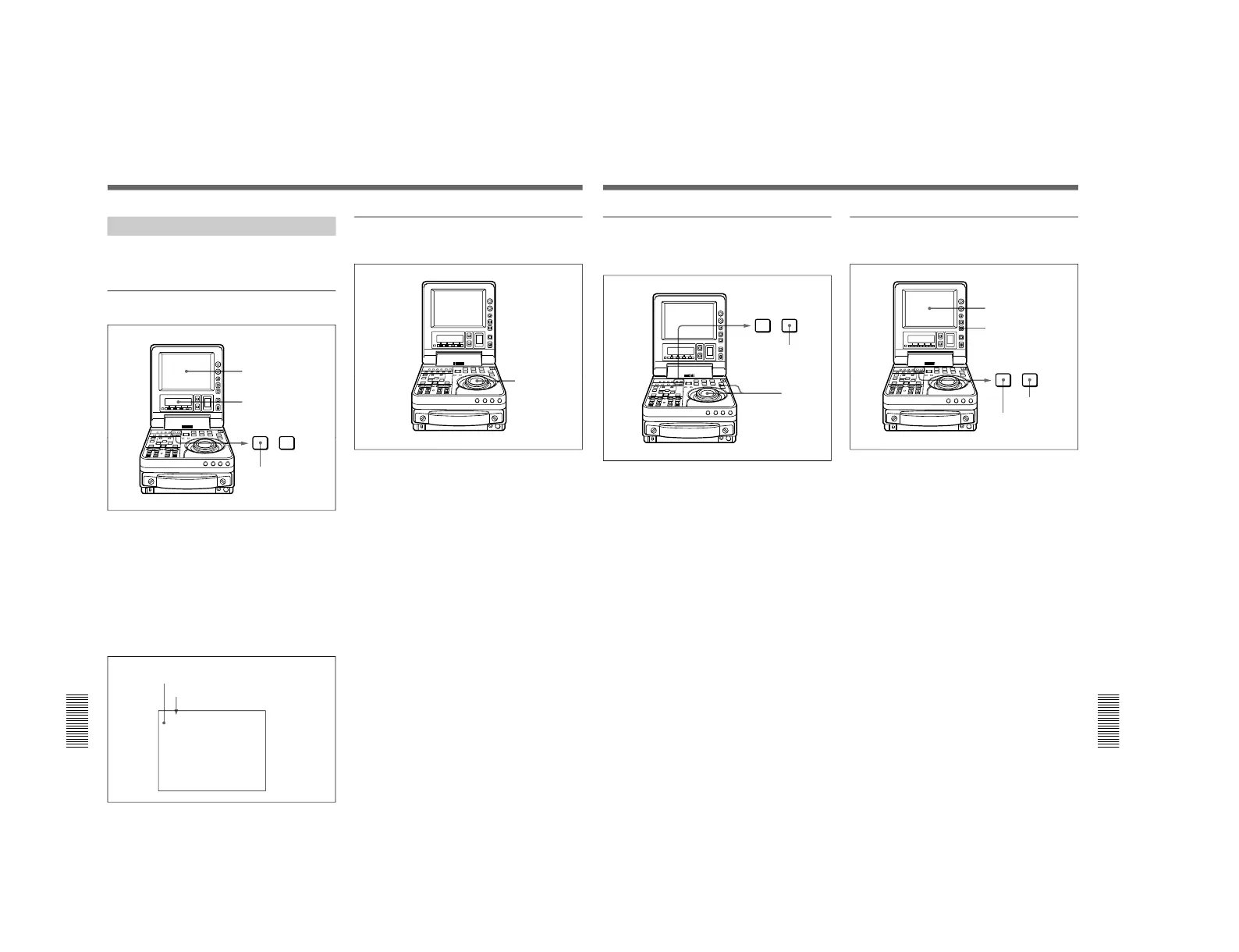
Displaying the menus
Press the MENU button.
The setting of the currently selected menu item appears
in the LCD monitor and sub LCD.
Output from the VIDEO OUTPUT 2 (SUPER)
connector
When the control panel CHARACTER switch is set to
ON, the same menu screen also appears on a monitor
connected to the VIDEO OUTPUT 2 (SUPER)
connector as shown in the LCD monitor.
LCD monitor
Sub LCD
MENU button
*HO1:OPE HOURS - 102
HO2:DRUM HOURS - 52
HOUR METER
-------
Cursor indicating the currently
selected item
Group name for the currently
selected item
Changing the currently displayed menu
item
Turn the jog or shuttle dial depending on the current
search mode (indicated by JOG/SHUTTLE indicators).
Turning the jog or shuttle dial in the clockwise
direction increments the item number, and turning it in
the counterclockwise direction decrements the item
number.
If you turn the shuttle dial, the item number changes at
a rate depending on the shuttle dial angle. If you turn
the jog dial, the item number changes on the jog dial
rotation speed.
Jog and shuttle
dials
Chapter 7 Setup Menu
Chapter 7 Setup Menu
105
Changing a menu item setting value
To change the setting value of the currently displayed
menu item use the following procedure.
1
Holding down the search button, turn the jog or
shuttle dial.
The setting value changes at a rate depending on
the shuttle dial angle or on the jog dial rotation
speed.
2
When the desired setting value is displayed, press
the SET button.
This saves the new setting value, and the menu
display disappears.
To abandon making a change
Press the MENU button before pressing the SET
button.
The menu display disappears from the LCD
monitor and sub LCD, without the new setting
value being saved.
Resetting the menu settings to their
factory default values
1
Set the MENU button.
The menu appears on the LCD monitor.
2
Press the RESET button.
3
Press the SET button.
The menu settings are reset to their factory default
settings.
LCD monitor
RESET button
MENU button
SET button



 To Next Page