1 PressVIDEOto control the VCR.
2 Insert a tape with its safetytab in place.
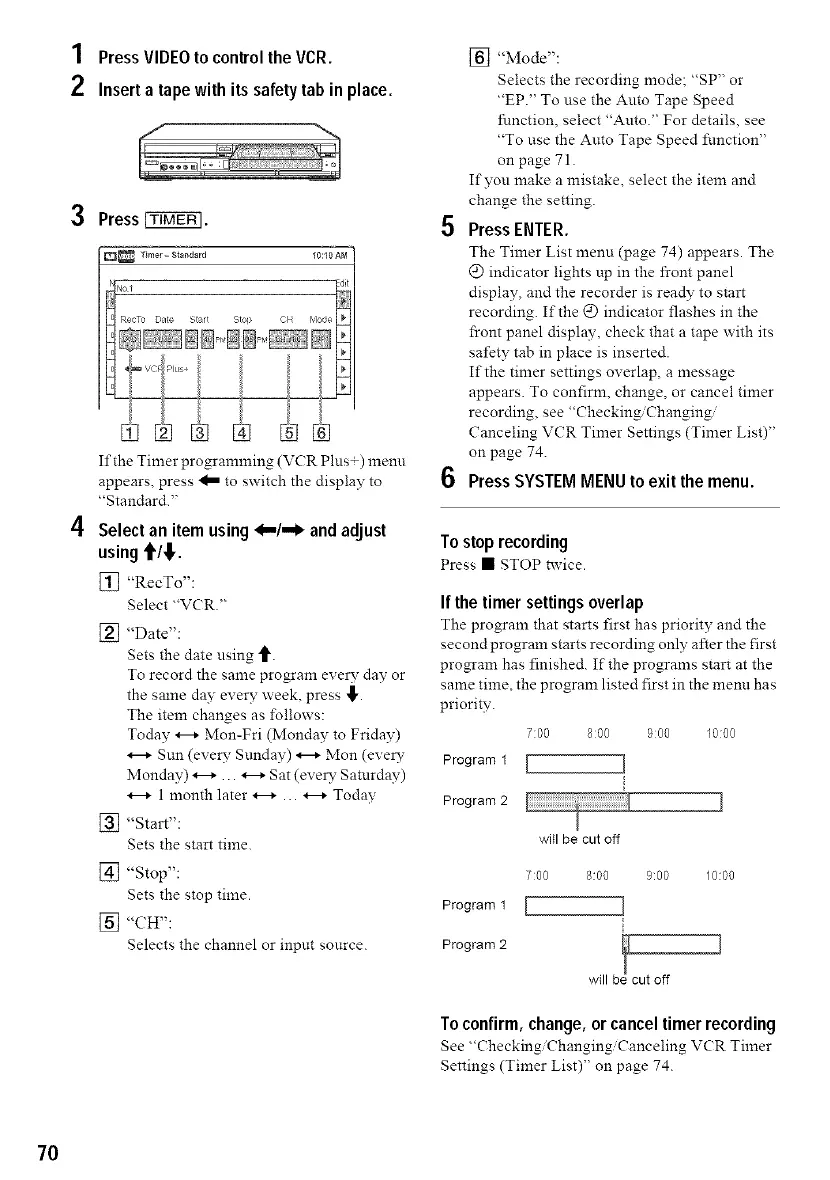
3 Press _.
If the Timer programming (V(R Plus+) menu
appears, press _ to switch the display to
"Standard."
4 Select an item using <,,,/,,,_ and adjust
using €I_I,.
[_ "RecTo":
Select "VCR."
[_ "Date":
Sets the dine using _.
To record the same program every day or
the stone day every week, press _,.
The item changes as follows:
Today _ Mon-Fri (Monday to Friday)
Sun (every Sunday) _ Mon (ever?-
Monday) _ ... _ Sat (ever?- Saturday)
1 month later _ ... _ Todav
[_ "Start":
Sets the start time.
[] "Stop":
Sets the stop time.
[] "CH":
Selects the channel or input sonrce.
[] "Mode":
Selects the recording mode; "SP" or
"EP." To use the Auto Tape Speed
function, select "Auto." For details, see
"To use the Auto Tape Speed function"
on page 71.
If you make a mistake, select the item and
change the setting.
5 Press ENTER.
The Timer List menu (page 74) appears. The
@ indicator lights up in the front panel
display, and the recorder is rea@ to start
recording. If the @ indicator flashes in the
front panel display, check that a tape with its
safety tab in place is inserted.
If the timer settings overlap, a message
appears. To confirm, change, or cancel timer
recording, see "Checking/Changing/
Canceling VCR Timer Settings (Timer List)"
on page 74.
6 Press SYSTEM MENU to exit the menu.
Tostop recording
Press • STOP twice.
If the timer settings overlap
The program that starts first has priority and me
second program starts recording only after the first
pro_am has finished. If the programs start at the
same time, the program listed first in the meml has
priority.
f:O0 8:00 9:00 1000
Program 1 [ I
Program2
will be cut off
7:00 8:00 9:00 10:00
Program1 [ ]
Program2 !
will b cut off
To confirm, change, or cancel timer recording
See "Checking'Changing, Canceling V(R Timer
Settings (Timer List)" on page 74.
70



 To Next Page