Addinga scene(Add)
You can add a scene before the selected scene.
1 After step7 of "Editing a Playlist" on
page86, selecta scene, andpressENTER.
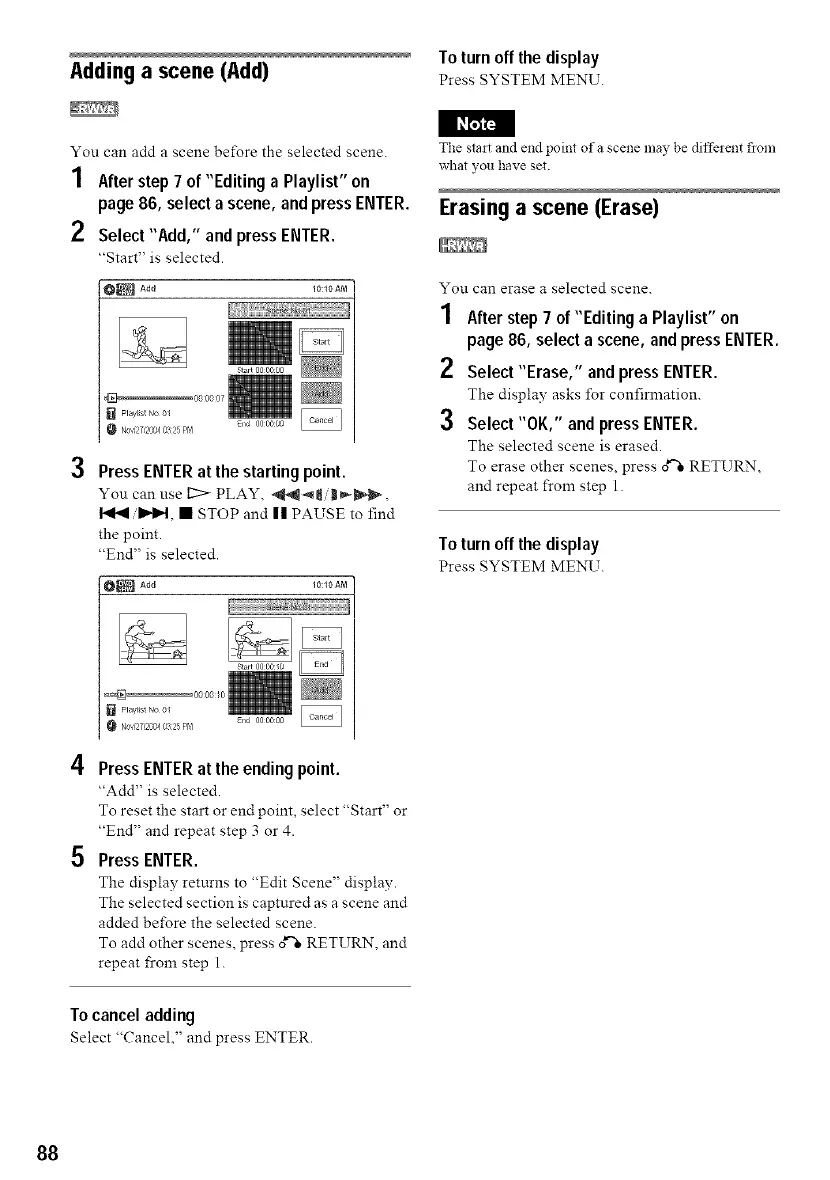
2 Select"Add," and pressENTER.
"Start" is selected.
10:10 AM
3
4
5
Press ENTER at the starting point.
You can use I2:> PLAY, _t, II_'_,
I_H, • STOP and II PAUSE to find
the point.
"End" is selected.
Press ENTER at the ending point.
"Add" is selected.
To reset the start or end point, select "Start" or
"End" and repeat step 3 or 4.
Press ENTER.
The display returns to "Edit Scene" display.
The selected section is captured as a scene and
added before the selected scene.
To add other scenes, press o_"=RETURN, and
repeat from step 1.
Tocanceladding
Select "Cancel," and press ENTER.
To turn offthe display
Press SYSTEM MENU.
The stait and end point of a scene may be diffeient flora
what you have set.
Erasing a scene (Erase)
You can erase a selected scene.
1 After step 7 of "Editing a Playlist" on
page 86, select a scene, and press ENTER.
2 Select"Erase," and press ENTER.
The display asks for confirmation.
3 Select"OK," and press ENTER.
The selected scene is erased.
To erase other scenes, press o_"=RETURN,
and repeat from step 1.
To turn offthe display
Press SYSTEM MENU.
88



 To Next Page