OXY5500 Operator’s Manual 3–1
3 - OPERATION
The instructions provided in this chapter should be used to start-up, configure
and operate the OXY5500. On the face of the analyzer is an LCD with
programming and data readouts. Refer to Figure 1–1 for an external view of
the analyzer with descriptions.
Operation Overview
The following screens and menus will be used to program and operate the
OXY5500. Refer to “Starting Up the Analyzer” on page 3-11 for instructions
for bringing the analyzer online and operation.
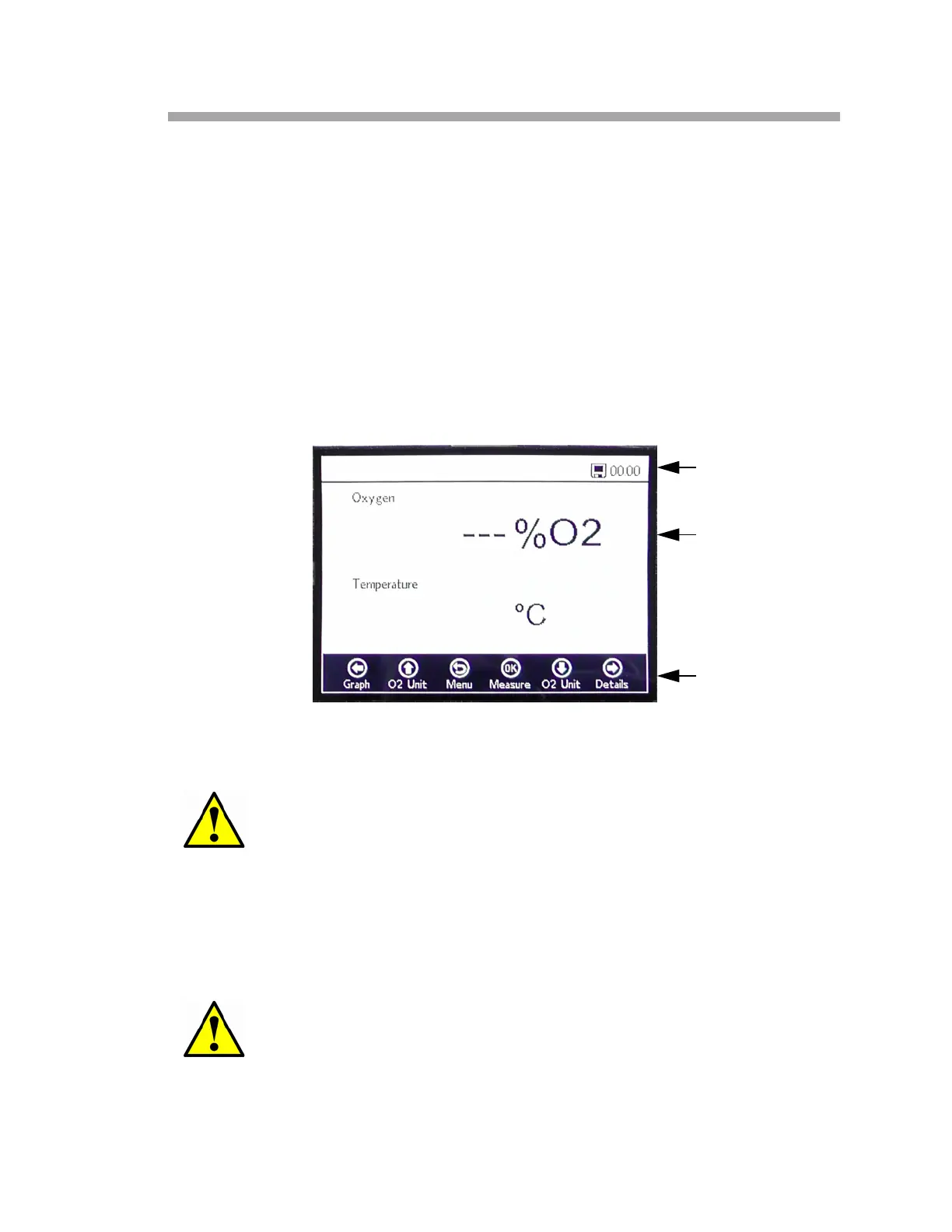
After the analyzer has been initialized, the MAIN MENU screen displays. Refer
to Figure 3–1.
The OXY5500 display is divided into three sections; status bar, main screen and
navigation bar.
The status bar shows:
• Time: The OXY5500 has a 24-hour clock setting.
The OXY5500 must be pre-calibrated before use. Refer to “Two-
point calibration” on page 3-17.
If the power is disabled to the analyzer, the Time and Date will be
set to 0 upon start-up. A warning message will display in the
Status bar as shown in Figure 3–2.
Figure 3–1 Main menu screen
STATUS BAR
MAIN SCREEN
NAVIGATION BAR


 To Next Page
 Loading...