Oxygen Analyzer
3–30 4900002239 rev. G 7-11-17
Logging and data management
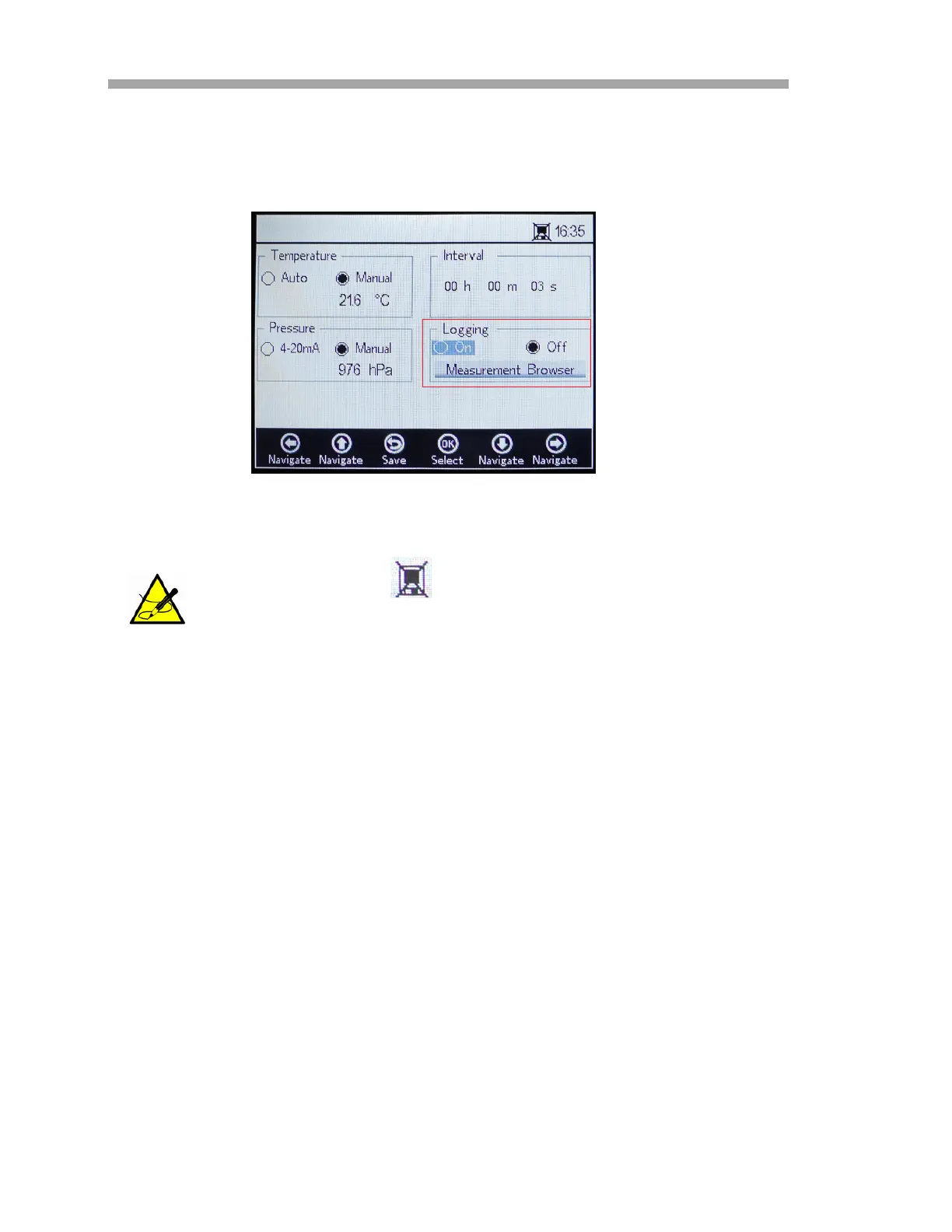
On the MEASUREMENT SETTINGS screen, use the navigation buttons to move
to the Logging box. Refer to Figure 3–34.
• Select Off if you do not want to store measurement data.
• Select On to store measurement data.
The screen will switch to the Measurement Browser automatically. A
list will display showing the Measurement file name, the number of
measurement Points stored in the respective file and the date the file
was Last Used. Refer to Figure 3–35.
In the Status bar, the symbol indicates Logging is turned
off, as shown in Figure 3–34.
Figure 3–34 Measurement Settings screen -
Logging


 To Next Page
 Loading...