Troubleshooting & Maintenance
OXY5500 Operator’s Manual B
–15
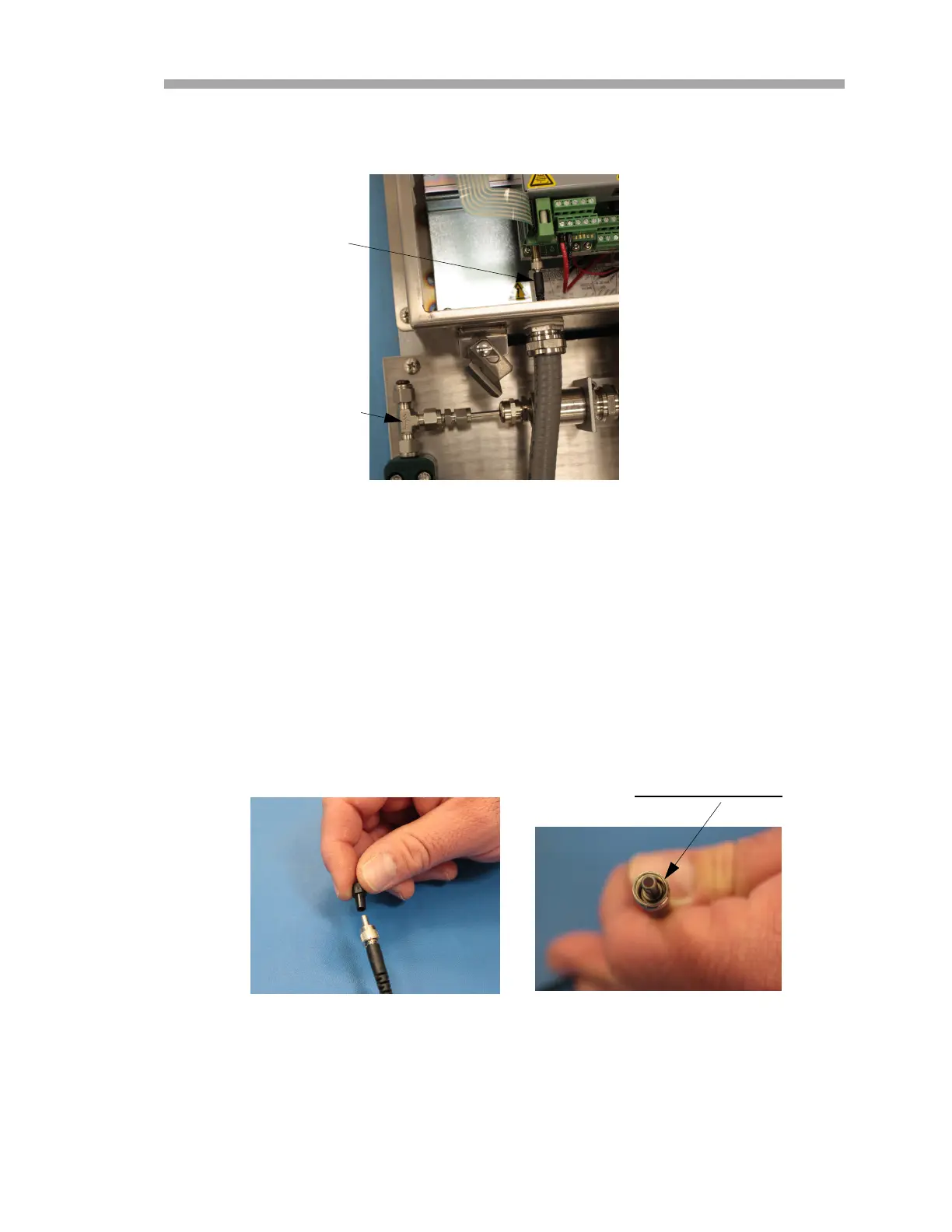
11. Loosen the connector nut on the probe at the SMA connector inside
the analyzer enclosure. Refer to Figure B–16.
12. Carefully pull the probe out through the conduit and discard.
Replacing the Oxygen Probe
Use the following steps to install a new oxygen probe.
1. Carefully remove the protective plunger from the end of the probe
(analyzer side) taking care not to touch the optical fiber tip. Refer to
Figure B–17.
2. Feed the new probe through the conduit with the SMA connector end
entering first.
OXYGEN PROBE AND
SMA CONNECTOR NUT
Figure B–16 Remove connector nut (analyzer side)
TEE UNION
Optical fiber tip
DO NOT TOUCH
Figure B–17 Preparing the new oxygen probe


 To Next Page
 Loading...