Oxygen Analyzer
3–26 4900002239 rev. G 7-11-17
5. Press .
The display will switch to the MEASUREMENT screen automatically.
Setting New RATA Mult. Manually
1. Navigate to the New RATA Mult. box and click .
2. Use the buttons to change the value (between 0.001 to
9.999) one digit at a time.
3. Press again.
Measurement Settings Options
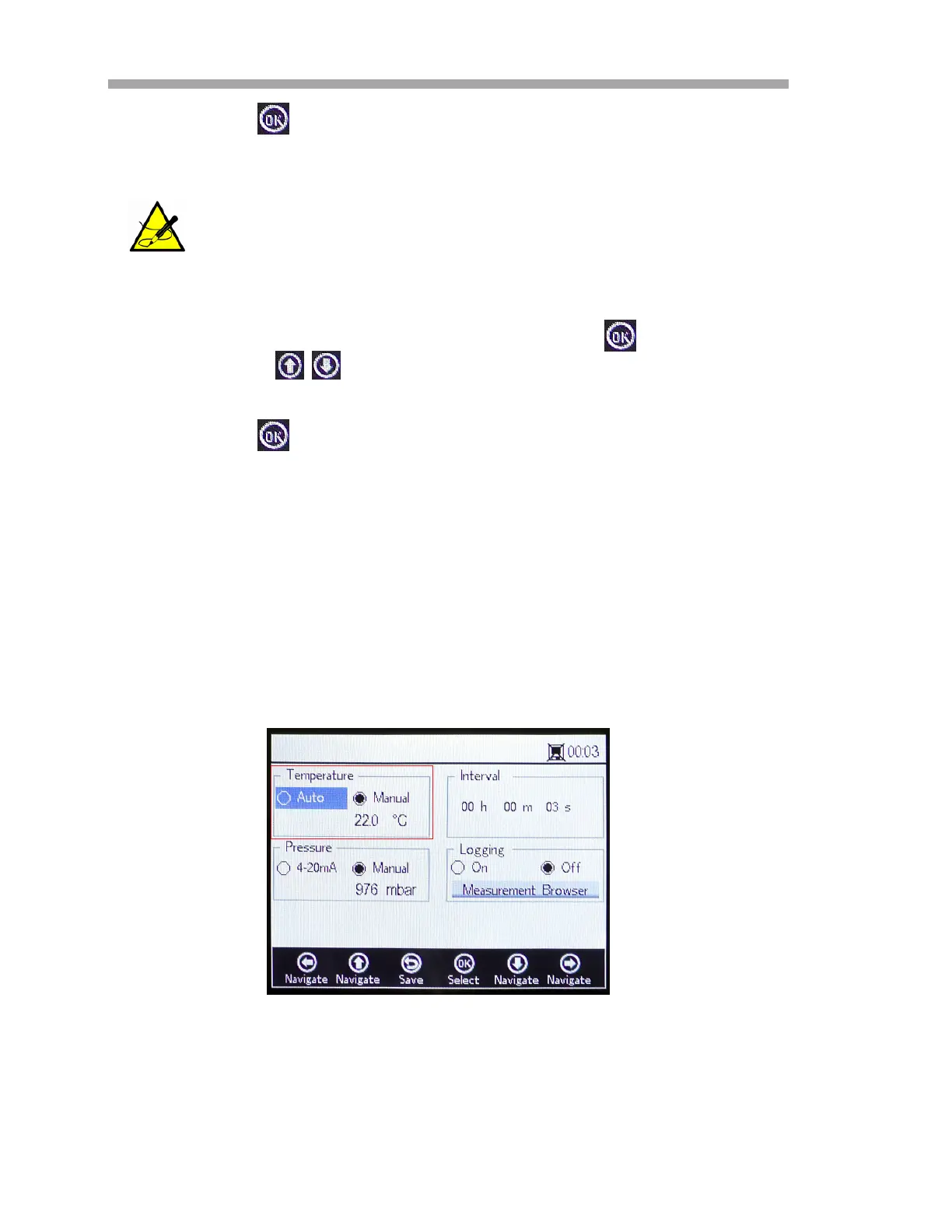
After selecting Meas. Settings from the MAIN MENU, the MEASUREMENT
SETTINGS window displays. The analyzer temperature compensation, pressure
compensation, interval, and logging and data management options are
accessed from this screen.
Temperature compensation
On the MEASUREMENT SETTINGS screen, use the navigation buttons to move
to the Temperature box. Refer to Figure 3–31.
• With Auto selected, the measurement temperature is determined by
the RTD (Pt100) sensor.
There is no automatic reset for RATA. This feature cannot be
manually reset to ‘off’ (1).
Figure 3–31 Measurement Settings screen -
Temperature compensation



 To Next Page
 Loading...