Operation
OXY5500 Operator’s Manual 3
–35
• For OP-9 sensor
– ppmv
1. Press the buttons to change the oxygen unit on the display.
The last measurement value will be shown in the respective oxygen
unit immediately. Choose one of the following options:
• Press to display the detailed measurement
screen. Refer to “Details screen” on page
3-35.
• Press to display the measurement graph.
Refer to “Graph screen” on page 3-38.
2. Press
to return to the MAIN MENU screen.
Details screen
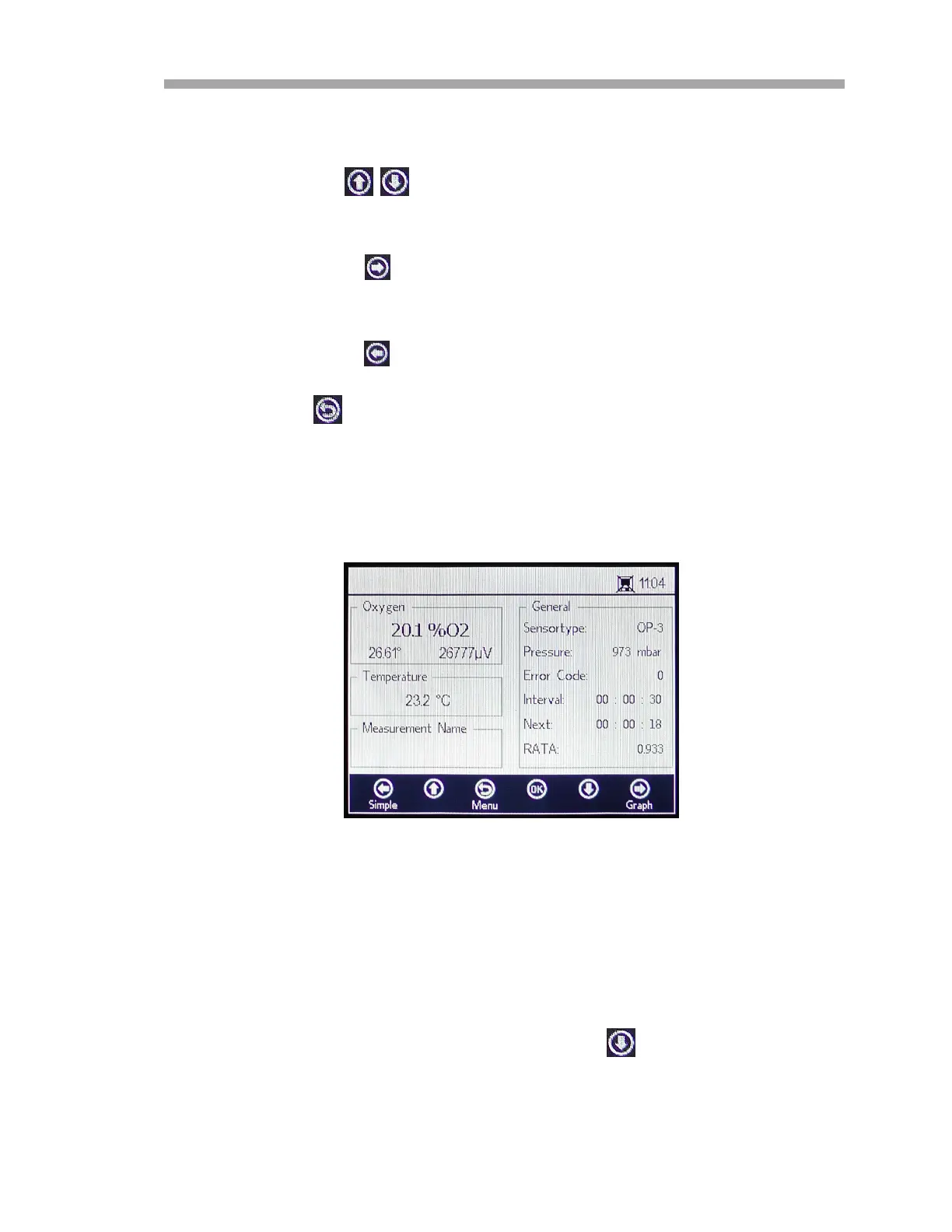
The DETAILS screen gives additional information about measurement and
measurement settings. Refer to Figure 3–40.
This screen is sectioned into boxes containing information on Oxygen,
Temperature, Measurement Name and General.
• Oxygen: This box displays the last measured value in the selected
oxygen unit. It also shows the phase angle and amplitude values.
Change the oxygen unit by pressing the button.
Figure 3–40 Details measurement screen


 To Next Page
 Loading...